
Scripts
1,601–1,700 of 5,621 scripts
Bevel Switcher
Steve Burke
This is a quick and simple script that lets you set the bevel type with a hotkey so you no longer need to open up the bevel settings dialog. Works with any Editable Poly object or with any Edit Poly modifier. Install the macroscript and…
0 commentsRandom Elements Select/Detach
Ariel G
Select and detach random elements in Editable Poly objects Detach all selected elements as one object Detach all selected elements individually I know there is already a lot of scripts for explode poly in elements, but this tool adds some…
0 commentsCompact - Slate Material Editor Toggle
miauu
A pretty simple script that changes the Material Editor from Compact(legacy) to Slate and vice versa. When it is assigned to a button, the button will stay pressed if the Compact Material Editor is active. When the button is not pressed -…
2 commentsKuka Hotwire CNC
Wassim Jabi
This script allows you to specify two splines to create a segmented surface. It then derives the necessary KRL code (.src and .dat) files to drive a Kuka Robot equipped with a hotwire cutter. For more information, please see the YouTube…
0 commentsLH | Auto-Rig
habas.l
Automatic quality rig for all lovers of animation on 3ds Max ! WHY ? Maya already has a wide selection of quality rigs, but 3ds Max doesn't. So for the animation fans looking for a quality rig for 3ds Max, without any notion of rigging…
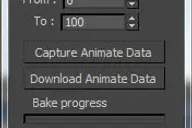
0 commentsEasy animate
Reza HaddadPour
 10 comments
Pillars
oormicreations

Pillars is a MaxScript for Autodesk 3ds Max. It creates 3d models of pillars, columns, railings, fountains and a variety of similar shapes. It also breaks them. The UI is minimalistic and you can try out a number of designs very quickly,…
4 commentsVRayMat Resampler
Branko Živković
.............................................................................................................................................................. version 1.2 Whit this tool you can easely control subdivision value according to…
24 commentsCamera resolution tool
kenneth Turner
Frankly the default 3dsMax render settings bug me. They don't deal with modern cameras. The proxy settings are hard coded and can't be changed. There's no easy way to create over-scanned frame without a calculator. So I've written my own…
3 comments3dsMax SWEEP
REDMARK
 5 comments
Show Active Constraint
miauu
This script will show in the left corner of the active viewport the currently used(active) Cosntraint type. It supports Editable Poly object and Edit Poly modifier. The script works as a toggle. Put…
23 commentsMorpherMirrors
Ric Al
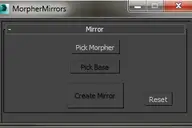
This script allows you to create a mirror of an object to be use by the morpher modifier. It is important to note that this script does not mirror the entire object but only the changes done between the base object and the morpher object,…
0 commentsVZ Renamer
All K
VZ Renamer is an easy to use 3ds Max script that will help you rename Geometry, Cameras, Lights, Scene Materials in your 3ds Max scene. USING THE 3ds MAX SCRIPT Enter the prefix name for specific objects and press RENAME. If nothing is…
1 commentrefGuides [discontinued]
Ariel G
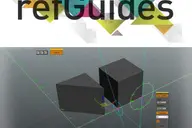
refGuides is a tool for Autodesk 3Ds Max intended to improve and facilitate accurate modeling, particularly helpful for modeling architectural scenes Max, this tool allows to create construction lines guides, providing a measurement rule…
34 commentsBodyObject Quality
Branko Živković
With this tool you can control Display and Mesh Quality Settings of multiple selected BodyObjects by single click. This is very useful for those who often use models imported from SolidWorks, Inventor, Catia, Rhinoceros etc. Requested by…
4 commentsMaxGrass
oormicreations

MaxGrass is a MaxScript for creating realistic grass and vegetation in 3ds Max, in a single click. The script also animates the grass/vegetation growth which looks completely natural. No plugins of any kind are needed. It does not use hair…
0 commentsSelectively inspect backup and restore 3dsMax.ini settings
kenneth Turner
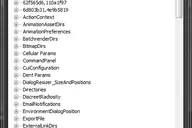
Selectively backup and restore 3dsMax.ini settings with this tool. Click on a item in the tree. Use the ‘Save Settings’ button to backup that sections settings. Use the ‘Load Settings’ button to import saved settings from a file. This will…
4 commentsEmbedBMP
ermeso
2 commentsScriptbag
ermeso
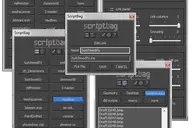
DESCRIPTION Scriptbag is a configurable quicklink tool serving as a faster and more convenient alternative to Max's cumbersome user panel/toolbar system. KEY FEATURES - Link panel: up to 60 configurable link buttons - List panel: up to 9…
7 commentsEnable Dynamic Reflections with Nitrous
David Sparks
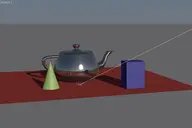
The ability to see dynamic, real-time reflections in the viewport has been in Nitrous for a while but not exposed to the user interface. Here is a pair of macros to enable or disable it. Just copy the 2 macros to your Macroscripts folder…
5 commentsUniCollapse
Nikolay Litvinov
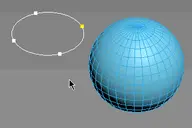
ESC+KEY SCRIPT v2.6: Collapse on Edit_Poly modifier using Scale Transform Type-In And all this works by single button
6 commentsClara.IO connection
Klaas Nienhuis
Clara.IO enables you to do 3D modeling in your browser. It's growing into a full fledged 3D software package. This script helps you upload your 3D models to Clara.IO and to download them. Current version supports vrmat export which results…
0 commentsMultiMap [no longer maintained]
Ariel G
IMPORTANT NOTE: I stopped the development of this version an it's likely to continue that way. The last version available to public download is 2.3 and present some unfinished bugs. Version 3.0 is a complete rewrite, currently available as…
18 commentsSwitchers
Nikolay Litvinov
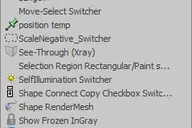
v1.1 Added tools Shapeselect, tmpSelect, ConstraintsEdge_Switcher
0 commentsFur Guides Painter
Clovis GAY

buy it on : http://hocuspocus-studio.fr/tools/product/furguides-painter/ Fur Guides Painter is a new tool, which will drastically speed your hair&Fur and Ornatrix workflow. If like me you are tired to try to brush Hair&Fur using the given…
0 commentsAttachmentAlign
Benedikt Rey
AttachmentAlign is a script to get automaticaly postioned your Helper with an Attachment Constraint. - So you got your mesh (Editable Poly) ... - You place your target (Point Helper), where you want the helper to be on your mesh (If you…
0 commentsSimpleSlicer
zemmu
A simple script to slice a selection of objects in X, Y and Z. Keeps the original materials. It doesn't care if the geometry is watertight or not. Super simple, select the objects you want to slice, and press the button. v0.31 fixed a…
1 commentdelete useless faces
feddark
Hi! Im not such a ninja in scripting, but I managed to make this! Thanks a lot to my friend Vadim who help me to fathom some things in max script! 1) This script remove useless polygons enshrouded by other geometry. 2) No unwanted geometry…
5 commentsBox Trick Tool
Aapo Peltola
Box Trick Tool Made as a small school project to fix broken objects in 3Ds Max. Sometimes 3Ds Max brakes your objects in a way that Reset Xform is not enough. With this tool you can easily fix most of your broken objects. I've used this…
4 commentsAuto ProOptimizer
Nevil Redfield(Nasser Merati)
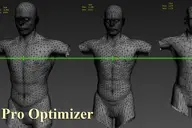
Auto ProOptimizer Add 3Ds Max ProOptimizer Modifier plus some more parameters that make "Vertex %" change automatically by distance of object from camera. Version 2 have same function for MultiRes Modifier. ProOptimizer Destroy the UVW but…
2 commentsKpivot
Michail
Script assigned to a hot key, do not use interface. Basic funkuii script: 1 - MOVE PIVOT TO CENTER OBJECT 2 - MOVE PIVOT TO SNAP POINTS 3 - MOVE PIVOT ON SECOND OBJECT 4 - CENTR PIVOT ALL SELECTION OBJECT
0 commentsGTVFX-ANM_setOutOfRangeType
Gavyn Thompson
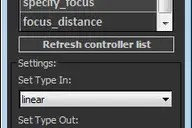
Updates: 08/16/2014: Updated the controller list to include all animated controllers within your object selection. =========================================================================================== This is a handy little tool that…
6 commentsMarvelousTool
Branko Živković
This tool will helps in preparing objects imported from Marvelous Designer. For more info visit this THREAD where I have explained how to use this script or see tutorial under Additional Info section. Requested by ice-boy
5 commentsClone & Align On Faces
Branko Živković
This simple tool will helps when you need to distribute any "source" object on "target" object selected faces. Requested on this thread by ice-boy.
12 commentsMega 'Sweep'
REDMARK
 10 comments
Cad-x-change
3iD Studios
A quick and simple utility allowing easy export and import of Cad or Max objects between software and between users ie Typical Use 1: 2 users in one studio are modelling parts of the same model, cgartist 1 can exchange Max objects to CG…
0 commentsList Scripts In Folder
Jonathan Baecker
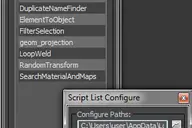
With that script you can list folders full of scripts. On the right click menu you have the functions for: run script edit script new script refresh list open path in explorer You also can dock the script window to the 3ds max main gui:…
6 commentsRegion between two points
Maxim
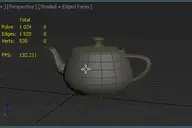
Note: .Drawing Render Region between two points in Viewport. If you press the Ctrl key, So you can move the whole selection in active viewport
1 commentCopy/Paste Object Properties
Colin Senner
This script allows you to copy and paste properties from one object to another (or multiple at once). This is useful for copying camera settings from one to another. Although it will do any type of object you copy from. You can easily…
22 commentsGrass Generator
Midge Sinnaeve

Grass Generator v1.5 (Updated) Create individual grass blades and patches of grass quickly! Interface with customizable settings for controlling both grass creation and scattering. So grass. Much generator. -- changelog -- 1.5 - 29/05/14…
18 commentsreSampleCurve
Sai
a tool for resample nurbs curve or editable spline. very limit function but useful. --UPDATE-- 2014/01/22: version V1.1, optimized and new options,thanks Branko :)
6 commentsmiauu's Spline Deformer
miauu
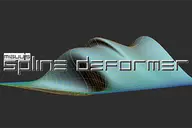
miauu's Spline Deformer allows you to manipulate rows of edges as if they were splines. The big advantage is that you can use Soft Selection to helps you on the modeling process. Now all is up to you and your imagination. Works with…
47 commentsFumeFX RGB Light Rig
Michael Stark
Since there is no way to export a Normals pass from FumeFX for re-lighting in comp, I set this up to set your Red, Green, and Blue lights to fake an RGB pass. It's pretty straight forward. FumeFX RGB Light Rig Updates Added a Link and…
4 commentsSimple Key Shifter
walid abu ali
Simple Key Shifter 1.5 It's a macrosocript,You can find it under Category: Walid This simple script shifts transformation keyframes for animated objects by given delay Instructions are given in the help button Now in version 1.5 the script…
2 commentsXREFDisplayFix
Josef Wienerroither
--------------------------------------------------------------------------------------------------------------------------------------------- XREFDisplayFix V1.0 - INITIAL RELEASE Fixes the non-working Xref Scenes "Box" and "Visible"…
2 commentsPatchy Shape
Arsham Khashabi
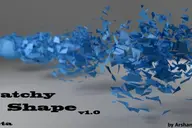
A simple way to make your model exciting both in single frame and animation form and view!
1 commentSpline Curve Control
Vladislav Bodyul
Spline Curve Control is an experimental 3ds Max script that generates a grid of boxes or a subdivided plane whose heights are driven by two spline controllers.
9 commentsSpline Rope
Vladislav Bodyul
Spline Rope is a 3ds Max script that creates a rope-like spline where one end follows a selected object.
16 commentsRandom Startup Splash Image
theonlyaaron
A quick script for randomly changing the startup image for 3ds max. I have seen other ones out there, but they require additional software, and have more complicated installations, so I made this one for me. To install: 1. Unzip all files…
6 commentsMorph Target Picker
Nevil Redfield(Nasser Merati)
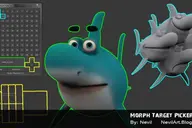
Pick and control of morph targets taking a lot of times. This tool making that quick and easy as possible. Morph Target Picker V02.0 New changes : . Interface got some changes. . Access to all morph channels. . Don`t need to joystick…
0 commentsCollect Asset
Anton
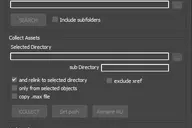
This script collects textures and other files used in the scene in one folder. Check for the same file names. It is free script.
80 commentsGTVFX-SCA_createMultiMatteElementsForScene
Gavyn Thompson
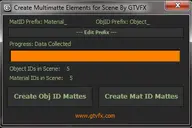
Analyzes your scene and collects all unique Object IDs and Material IDs. Will create Multmatte Elements from the IDs with a logical naming convention. Updates: 2014-11-14: Fixed a bug that would crash the tool when a VRaySky was being used…
6 commentsGTVFX-MTL_buildCompositeMapsFromUDIMs
Gavyn Thompson
Creates a composite map with the proper UV offsets from the UDIM supplied by Mari. This tool utilizes the Slate Material Editor as it is much more efficient at handling the composite maps. Updates: 2014-04-26: Removed the feature/bug of…
10 commentsSplines Scatter
Kamil M.
This script allows you to scatter splines on the surface by making new splines using interpolation from fixed number of nearest splines.
1 commentSaveFile Reminder
Branko Živković
••• version 1.5 This simple macro will remind you to save modified scene over a specified period of time. When working on large scenes often happens that the autosave starts to freezes viewport and slows down the work process. My solution…
21 commentsGTVFX-TCH_quickLoopTool
Gavyn Thompson
If you're constantly needing to loop through arrays of objects and tweak settings then this tool could offer you some convenience. This is very simply a tool that will execute a "For i " loop with whatever code you put into the dialog. You…
0 commentsGTVFX-TCH_propertyLister
Gavyn Thompson

This tool will list the properties of any object you select. The title of the dialog will change to the Class Of the selected object and the Name of the selected object. You can press the "Freeze Property List" button to prevent the dialog…
0 commentsGTVFX-SEL_SelByObjID
Gavyn Thompson
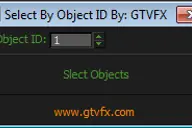
Selects all objects in your scene with the Object ID specified. Filters out hidden objects.
0 commentsGTVFX-SCA_VRproxiesReplaceWithMesh
Gavyn Thompson
Brings in the geometry mesh of the VRay Proxy at the same position and with the same hierarchy as the proxy container.
2 commentsGTVFX-SCA_RenderSettingsHelper
Gavyn Thompson
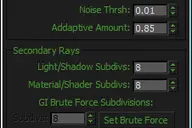
This tool exposes the main VRay settings that contribute to the quality of the final rendered image and puts them into one quickly accessible dialog. I recomend using this in combination with the VRaySampleRate render element to fine tune…
0 commentsGTVFX-SCA_populateAssetToSelection
Gavyn Thompson
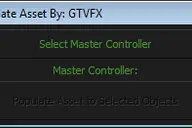
This is definitely a special needs tool. It's not one that would be needed very often, but when it's needed it saves hours of time. Takes a collection of nodes parented to a master CTRL and populates them to the transform of a selected…
0 commentsGTVFX-SCA_createLightSelectElements_perLight
Gavyn Thompson
Creates a VRay Light Select Element for each light in your scene. Elements are named with prefix of the nameTag variable. You can change this variable if necessary for your pipeline. To do so you will need to open the script and modify the…
2 commentsGTVFX-SCA_createLightSelectElements_ByLayer
Gavyn Thompson
Manages the creation of VRay Light Select Elements based on a layer naming convention. All lights on a layer will be included in that Light Select Element. Layers are found by matching the pattern of the nameTag variable. You can change…
0 commentsGTVFX-SCA_addSmoothModifierToBaseObj
Gavyn Thompson
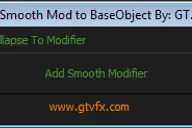
Assigns a Smooth Modifier to the bottom level of the Modifier Stack with an option to collapse to the modifier once applied. Usefule for quickly changing the Smoothing for an entire mesh while preserving the modifier stack.
0 commentsGTVFX-SCA_addMaterialModifierToBaseObj
Gavyn Thompson
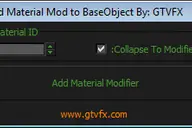
Assigns a Material Modifier to the bottom level of the Modifier Stack with an option to collapse to the modifier once applied. Usefule for quickly changing the MatID for an entire mesh while preserving the modifier stack.
0 commentsGTVFX-MTL_materialAssignmentTransfer
Gavyn Thompson
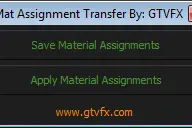
A method for transferring material assignments for assets if your pipeline isn't set up for automating that.
0 commentsGTVFX-MSH_proOptimizeSelection
Gavyn Thompson
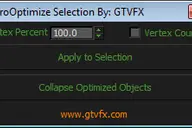
For each object in your selection a proOptimzer modifier will be applied and calculated to the percentage you specify. Once applied and you can update the spinner in the UI and see your objects update in real-time.
0 commentsGTVFX-MSH_detachElementByMatID
Gavyn Thompson
Explodes a mesh object creating single objects for each material ID.
1 commentGTVFX-MSH_attachSelObjs
Gavyn Thompson
This is a very fast and memory efficient script for combining multiple objects into a single mesh.
0 commentsGTVFX-ANM_pointCacheHelper
Gavyn Thompson
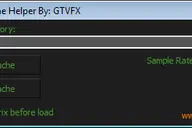
Will pointcache all objects in selection Saves the cache files in the given directory Cache files are named the same as each object Will load caches back on to each object by name Saves World Space Point Cache Loads Local Point Cache The…
0 commentsGTVFX-ANM_maxVRayCameraConverter
Gavyn Thompson
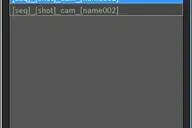
Converts Standard Max cameras into VRay Physical cameras or the other way around. When converting to Vray camera there is the option to use either FOV for Focal-Length. Updates: 2014-02-09: Updated UI. Fixed a bug when converting the focal…
7 commentsGTVFX-ANM_keyFrameOffsetter
Gavyn Thompson
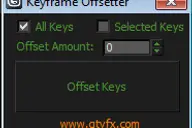
Offset the keyframes of all selected objects. Offset all keyframes or just the selected keyframes
0 commentsGTVFX-ANM_createAnimStillsCam
Gavyn Thompson
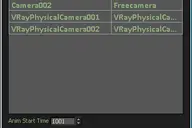
Creates a single camera that is baked frame by frame to each camera that is selected in the list. Useful for creating production stills and sending a single camera off to be rendered. Updates: 2014-02-07: Support for baking to VRay…
9 commentsGTVFX-ANM_cameraBaker
Gavyn Thompson
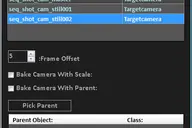
Bakes cameras per frame with optional transform, and optional frame range buffer. By default this bakes the camera in World Space which is generally what you want. There is an option to bake the camera in Parent space if you check the box…
0 commentsGTVFX-ANM_bakeVRCamFocusDistance
Gavyn Thompson
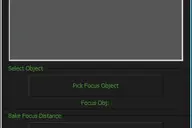
Constains a point to a selected object and bakes the cameras focus distance to that point. Useful if you're rendering with Depth of Field and want to keep an object in focus throught a shot. Or if you want to do a rack focus you can…
0 commentsGTVFX-ANM_bakePointHelperToObject
Gavyn Thompson
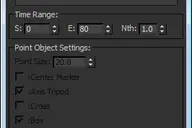
Updates: 08-16-2014: Added additional options for baking and point helper display Bakes out a point helper to each object in your selection. If you have objects that are point cached or have WSM modifiers, then use the "Bake with…
0 commentsPiCliff
Arsham Khashabi
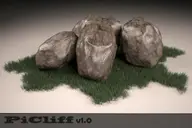
If you're tired of modeling rocks in your projects, a job that's not too hard but takes time and sometimes doesn't have a good result, so we recommend you to use PiCliff rock and cliff generator PiCliff generates random shapes of rocks…
2 commentsHide-Unhide Tools
Héctor Barea
This is a small script to extend the hide/unhide Editable_Poly options out of an object to help in its visualization when you need to have the object unselected or freezed. Features: -Create a group of faces of an Editable_Poly mesh -Add…
0 commentsHidden Surface Deleter
HwangJaeChul
Hidden Surface Deleter Camera view
1 commentPlank Master v1.0 is out!
Piotr K.
Hello guys! I want to show you my very first script - Plank Master. This script creates 3d planks and have possibility to break and slice them. More informations you can find on my blog (…
0 commentsRegionRenderPRO
Vladislav Bodyul
Region Render PRO is a 3ds Max macro that enables you to render specific regions of your scene and see the results directly in the viewport.
7 commentsCorVex
Shawn Olson
CorVex is a scripted geometry plugin for 3ds Max aimed at quickly building game level layout and walls. It offers convenient planar mapping controls for geometry that is controlled by spline bases. I developed this plugin after years of…
12 commentsProSequencer
Jonathan de Blok
ProSequencer is now available for free, enjoy! If you’re working with multi-shot animations this will make your life a lot easier! You can now create, view and tweak an edit directly in 3dsMax. All this in an artist friendly way comparable…
46 commentsResizeAfterZBrush
Benedikt Rey
Hi, this is a little Script I made 10 month ago ... And from then to now it was indispensable for my 3ds-Max <-> Zbrush Workflow. It's a rough version so use it carefully -> save your scene before you use it until you get how to use it ...…
0 commentsVertsColorMgr
Branko Živković
With this simple tool you can easily set or swap certain vertex color of EditablePoly object. Requested by airbrush
5 commentsPFlow TM
Clovis GAY

buy it on : http://hocuspocus-studio.fr/tools/product/pflow-tm/ A maxscript Tool to mesh Particles trajectories, with growing meshes. Different mesh choices, and growing options. All you can do with ParticleFlow, you can mesh its animation…
1 commentGTVFX_Toolbox
Gavyn Thompson
Updates: =================================================================================== 08/16/2014: v2.34 Some minor bug fixes to the Toolbox. Added additional tools to the system menu. 05/23/2014: v2.32 Fixed a bug that prevented the…
32 commentsSimple Generator Splines
Vladislav Bodyul
A script creating abstract 3D structures from randomly generated spline curves. Changelog v1.1 Added the ability to specify a path. v1.0 First version.
6 commentsInclude/Exclude Selected Objects From Lights
stedubs
Description: Include/Exclude Selected Objects From Light Directions: 1. Select objects 2. Run Script 3. Select lights you wish the objects to be exclude/included from 4. Right click when finished Script Features: -Applies selected objects…
1 commentBatch Rescale
Ibraheem
Newer version thanks to user barigazy Apply scaling to multiple objects. Choose the dimension you want to scale all objects to then select the reference object as seen bellow:
7 commentsDetach by Face Count
Branko Živković
With this tool is very easy to detach faces by predefined faces count or by elements especially when you deal with complex models where you can not be able to export geometry because of exporter limitations. Requested by roamn
0 commentsSpline Growth rigger
Michael
A really simple script, allowing you to setup multiple to deform along path with PathDeform WCM modifier. Has a simple GUI and even a working progress bar if you happen to use it for a lot of splines :D
1 commentSelect | Invert Faces By Element
Branko Živković
This macro script contains two usefull operations (as in Lightwave): #1 select all faces by element #2 invert selected faces by element Requested by titane357
1 commentDetailer
Shawn Olson
Detailer is a commercial scripted plugin for 3ds Max to generate billboards. Its main focus is creating billboards that can be exported into the Source Game Engine. This plugin will add a new category in your create tab called Wall Worm…
1 commentRandom lights
infect3d
Simple script for randomizing selected lights intensity temperature and delete percentage of lights.
2 commentsSublime3dsMax
br0t
A plugin for the Sublime Text Editor to evaluate MAXScript code (complete file or selected lines) directly in Sublime, thereby running it in the open 3ds Max instance. Speeds up development of MAXScript in Sublime quite a bit :) Based on…
15 commentsBatch Camera Previews
Colin Senner
This script will render out via "Preview - Grab Viewport" for multiple cameras at once. Useful if you create preview cameras a lot, or need to make multiples at once. Installation: 1. Run script 2. In Max goto "Customize->Customize User…
1 commentDelete Modifiers
Branko Živković
••••••••••••••••••••••••••••••••••••••••••••••••••••••••••••••••••••••••••••••••••••••••••••••••••••• VERSION 2.0 This little tool provide advanced way for modifiers deletion, especially in complex scenes. Second version can be also used…
20 commentsRapid Edit
real08121985
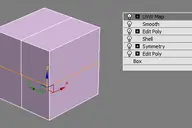
Automaticly selects the first editpoly/editspline modifier in the list. If no editpoly/editspline modifier can be found it asks you if you want to add one. Also works with groups, if activated it will either open the instanced…
8 commentsRender exr files for Nuke (zips)
Martin Solarte
This script will create exr files from vrimg files rendered with Vray; they are saved as zips, and half float for best compatibility when working in Nuke. The way it works is very simple, it takes the frame saved as vrimg format saved by…
1 comment