ScriptSpot

Script

ProSequencer

By Jonathan de Blok · 2013-12-13

Version
1.991
Version requirement
Fully tested in 3dsMax 2012..2017 (Max 2012 will have StateSet features disabled)
Date updated
2016-12-12
Votes
21
Download
Download
Description

ProSequencer is now available for free, enjoy! 

If you’re working with multi-shot animations this will make your life a lot easier! You can now create, view and tweak an edit directly in 3dsMax. All this in an artist friendly way comparable to working in After Effects or Premiere. Quickly export previews or render clips directly from the timeline.

Main features:

  • Sequence camera shots and/or Statesets.
  • Deadline / VFB+ / Prism (former LPM2.0)  integration
  • Adds a ‘Timeline Navigation Bar’ comparable to the one found in After Effects.
  • Easy preview and render functions, quickly create previews and setup renders from a clip’s context menu.
  • Token based render/preview system.
  • Does not get in your way when you are not using it, collapses to only show the time navigation bar.
  • Automatically set the camera’s wireframe color to indicate if a camera’s track is selected or if camera is active.
  • MaxScript access to the sequence data for integrating into existing pipelines and render managers.
  • Sequence data is saved in the max file itself in a non disruptive way. This means the scene will just open fine even when the sequencer is not present on the system.

Additional Info

For detailed instructions of all features please see the online help page

See change log here

latest additions:

V1.991 - 12-12-2016

  • added: Option for 'handles', render extra frames at beginning/end of a track to have some wiggle room during final editing of renders or previews.
  • fixed: Deadline support, some old code got included somehow, now works properly with error checking and without debug popups etc. sorry about that :)
  • fixed: frame numbering, now works correctly for both single frames and multiple frames. Single frame tracks don't get a frame number in the filename. This mainly for when you're using proSequencer to manage rendering multiple stills from a scene. For proper operation don't add any framenumber placeholders in the filename, just let ProSequencer handle that.
  • added: Autopass, this is a powerful feature to automatically include your Render Elements into an EXR using a ini file. In this file you can define how you want to store each type of pass. for example you can set a depth passes to MONO/32bit and reflection to RGB/16bit etc. In the ini file some default settings are defined and you can then have overrides per RE class like so:  "classname_<format|type|filter> = value", it's explained in the ini file's comments. (get a trained TD if you're not sure how to work this :)
  • Added: Version/Meta data per track, you can use these as a token in the output filename/path. You can set it in a track's "context menu"->"shot version" and add this data your output path/file in the settings dialog. There is an option to set these for all tracks at once or for the current track only.  This makes housekeeping of multiple render versions very simple.
  • added: Separate definitions of output file and path for better customization.
  • added: print summary options, this will print a list of all track's output in the listener so you can check your tokenized output and debug more easily.
  • fixed:  disabled tracks are no longer included in 'submit all' operations.
  • added: duplicate track function. Simply copy a track including all it's parameters.

v1.99 - 07-12-2016

  • Added: Enhanched Prism (former LPM2.0) integration. Shots setup in Prism will auto-update while adjusting the edit in ProSequencer.
  • Added: Deadline integration, submit a track, or multiple, directly to Deadline.
  • Added: HDPI display support, now looks and works correctly with window's UI scaling.
  • Misc: The usual small tweaks, bug fixes etc.

Note: Max 2017 has a bug where hiding/showing objects during playback/scrubbing messes up the viewport. This, for example, can happen when you link a StateSet to a track, to hide a layer or object for a certain shot. This is not a bug in State Sets but a viewport issue. The work around is to scrub using the red playhead of ProSequencer and not Max's default one. For now I've made it bit wider for easier grabbing. Autodesk is aware of this issue and since it affects the native sequencer as well I expect this to be fix soon. Enjoy!

Tags: camera, edit, sequencer, prosequencer, multishot

Comments (46)

Is there any document

Marsman · 2019-09-20

I have intalled the script but dont know how to use it. Is there any document or instruction video for 3Ds max? Thank you!

Thanks for the great script!

e_samurai · 2019-03-07

It really helped boost my workflow! THANK YOU for making it free!
My only question is, how do I handle the Vray render passes if I don't want an EXR? I can't seem to figure it out and I find no passes being saved in the default output folder per camera.
Thanks!

-

Jonathan de Blok · 2019-03-08

In the settings there is an 'autopass' option, if you disable that it will leave the render elements settings to what ever you set them. when enabled it provides a system to automatically set channels, bit depth, filtering for various pass types (controlled though an ini file) so it avoids mistakes etc. But when used it will all end up in the main exr.

THANK YOU!

e_samurai · 2016-12-25

Thank you very very much for sharing this awesome script for free! It's very appreciated. If only I knew this one before my current project haha I had to do LOTS of cutting in AE and Premiere. It was a pain.
One noob question please if you allow me: Does this include the rendering functionality of BatchCameraRender script? Where cameras a Node-Based with each camera having its own Scene State/Preset/Range/etc? If it doesn't, is it easy to integrate it with that?
THANKS!

.

Jonathan de Blok · 2016-12-28

Thx!

It isn't integrated but i guess ProSeq can do most of those things natively.

You can assign stateSets to tracks, and in there you can change everything you need per-shot, and the range is of coarse taken from the sequencer :)

For batch rendering, ProSeq comes with deadline support which is the best render manager on the planet, free up to two nodes. So give that a try if you want to render comfortable from ProSeq.

Another option is Prism (LPM 2.0) which is a great render/pass manager that is working in conjunction with ProSeq, it can propably handle all you render needs as well.

Nice, excellent

Fabrizio17 · 2016-11-02

Great great great
My last work was full of cuts and I had to use the original Cam Seq Max that need to preview one shot at time.
Now its very simple.
Grazie

Jonathan de Blok · 2016-12-07

Thx! :)

Right-click context menu not working?

michaelwbell · 2015-09-23

Hi Jonathan,

Finally got around to trying out ProSequencer, have downloaded the latest 1.97 and it seems to have installed correctly.

However when I open up the ProSequencer timeline there are 3 blank tracks there. If I try to right-click any of them I get the error message "--Unknown property: "enabled" in "" and the Maxscript editor opens ProSequencer.ms at line 3905.

Is this an issue or am I missing a step?

3ds Max 2016 EXT1/SP1

Thanks!

1.95 is working fine

michaelwbell · 2015-09-23

Just following up on my previous message about 1.97 and the context menu, the previous 1.95 ProSequencer works fine with the same setup. I've tried switching between 1.97 and 1.95 a few times and 1.95 is always working, 1.97 has the right-click issue.

I absolutely love this script, plan to use it with LPM 2.0 - i saw it has some quick scripts to auto setup shots from ProSequencer. Will be donating asap. Thanks Jonathan!

mm

Jonathan de Blok · 2015-09-23

Thx! I'll have a look at it.. might have screwed something up with the latest release

.

Jonathan de Blok · 2015-09-23

Fixed, thank for reporting.

(I had a flag that enables some inhouse cloud render stuff. It broke when that flag was disabled so that bug it slipped to the cracks here :)

Royal Ghost · 2015-06-05

Thank you very much Jonathan for sharing it for free!

Automate rendering

Jonathan de Blok · 2014-11-12

It's not in right now, it's on the list :) But you can quickly make it yourself I think. There is an small API in it where you can get camera ranges out, see the help page for more details (search for 'API' on the page)

data=ProSequencer.getSequenceData()
track_count=data.count -- get nr of tracks

showproperties data[1] -- get data for track 1

output:
id:; Public
cam:; Public
statesetId:; Public
clipStart:; Public
clipEnd:; Public
clipLength:; Public
selected:; Public
enabled:; Public

lightcube · 2014-11-12

Ahhh... thanks Jonathan.

Excellent Tool

lightcube · 2014-11-12

This is really nice. +1 again.

I was hoping that you could allow a render all cameras or (preferably) a sub-selection of the cameras and allow the render to go to Backburner for all cameras. I'm assuming that the bake sequences into camera is the current workaround? Basically, I'd like it to automate sending each camera sequence as an individual job to Backburner (without having to bake or having to manually send each camera as a new job).

Maybe this is already possible and I'm just missing it.

speed control camera (Slow Motion)

ElvisSuperStar007 · 2014-10-10

hi i can not find the camera function control Slow Motion

.

Jonathan de Blok · 2014-10-10

What feature are you exactly looking for, there are no retime functions in prosequencer?

titane357 · 2014-07-01

Hello
I just bought this script, and it is awesome !!!
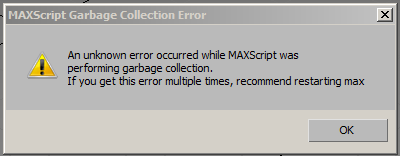
Just a problem, when using it I have the joined warning...
When I remove the startup script and relaunch Max, this problem disappear.
Hope it can be solved.
3dsmax2014 / french win7

Attachments

-

Jonathan de Blok · 2014-07-01

Titane: Can you try to start max with only the PS startup script in the startup directory and see if it still happens? If the problem disappears try putting back the other scripts one by one until it breaks again. Another thing you can try it not to use the startup script but use the macro found in the 'JDBgraphics' category to launch PS. Let me now what you find! (And you can just send me a mail for faster times)

Piotrek Marczak: Camera-bake is in the works, I'll let you know when I have a beta to test.

This... is... awesome!

MarkD · 2014-03-07

It will save so much time and remove so many headaches.

So much of my time is spent bouncing back and forth between max (render out shots, managing a batch render queue) and lay them out in AE, but this lets me do a lot more work in max. I've tried out half a dozen other sequencer scripts and they all seem to fall apart at some point.

After using the demo for 10 min I don't think I can work without it. It's brilliant, thank you so much.

I'll be showing our other animators to see what they think, we are going into cinematic blocking soon and I think this will really come in handy. We have some AE guru's who are starting to get their feet wet in max and I bet they would love this too.

Well done!

JokerMartini · 2014-02-02

Great tool which I highly recommend for 3ds Max users of all kinds.

sebastian___ · 2014-02-02

Any chance for compatibility with older Max versions ?
Even if it has less features for that particular older version.

Max 2012

igamaximus · 2014-04-03

I second that Sebastian, that is what i would like to know also. Max 2012 support, even with "problematic" features excluded (mxs wise) would be beautiful and several people i personally know would be interested in pro version.

2012

Jonathan de Blok · 2014-04-03

Allright, if 10 or more people promise here to buy a pro version for 2012 I'll have a serious attempt at it :) The statesets feature will most likely be missing though.

Installing max2012..

Max 2012 compatible version released!

Jonathan de Blok · 2014-04-03

Version 1.4 now works in Max 2012 and above, enjoy! :)

(Note: When run in Max2012 all StateSet features will not be visible or are disabled)

And try the demo first when you're going to use it in Max 2012. I did some quick test and all was fine but it doesn't have any hardcore production testing yet. Drop me a mail if you find any problems!

Thank you Jonathan!

igamaximus · 2014-04-04

I will buy pro version on Monday and i will inform my friends about the upgrade. Can i count on your support for Max 2012 in case of any suprise on the way?

Thanks again!

Support

Jonathan de Blok · 2014-04-04

Good to hear that! :) And of course it's fully supported, for fastest response just mail me any bugs with some repo steps if you find any. Email is on my website.

Thx!

camera export

piotrek marczak · 2014-06-30

just bought it, is there a way to export sequence to a single camera? This would be useful for e.g multiscatter's per camera culling (no need to switch camera object in every multiscatter object/for every camera shot)

Update to V1.3

Jonathan de Blok · 2014-01-31

Update 1.3 is available for download, besides a lot of new features it has been battle hardened a lot over last few weeks here under heavy production pressure!

Enjoy!

1.2

Jonathan de Blok · 2014-01-14

Just did a small fix in the 1.2 update. When 'new scene' or a 'reset' is done it now behaves as expected. You can just re-download and install the 1.2 if you already had done so.

Mayor update planned for end of February, so if anyone has any feature requests let me know.

niknastev · 2014-01-16

Thanks for update mate! :)

animation range - setup to 500 frames after reset?

niknastev · 2013-12-22

On every max reset - animation range goes from 100 to 500 frames.
You should check this one.

BR!

Animation range

Jonathan de Blok · 2013-12-22

Ahh, check that is a hardcoded value. I'll fix that in the next update. As a temp fix you can create an empty edit with the correct length you want in your maxstart.max file and save it.

Thx.

Max 2012

Pixelpark · 2013-12-17

It's a pity it doesn't work in max 2012... I would give it a try...

bronius · 2013-12-16

How to uninstal?

Uninstall

Jonathan de Blok · 2013-12-16

An uninstall license is available for 20 euros!

Just kidding :) If you check the readme.txt from the zip you see what files are copied where, if you delete those it is gone.

Alternatively you can just remove the one from 'scripts/startup' folder and then it will not auto start. You can then start it via a macro found in the 'JDBgraphics' category which you can assign to a hotkey or toolbar button.

bronius · 2013-12-16

in other words:
C:\Users\user\AppData\Local\Autodesk\3dsMax\2014 - 64bit\ENU\scripts\ProSequencer and startup

Uninstall

Jonathan de Blok · 2013-12-16

Yep!

O_o ... [20euros uninstaller]

barigazy · 2013-12-16

Probably you can also clean max from the system with that uninstaller

:)

Give this man money!

artkitekt · 2013-12-14

This is amazing, Jonathan! Your execution is excellent in every regard. The UI organization is outstanding and natural. The only thing I may suggest is a toggle for auto start. Other than that, well done!

Max 2012

igamaximus · 2013-12-15

Jonathan thank you very much for your work here!
Please tell us your opinion, what can we expect in Max 2012 with your tool, any possible problems or conflicts?

Thank you.

Max 2012

Jonathan de Blok · 2013-12-16

Unfortunately it's not going to work in 2012, it uses some mxs features that can only found in 2013+

Sorry for that!

barigazy · 2013-12-13

Hey Jonathan,
first of all I want to congratulate you for fantastic work here.
I saw that AD already added this feature (Camera Sequencer) in Softimage but
forget about max.
I have a few suggestions about look:
Even though we all already know that max have huge problem with docked dialogs especially with .net controls inside, your tool works surprisingly smoothly. (+1)
Only thing that not seems cool is the look of the buttons.
I will send you in PM en example for btns which in my opinion may be better blend-in with GUI.
This option is very nice :
Automatically set the camera’s wireframe color to indicate if a camera’s track is selected or if camera is active
Can you set also cam-track color manually like in AE to visualy represent different tracks? En idea :just place color (swatch) samples on the left side and all buttons on the right.
Cheers and keep up the good work!

Jonathan de Blok · 2013-12-13

Thx, i saw your mail and will improve the buttons in the next update!

titane357 · 2013-12-13

Looks very nice. At last a real tool for switching cameras !!!!!
Just two things :
- "hide/show" make screen flashing (window open in middle then go to place)
- when is not used, it would be great to be COMPLETLY hidden.
Thanks

Jonathan de Blok · 2013-12-13

The flashing is a limitation in Max's framework, it only happens when you hide/show the sequencer. I can't dynamically resize a docked panel so I have to undock it, resize it and then dock it again. That is causing the flashy behavior. Maybe I can move it offscreen to lessen the effect a bit.