
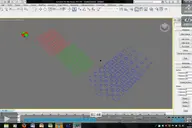

This script allows you to specify two splines to create a segmented surface. It then derives the necessary KRL code (.src and .dat) files to drive a Kuka Robot equipped with a hotwire cutter. For more information, please see the YouTube video (slightly outdated version of the script, but illustrates similar functionality).
Kuka Hotwire CNC
Downloads
Version 1.1Listed version
Listing updated
- kukahotwirecnc.mse31 KB
Earlier releases (1)
Version 1.0
Release notes
Version 1.0 Improvements and Bug fixes:
Other files
Screen Shot (.png file)
- 3ds Max compatibility
- Unknown
Community compatibilityNo compatibility reports yet
No reports yet for the available releases.
Community reviewsNo reviews yet.
Listing details
- Version
- 1.1
- Author’s update date
- Legacy votes
- 2
- Listing created
How compatibility works
Compatibility comes from the author’s supported range or requirements in the original listing. A tested version records what the author tried.
“2020 unconfirmed” in the catalog means support for 3ds Max 2020 is still unknown.
Community reports record successful tests on specific releases.

More by this author
Description
Setup & notes
Version 1.0 Improvements and Bug fixes:
1. You are now able to save and load settings file (with extension .prm)
2. Script can now handle shapes with multiple splines (e.g. text splines, but you might need to add additional vertices to describe the path from one spline to another within the shape).
3. Removed 200 mm arrival and departure offsets (but you might need to add additional vertices to describe approach to spline and departure vector at end of spline).
4. Added amplitude spinner for size of yellow normal vectors at mid-point of segments.
5. Added software disclaimer warning.
6. Various improvements and bug fixes to the script and interface.
Comments (0)
Comment policy