This tool allows you to render a scene using region-render and see results directly in the viewport. The idea was taken from Softimage XSI.

Script
 By BodyulCG · Credited author: Vladislav Bodyul · 2013-12-17
Tags: render, viewport, region
This tool allows you to render a scene using region-render and see results directly in the viewport. The idea was taken from Softimage XSI.
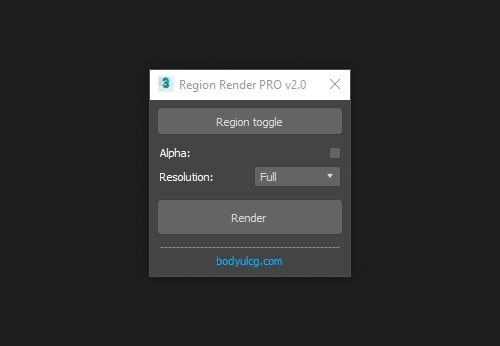 Changelog:
v2.0
v1.11
v1.1
v1.0
VRay frame buffer closes immediately after render
 3dwannab · 2014-06-06
Using v3.00.03
After following the instructions it does what the subject above says.
Thanks, script looks good apart from this glitch.
You can use
citizenWOLF · 2014-12-05
@3dwannab:
You can use 'renderers.current.output_on = on/off' option to render directly in viewport.
In this way you can avoid that issue. It's tested on v3.00.07
Fast update!
jabba52 · 2014-05-23
Wow, thanks for the fast update! This is actually arguably better than XSI now because you can force the region to render in 1:1 final resolution (attached) with a minimalist floating render. Outstanding. Then, as you've instructed, set safe frames to render in viewport.
Keep it up Vlad!
Right on!
jabba52 · 2014-05-19
This is something I've been wanting from XSI for so long. It's almost nostalgic, but truly a valuable tool. Whatever more development you can do on it, please do. Sample settings like XSI for example?
And no way to see the render in progress? or a way to avoid the screen flashing?
Thanks!
pekili · 2013-12-27
is it posible to have on screen control instead float window?
BodyulCG · 2013-12-20
Sorry. Did not notice that the file is not attached. Corrected.
pekili · 2013-12-27
is it posible to have on screen control instead float window?like xsi regeion render
