
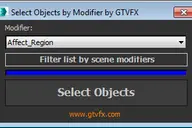
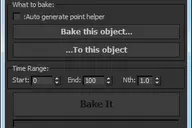


Analyzes your scene and collects all unique Object IDs and Material IDs.
Will create Multmatte Elements from the IDs with a logical naming convention.
Updates:
2014-11-14:
Fixed a bug that would crash the tool when a VRaySky was being used in the scene.
2014-05-03:
Improved the logic for collecting material effects channel ids.
Added the ability to set your own prefix tags for the created render elements.


Comments (6)
Comment policy
running on 3dsmax 2014
it runs a quick search and gets stuck with vray sky texture. cant get around it.
Attachments
RE: running on 3dsmax 2014
I've uploaded a new version that addresses this bug.
Let me know if you run into any other issues.
Best,
Gavyn
insanely powerful! But..
Hey Gavyn,
like most of your tools this one is insanely useful!! I'm running on one problem tho. It seems that it is not collecting all matID's properly. Could that be related by me using multiSubMaterials? Could you have the tool also checking in the subMaterial level?
Additionally it would be nice to be able to control the prefix of the created obj/mat Id aovs. Similar to what you have in your creatLightSelectByLayerName tool.
Thanks
RE: insanely powerful! But..
Yeah, I can set something like that up. I'll try to get to it at some point this weekend.
Best,
Gavyn
RE: insanely powerful! But..
I'll look into this.
Best,
Gavyn
This is indeed very technical. I need to Analyze my scene and collect all unique Object IDs and Material ID.