
Scripts
401–500 of 5,621 scripts
Corona Quick Setup (free)
ĐẶNG TIẾN DŨNG
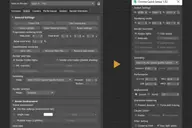
Another free script for you! Although Corona is a fairly simple renderer, its settings panel (3dsMax’s default Render Setup dialog) is still quite complicated and slow. There are many settings that normal users will rarely touch, and even…
0 commentsSmart Camera View 2
ĐẶNG TIẾN DŨNG
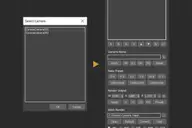
Smart Camera View 2.99 — FINAL UPDATE FOR VERSION 2 A major upgrade from Smart Camera View 1 (fomerly known as D95 Camera View), with many important additional features. This script is intended to replace the default Camera View (C) in…
0 commentsPaste from SketchUp (free)
ĐẶNG TIẾN DŨNG
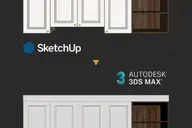
A small script that helps you copy objects in SketchUp, and paste them directly in 3dsMax, with the origin and texture preserved. It will make your SU>MAX workflow a lot faster, especially for people who like to model on SketchUp. HOW TO…
6 commentsAuto shutdown computer when finished rendering
Ho Nhat Quang
This 3dsMax script will help to shut down your computer after your computer finishes rendering. After installing this script, press the "?"(help) button to see how to use it.
0 commentsObject's Normal Fix
obaida
Small Scripts to fix the Normal of selected shapes (Exrtude Direction) . - Select Shapes to Fix . - Run the Script . - One LeftClick on any Surface to get the Normal from it , then RightClick to Exit . Another Script Added to Auto Fix…
0 commentsHQ Forest Importer Exporter
Ho Nhat Quang
This free script helps you to batch export/import the presets/settings of your Itoo's Forest Pro objects within a few clicks. You can export/import multiple forest objects at once. While the original Forest tool only allows you to…
0 commentsHQ Proxy Tools
Ho Nhat Quang
HQ Proxy Tools is a free 3dsMax script that helps you to adjust some settings of proxy objects. This script supports Vray render and Corona render. Highlight features: MAKE INSTANCES SIMILAR PROXIES: proxies have the same .vrmesh file or…
2 commentsVetex Color to Color ID
savas cetin
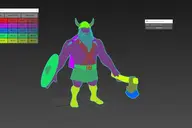
Vertex Color To Color ID is a commercial script for generating vertex color based color ids for Substance Painter.
0 commentsRender to Texture Selected
Crea
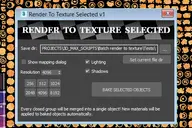
Batch render to texture script ready for game engines. Bakes all selected objects or groups with one click, saves baked UV textures into a directory, and replaces materials on the objects! If you select a group, it attaches all group…
0 commentsBox From Vertices
obaida
Simple Script to Create Box from Selected Vertices (You can use it as snap reference) The Box Rotation Depends on the Current Coordinate System : - local , Parent , Node.Transform . - other than that it'll use the view system . - it works…
4 commentsViewport Navigation Scripts
PolyHertz
A series of scripts that lets you rotate/turn the viewport left/right/up/down/clockwise/counterclockwise to the nearest side in that direction (with or without rotation animation). Also lets you snap the viewport rotation to the nearest…
0 commentsHQ Assets Tracker
Ho Nhat Quang
New update available. You can download it free at gumroad ----------------------------------------------------- hi everyone, have a good day. Just want to share with you a script that I use on my daily basic. It's assets…
1 commentSmooth Bridge v2.1
Kamil M.
Smooth Bridge 2.1 modifier is able to bridge two open edgeloops in a very smooth way, even with uneven edge count. Version 2.1 presents a completely new joining algorithm, which can seamlessly bridge two loops with notably different…
0 commentsWirecolor to Material
Hernan Rodenstein
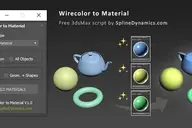
Description Automatically create and assign materials from objects’ wirecolor. 6 material types supported (from several render engines): Physical material, Arnold Standard Surface, VRay material, Corona material, FStorm, Standard material.…
0 commentsBevel Profile
obaida
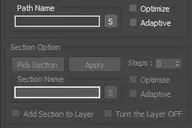
- The General idea of this script is to convert Sweep Modifier to Bevel Profile - Option to apply specific shape as profile . - Full control of the Profile . - If you have Sweep Profile (made by Kstudio) installed there is a button to run…
3 commentsTransform Mesh
Vojtech Cada
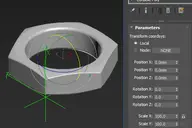
Transformation modifier with numeric input and an option to use an arbitrary scene object as a transform coordsys.
2 commentsCorona Proxies Tool
Todor Vankov
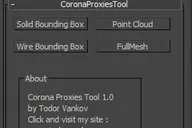
Select you corona proxies and press a button - "Solid Bounding Box", "Wire Bounding Box", "Point Cloud" and "Full Mesh" to switch the procies. This scrip is written and tested at 3ds max 2016. If you have some problem with your max version…
2 commentsUnChamfer Pro
PolyHertz
UnChamfer Pro is a script designed to allow for quick, easy, and accurate removal or scaling of mesh chamfers. All the user has to do is select the edges of the chamfer they want removed and run the script. It supports both automated and…
2 commentsMagic Spacer [Free]
Neil Higgins
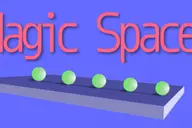
Accurately space objects along splines, with lots of options. Easy to install and use, please read the PDF available on my website.
0 commentsrBIsolate
Rivanoor Bren
Tools for isolating objects. Methods: Isolation level Isolate Named Selection Sets Isolate Scene States Isolate by selection layers Hide/unhide by Category Isolate by instance objects Isolate by material Isolate by modifier Isolate by name…
11 commentsobjects to corona material
hanselmoniz
0 commentsAttachobjects and move pivot to world origin
hanselmoniz
0 commentsMove to Surface (New tool)
Mario Morais
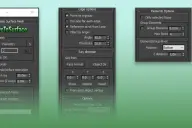
This tool can move Points and objects to a surface very fast, It is ideal for massive jobs with large amounts of points or objects. New Tool Join Discord server
1 commentrBQuickForest
Rivanoor Bren
Simplify Forest Pack object creation. Select nodes to be scattered, click quick FP, select surface/area nodes, rightclick to create Forest object. Can be use to edit selected forest object common properties, too.
4 commentsrBDims
Rivanoor Bren
Measure tool with compact UI Watch video on how to. There are 4 methods available via rightclick “Measure” button. Methods 1 to 3 use Viewport Drawing methods. Method 4 is simplified AutoCAD like linear dimension. 1. Measure Select…
7 commentsMagic Mover [Free]
Neil Higgins
Magic Mover for 3D Studio Max Easy to install and use, please read the PDF available on my website
0 commentsUniversal Customizer
Christophe B
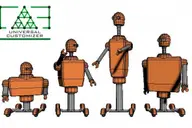
Universal Customizer allows you to deform any mesh by using parameters, useful to cutomize easily repeated objects in your scene. You can configure any mesh your own way, in some way it converts your mesh into a primitive object, however…
0 commentsSelect Similar Pro
Crea
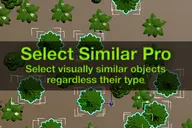
The alternative to "Select similar" command that selects not just objects of the same type, but objects that you consider to be visually similar! It uses different characteristics to compare objects such as polygon count and size. For…
0 commentsMaxCopyPaste
Crea
"Copy-paste on steroids" with some extra features such as clipboard history, drawing and placing objects on top of your geometry, and copying objects between 3Ds Max instances. You can choose whether to duplicate materials when you paste…
5 commentsCamera Studio
Crea
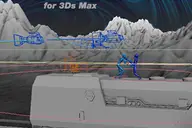
Camera Studio allows you to animate cameras much faster! You can create an orbit or spiral motion around selected objects with just 1 click and easily manipulate it. There is a number of other motion presets. Add shake to selected cameras…
1 commentModel Packer
MastaMan
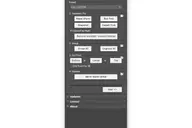
With the Model Packer, you can prepare your 3D models for uploading to 3D stocks or Asset Libraries. Just a couple of clicks and you will create an archive with your model or scene. More Info Before usage read manual: Read Full Manual Join…
0 commentsQuilted & Chesterfield Script
Yakup Taşğın
http://www.scriptspot.com/files/u105687/anagoruntu.jpg Quilted & Chesterfield Script Properties -3Dsmax 2013-2021 Support -2 Type Model Selection(Diamond and square) -Button Add -Line Add -Vray and Corona Material automatic assignment…
1 commentPivot to center min
Todor Vankov
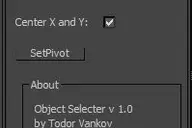
With this script you can easily move the pivot point to center and minimum of selected objects in 3ds max. This scrip is written and tested at 3ds max 2016. If you have some problem with your max version please text me. Script category:…
0 commentsrBMultiMat
Rivanoor Bren
Maxscript for simplify many materials into one multimaterial. Select objects with different materials, click “multiMat”, all material in selected objects will become 1 multimaterial. Works like generate multimaterial when attaching ePoly…
1 commentClothify Pro
Marius Silaghi
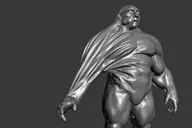
Clothify Pro is a modifier for 3ds Max that makes modeling and animating cloth easy, controllable, artist-friendly, fast and non-destructive. Get it from https://mariussilaghi.com/products/clothify-pro
5 commentsFlow Extrude
PolyHertz
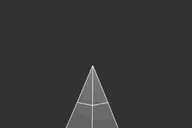
Flow Extrude is a script which extrudes selected open border edges while maintaining the meshs topological curvature. The script can be used on multiple edges or edge loops, and is compatible with both Editable Poly and the Edit Poly…
2 commentsEdge Loop Length Tool
PolyHertz
Length Tool is a script for 3DS Max which lets you copy and paste (or unify) the length of one or more selected edges / edge loops. It also lets you copy/paste the distance between verts or objects.
0 commentsPath Deform Pro
Marius Silaghi
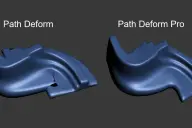
Path Deform Pro is a modifier for 3ds Max that deforms models along a path without causing self-intersections unlike the standard Path Deform modifier which produces a lot of self-intersections. Get it from…
0 commentsrBStair
Rivanoor Bren
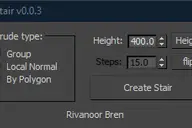
Simple tool for extruding stair. Create flat stair from your plan, convert to poly, select start step and click . Most of stair scripts around are dependent of polygon number order. When you create stair from attaching multiple spline…
8 commentsCorona material to Standard
hanselmoniz
0 commentsMZP Maker
Visuali Studio
MZP Maker it's the perfect tool when you're in a hurry and just need to package your script. Description: MZP Maker is a 3ds Max script made for creatives who want to focus on their scripts without wasting time building self-installing…
0 commentsXrefs Selection Sets
Todor Vankov
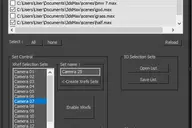
I made this script to save time when I send cameras in my renderfarm. 1.You can choose your XRefs in this window. 2.Create a list of XRefs selection sets for every camera in your scene. 3. You can save and load your list of selection sets…
2 commentsKitchen & Wardrobe Creation
Yakup Taşğın
Easy Creation Kitchen ,Wardrobe,Furniture -Design Rectangle and merge Rectangle -Cabinet -Corner cabinet -6 Different Covers -5 Different Handles -2 Different Shink (circle and rectangle) -Kitchen Counter -Accessories(Plate,jar,Glass)…
1 commentNull Objects Cleaner
Todor Vankov
Null Objects Cleaner is a 3ds max script to help you to find the null objects in your scene, show you a list of these objects and give you the possibility to delete them. Null Objects in studio max are poly objects without faces - empty…
0 commentspX Camera Zoom Extents
Denys Almaral
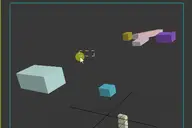
The definitive "Zoom Extents selected" that supports 3ds Max cameras. If the active viewport is not a camera it calls the default "Zoom Extents..." Max action ... So you can replace the default keyboard shortcut (Z) with this macro! When…
0 commentsHair Cards Tool
M Lup
HairCards Tool is a 3dsmax tool that will speed up your work for realtime rendering hairs creation. You can create layers of hairs much faster than usual. This tool is working only with 3dsmax 2021.3 (Update 3) and up. How to use it:…
0 commentsUVW Mapping Paste Channel Switcher
Vojtech Cada
Adds a map channel switcher spinner to the currently selected UVW Mapping Paste modifier.
0 commentsReset All 3d Max Materials
Todor Vankov
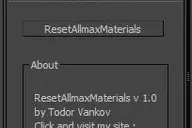
With this script you can reset all materials from your selection. The selected models will be WITHOUT materials! This scrip is written and tested at 3ds max 2016. If you have some problem with your max version please text me. Script…
0 commentsLock Unlock Tool
Todor Vankov
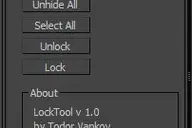
This script lock and unlock the selected Objects in your scene. I made it how I use it in a new scene. First I unhide all objects in the new scene, second select all objects and then unlock them. If you have some problem with your max…
0 commentsMove/Clone to cursor
Martin Frodl
Hi, this is simple script which move or clone selected objects to surface under cursor. You can bind it to any hotkey (I usualy use Alt+S and Alt+C). In this current version additional settings are avaiable only by hidden function call…
0 commentsMove/Clone to cursor
Martin Frodl
Hi, this is simple script which move or clone selected objects to surface under cursor. You can bind it to any hotkey (I usualy use Alt+S and Alt+C). 1.0.1 - initial releas 1.0.2 - settings can be binded to hotkey - possibility to turn on…
11 commentsShell Pro
Marius Silaghi
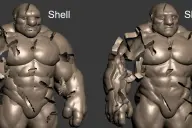
Shell Pro is a modifier for 3ds Max that creates a shell around models without causing self-intersections unlike the standard Shell modifier which produces a lot of self-intersections. Get it from…
0 commentsMirza Asset Tracker
mirza
A free and easy utility to find and replace missing or all bitmaps and other dependencies like Xrefs, proxies, ies. You may also find and replace their searchpaths in case you've moved them. Works also with FstormBitmap, Vray and Fstorm…
0 commentsTransform pivot point with a matrix3 tm
lutteral
I wrote this function a while ago for an exporter tool, where I needed to align the pivot of collisions objects with the transform of the master object. I couldn't find another way to "affect pivot only" (as in the UI) using maxscript, It…
0 commentsRelax Pro
Marius Silaghi
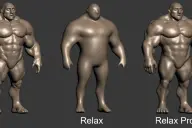
Relax Pro is a modifier for 3ds Max that smooths meshes while preserving their volume unlike the standard Relax which shrinks them a lot. You can set it to slide vertices over the surface so no volume loss happens. Get it from…
0 commentsShow/Hide Maps
mirza
Simple utility to quickly show and hide texture maps in the viewport, on selected objects or the whole scene.
0 commentsShow/Hide Maps
mirza
Free and easy utility to quickly show and hide texture maps in the viewport, on selected objects or the whole scene. <iframe width="560" height="315" src="https://www.youtube.com/embed/2OIZvuXERY8" frameborder="0" allow="accelerometer;…
0 commentsContrast Pro
Marius Silaghi
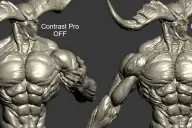
Contrast Pro is a modifier for 3ds Max that enhances the details of 3d models. It allows you to quickly add contrast to whole models or to highlight only some specific areas. Areas with large and small polygons can be set to receive the…
0 commentsPush Pro
Marius Silaghi
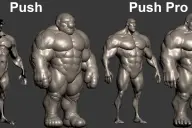
Push Pro is a modifier for 3ds Max that pushes vertices outwards or inwards while preventing self-intersections from occurring unlike the standard Push which produces a lot of self-intersections. Surface details are also preserved very…
3 commentsLMA - Layer Manager Alternative
Matan
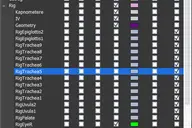
This is an old script of mine from the days when 3dsmax replaced it's old Layer Manager with the new Layer/Scene Explorer. Recently I went back and fixed a few issues it had that were preventing me from releasing it in the past. This…
1 commentowo360 - creating 360 virtual tours
AlexxPO

1/ Install the cameras in the scene. You can create a new camera or copy an already configured from the scene. Next, the cameras will be copied from the first created in the layer "owo360" 2 / export the geometry! Hide all small and high…
0 commentsPaste RefImage
MastaMan
With Paste RefImage you can quickly create a Plane with a picture copied to the clipboard. This way you can copy pictures: - From Windows Explorer (standard file viewer) - From Photoshop - From your Internet Browser - From PureRef program…
2 commentsWindow Placer
MastaMan
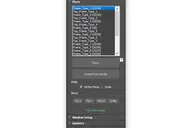
This script is used for quick placement of windows in 3Ds Max scene. Before using the script requires preset the windows. In new version added "Scale" method. This method works best if you are collecting a project in Unreal Engine. This…
0 commentsCopyTo
MastaMan
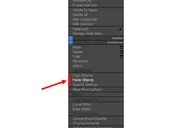
With CopyTo PRO script you can copy objects and paste them into the current scene or between open windows 3Ds Max. Pasting objects will work even after the reopening 3Ds Max or restart the computer. Copying can also occur between the…
0 commentsSubstance Painter Ultimate Bridge
Hisham
Substance Painter Ultimate Bridge is a tool allow you to export the models to substance easily and import substance textures and create the shaders for any render engine, supporting naming shaders and masking ids on export and auto import…
0 commentsSpecial Help
Khodor Rizk
-- this so-simple script is intended to help user with some frequently used tools -- 1. it makes random position, rotation and scale -- 2. it can arrange objects based on theirs bounding boxes on X,Y and Z -- 3. it can render the scene and…
0 commentsTurboTriSmooth
Marius Silaghi
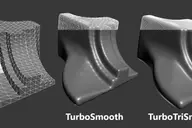
TurboTriSmooth is a modifier for 3ds Max that subdivides triangle meshes while producing smoother results and nicer topology than the standard TurboSmooth. It can be used on triangulated models, cloth, scans, decimated meshes, fluid…
2 commentsrBPasteDWG – Copy Paste from AutoCAD to 3dsMax
Rivanoor Bren
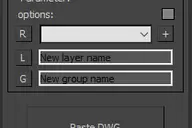
Small tools to copy AutoCAD clipboard directly into 3dsMax. Select objects in AutoCAD, control+C, click Paste DWG in max and you’re done. This project is at beta stage, so probably still has some bug. Please use with caution and always…
1 commentrBSymPick – symmetry modifier
Rivanoor Bren
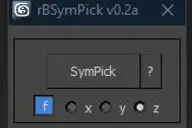
Simple script for add symmetry modifier by clicking point(s). By default when adding symmetry, the mirror position is created at object’s pivot. This script helps to define mirror position automatically by picking point(s). 3 methods:…
4 commentsAutoFloor UVs
Visuali Studio
AutoFloor UVs it's the perfect tool when you're dealing with a single seamless Texture and you need to map a Floor-Generator object. Description: It's a 3ds Max script created to easily map surfaces made up of juxtaposed elements, such as…
2 commentsSox Biped Assist
Lee Sang-won
This tool improves biped work efficiency. Features 1. Biped selection 2. Hotkey combination - Ctrl = add selection - Alt = subtract selection - Shift = straighten the joint 3. Keyframe Assist - Add keys to all parts of the bipad. - Apply…
1 commentLazy Manager
JokerMartini
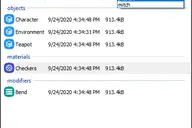
Joker Martini has released Lazy Manager, a new tool for 3ds Max that allows users to copy and paste objects, materials, and modifiers across multiple instances of 3ds Max and includes support for sharing these assets across an entire…
0 commentsAutoPivot
Visuali Studio
AutoPivot is a useful script for 3ds Max created to help you move easly object's pivot. Description: It includes two separate scripts that move the pivot to its center or to lowest point. Unlike the standard 3ds command that uses the…
10 commentsCOPY FROM SKETCHUP AND PASTE TO 3DSMAX
alexnguyen
9 commentsSplines From Holes
Vojtech Cada
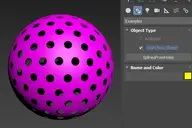
Simple example of a scripted spline primitive created by picking a scene node. This one makes closed splines for all the open edges.
3 commentsStock Model Fixer
MastaMan
With this script you can quick prepare model, downloaded from 3D stocks, before merge into your main scene. Stock Model Fixer is indispensable when using models from 3ddd/3dsky, cgtrader, hotpies and other resources.
0 commentsFDK - Fast Drawing Kitchen
a.cedomir
Script for 3ds Max to creating kitchen elements end slider closet with different types of fronts and cabinet, with basic V-ray materials.
0 commentsDetach Splines
Vojtech Cada
Breaks the selected shape object (Line or Editable Spline) into as many objects as there were splines in the original object. Unlike the other explode scripts, this one doesn't try to rebuild the splines point by point and instead…
2 commentsrBCopyPaste
Rivanoor Bren
Another tool for copying/pasting objects/material/modifiers from one scene to another in 3dsMax. v0.2: Redesign UI. Add function to copy/paste modifiers. Default path now is in autoback (getdir #autoback). Small help box available by shift…
0 commentsShrink Vertex Selection
Vojtech Cada
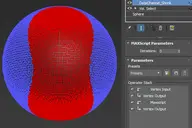
Shrink vertex selection leveraging the Data Channel modifier. This is a self-contained modifier and is applied as such, it's not a Data Channel preset.
0 commentsBind Sun to Environment - For Corona Only
mukarram
----- THIS SCRIPT IS JUST FOR CORONA RENDERER ----- This script will let you pick an HDRI and then let you click the GO! button to load it as an environment map and bind it to "Dome" which is basically a dummy that let's you rotate the sun…
0 commentsmzp creator
knsii
script to convert script file to simple mzp package. support: custom script info icon with alpha auto add to toolbar
0 commentsProColor
Markaelie
Advanced Wirecolor Tool Features -Randomize Wirecolor -Gradient Wirecolor -Realtime Wirecolor -Batch Wirecolor to Material Converter -Batch Material Eraser This script is now deprecated. Use the latest optimized version: WireColor Pro
1 commentmxseditor code snippet generator
trykle
I am very happy to use the tab-tab function of Visual Studio So I used mxseditor_calltips and mxseditor to make a code snippet generator Configuration steps: 1. install mxseditor 2. remove [ctrl + tab] hot key: menu-tools-open global…
0 commentsObject ID Toolkit
JokerMartini
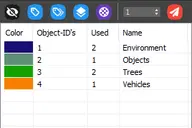
This tools makes it easier for users to manager Object ID’s for various assets in a scene. It also gives users the ability to quickly and easily generate render elements based on the ID’s used in their current scene. FEATURES + Assign…
11 commentsVray Real Light
Fabio
This script allows you to create Vray lights of different type based on watt and calculates the luminous power and temperature of the light to be as close to reality. This is extremely useful when lighting a scene where real light data…
1 commentMaterial Manager
JokerMartini
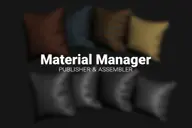
Material Manager gives users a one-click solution for saving out materials and also reapplying them. Users can choose to save the selected objects materials, or the entire scenes materials.
8 commentsImage Resizing 3ds Max
JokerMartini
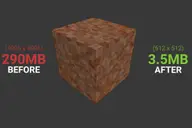
Creates non-destructive resized images and automatically updates the filepaths in the scene to use the new resolution image. This tool displays all the image files found within the scene along with the resolution and filesize of each…
0 commentsAll in one Randomizer - QRandom
Ho Nhat Quang
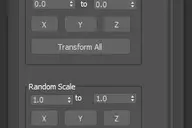
QRandom is an all in one random tool. Please see the UI to know its functionality. Thank you for using my script. Hope if this help your work. Love to see your comments and feedback.
3 commentsrenderStacks
quasiKrystal
Render Pass Manager for 3dsMax We offer a free non-commercial version. It is a render pass/generic task manager for 3dsMax. If you have used RPManager, LPass Manager, Prism, StateSet, Scene State. It is something like that. But, it is…
0 commentsF2 MAX
PolyHertz
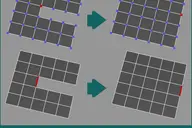
F2 MAX is a script for 3DS Max which creates quads from a single selected border vert or border edge. It is inspired by the F2 addon for Blender.
1 commentPreview Smoothing
Eduardo
This is a simple macroscript that show three different button , each one to preview it with smooth subdivision level.
0 commentsAnnotate Geometry
hrrasto
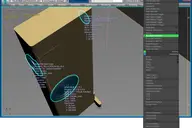
MacroScript that display selected Geometry informations in the active Viewport.
2 commentsP_BipedPoseSaver
P_MAN
This script helps you to use Biped's Copy/Paste more conveniently. -Copy Collection (Create / Delete / Save / Load / Rename) -Copy & Paste (Copy / Paste / Paste Opposite / Rename / Delete) -it is more convenient to see, and the movement is…
0 commentsPrune Scene (Cleaner/Antivirus)
MastaMan
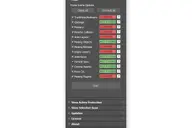
With Prune Scene you can clear your 3Ds Max scene from scripted viruses and accumulated garbage. This allows in some cases to greatly reduce the size and accelerate saving of scene. More Info Before usage read manual: Read Full Manual
3 commentsFan Connect
PolyHertz
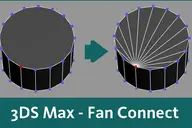
Fan connect is a script for 3DS Max which connects one vert to all others on a selected face. Simply select one or more faces, and a vert on each of the selected faces, then run the script.
1 commentFBX Saver
Nikita
Just help you fast export to fbx.
0 commentsUniversal Select By
obaida
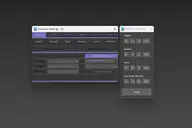
This Script for Selecting Objects By Class Or Name Or Bitmap Name According to 6 Types : Instance : will selected The Instanced objects by : - Instanced Objects (I-Objects) , Instanced Materials (I-Material) , Instanced Modifiers…
13 commentsSpline Tangent Aligner
Vladislav Bodyul

Spline Tangent Aligner is a simple macro that aligns the tangents of selected spline knots and makes them parallel. Useful when working with knots with the Bezier Corner type.
1 commentConnect Edges
Grégoire Eymon
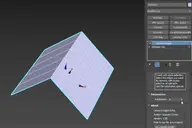
Just a simple modifier to connect edges selected with the previous "edit poly" "editable poly" or "poly select" modifier. Currently I tested my script on 3dsmax 2020, I will try to test it on older version of 3ds max and update this page…
0 comments