ScriptSpot

Script

Paste from SketchUp (free)

By dangtiendung · Credited author: D95 DESIGN · 2021-09-07

Version
1.25
Date updated
2023-04-09
Votes
3
Download
Download
Description


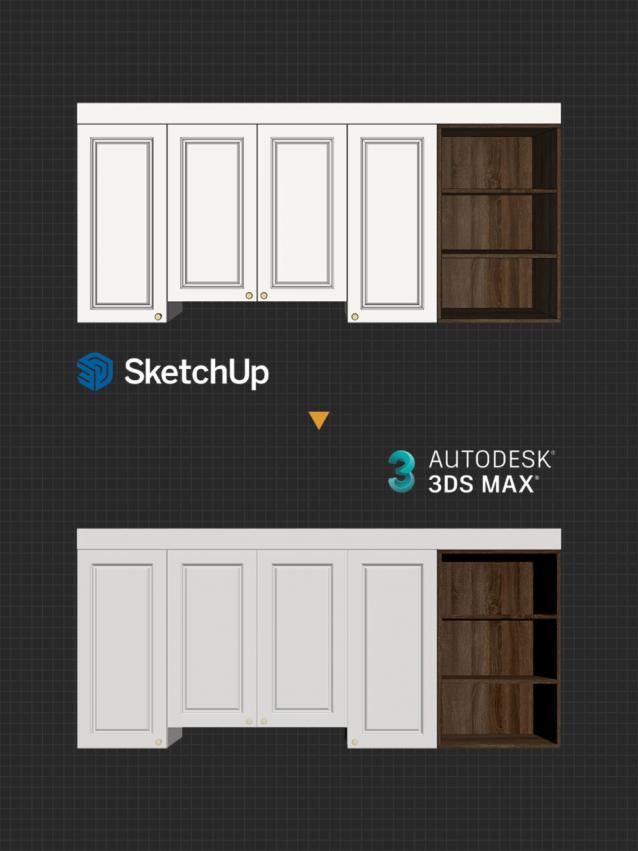
A small script that helps you copy objects in SketchUp, and paste them directly in 3dsMax, with the origin and texture preserved. It will make your SU>MAX workflow a lot faster, especially for people who like to model on SketchUp.

HOW TO INSTALL

  • You must have the script installed in both 3dsMax and SketchUp for it to work. It doesn’t matter which one you install first.
  • In SketchUp: use Extension Manager to install RBZ file. The “Copy to 3dsMax” command will appear in the Extensions menu.
  • In 3dsMax: drag and drop MZP file into the viewport and press Install. After installed, you can find it in D95 DESIGN category > Paste from SketchUp.
  • In SketchUp, use Copy to 3dsMax command to copy, and paste it in 3dsMax with Paste from SketchUp command.

SET SHORTCUT

  • In SketchUp: Windows > Preferences > Shorcut > Copy to 3dsMax (Ctrl + Shift + C recommend).
  • In 3dsMax: Customize User Interface > Keyboard > D95 DESIGN > Paste from SketchUp (Ctrl + Shift + V recommend).


Videos

Tags: import, paste, sketchup

Comments (6)

fajar · 2023-04-29

Could you add feature select after paste object or also instead center you can have bottom center object ? its suppose easy enough to add.

Thanks

1rv · 2021-12-06

I finally uncerstood what was the problem:
C:\Temp MUST be created manually in order to make the script work!

Sorry for late reply

dangtiendung · 2022-04-20

Sorry for the late reply, unfortunately there is no notification feature on Scriptspot so I missed your comment. By the way, I have updated to version 1.12, with new "copy" method, much faster and less bugs (I also fixed the C:\Temp folder not being found).

1rv · 2021-10-20

Unfortunately it does not paste from *latest* version of SU. It looks like it's broken on Max end

Many thanks, will definetly buy

1rv · 2021-09-12

is the latest version of SU supported?

It's free for you

dangtiendung · 2021-09-13

It is a free script, you can download it from the link I provide the above. :D

I haven't tried it on the latest version of SketchUp, but I'm pretty sure it should work.