
Scripts
601–700 of 5,621 scripts
Folder Construction Copy
Takayuki Sato
It is a script to copy the folder structure under the specified folder to another folder. Files contained in the folder are not copied. This script will help you to create folder that use for render output. For example, copy folder…
0 commentsRelated Object Finder
Takayuki Sato
This script allows you to find objects that related with your selected object. For example, by modifiers, space warps etc... You can find objects and select by the list. This script will help you recognize object relationship and…
0 commentsPF Source Collector
Takayuki Sato
A script that stores data related to the selected Particle Flow to the specified layer. You can organize operator and event etc. of each particle flow by layer. How to use: Enter layer name that you want to store PF data. Select the…
0 commentsPosition Copy / Paste Toolset
PolyHertz
This is a set of scripts that lets you instantly copy the positions of selected objects/components and paste them to a different selection. It comes in the form of three macroscripts which you can set to hotkeys; one for copying positions,…
0 commentsP_Layers
P_MAN
P_Layers is a script for easily registering, selecting, and hiding layers How to install - Drag and Drop Script to 3ds Max Viewport All functions are registered as macro scripts (Customize User Interface - Category - P_Scripts) Features…
0 commentsVray To Corona Camera
3dmaxscript
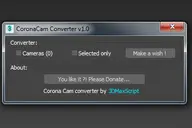
This Script is free and it's allow to convert all Vray Physical Camera to Corona.
0 commentsScene Notes Pro @ Show Notes Only
miauu

Scene Notes Pro Show Notes allows you to read the notes saved with Scene Notes Pro. You can't add and/or edit the notes, only to read them in case that you do not own Scene Notes Pro.
0 comments3ds max biped animation exporting to maya
Devrim Dıncer
Mail me the bip file to convert it into maya" mel " format devrimdincer2012@gmail.com
0 commentsCharacter Converter
trykle
A small tool for converting characters.
3 commentsRoll
Clovis GAY

Roll is a new modifier for 3dsmax. It’s never been that easy to Roll any geometry over the ground like if it was a physique simulation, but you now have full artistic control over its animation.
0 commentsPG.CamSelect
Paweł Grzelak
. Change camera quickly with your mouse wheel. After instalation, script is availabile in "Pawel Grzelak" category. How to use: • Hit the keyboard shortcut • Scroll your mouse to change camera • Left click to accept • Right click to select…
11 commentsPivot to spline selection
Maxim
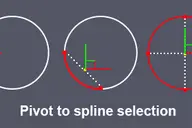
Sets the pivot in the center of the spline selection. Works with vertices, segments and splines.
4 commentsBatch Save 3ds Max Files to Previous Version
Oleksandr Kramer
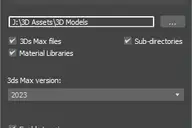
Script for saving 3ds Max files and Material Libraries* to the previous version in batch mode *Batch saving Material Libraries to the previous version requires 3ds Max 2023 Update 1 or newest
5 commentsP_Scripts (Scripts & Shortcut Management Tool)
P_MAN
P_Scripts is a 3ds Max Script & ShortCut Management tool. P_Scripts displays a list of buttons based on the type, status, and modifiers of the selected object. Hotkeys for using buttons in P_Scripts are independent of the shortcuts in 3ds…
8 commentsEditor
alexandr Smirnov
assigned to hotkey script will do: turns single objects into editable poly if selected more than one object - script will apply editable poly modifier if upper modifier is editable poly - script will collapse it so it possible to easily…
4 commentsAccelerate
W33
This script is here to speed up our workflow. A combination of scripts put together to quickly access animation, rendering, lighting, fumefx, frost, vray, Krakatoa and other utilities. more info coming soon
0 commentsScene Notes Pro
miauu

Adding notes directly in scenes(.max files) can be useful in many ways - to remind you something about any aspect of whole process of 3d work, for future reference, about whys or hows, for a colleagues(who are going to use the scene).…
13 commentsSnap Verts
N00BYZOR
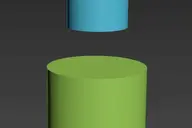
Snaps selected vertices to the closest vertices of the target object. Works on Editable_Poly and Edit_Poly, at any level in any modifier stack. Also works inside the same mesh (if you pick the same object as target object) This is based on…
3 commentsRGBA Vertex Color Editor
Sergio Espinosa
This script split the 3D model in 4 sub-meshes which are each vertex color Channel (R,G,B,A). You can edit each Channel and then save the changes to the original mesh. And bellow i put the Polycount forum thread about develop the tool and…
1 commentRealWorld Resizer
Nick Gushchin

Real-World size in texture aspect ratio
10 commentsPolyDamage for 3dsMax
Batuhan Ozer
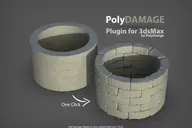
PolyDamage plugin is a tool to quickly add damage and imperfections to models. Nothing is perfect in real life, so adding damage to your models make them look more realistic. PolyDamage is a quick alternative to manually sculpting damage…
11 commentsFS Scene Converter (FStorm)
3dmaxscript
FS Converter is a scene convertor to come back from FStorm renderer or to only convert some objects. This converter allow to convert all the Fstorm renderer feature to Vray or Corona and Redshift. It's not a simplicity converter, it's keep…
11 commentsmatP_Atan2 (thinkingParticles Helper Node)
Marc Auvigne
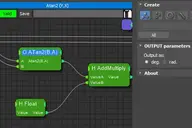
A Simple implementation of Atan2(B,A) inside tP since none of 3dsMAX Expression Techniques or tP Math Helpers allow us to do a Atan2. It support Degrees or Radians returning Value. installation : copy paste the script inside <3dsMAX…
0 commentsSelect spline segments by matID
miauu
With this script you can select splines' segments by matID. There are two methods of selection: - "Use IDs of selected segments" - select some segments and press the [Select] button. The script will find the matIDs of the selected segments…
0 commentsDropToSlate
Nick Gushchin

Enhance your Slate Material Editor
42 comments[Raytools] Viewport switch
劉瑞成
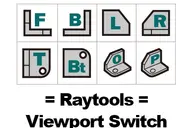
I am a UG user When I changing viewport in 3Ds Max is not very convenient. It made me remind UG viewport function. So I made this. Installation and user guide video for China user:…
0 commentsCustom Normals Tool
N00BYZOR
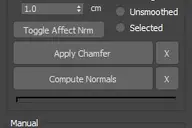
Documentation Improvements from 1.2 release. A fast and non-destructive solution for real time hard surface modelling using chamfers and custom vertex normals. This is a very versatile tool that will greatly help you dealing with "medium…
0 comments[Raytools] Raygo Layer Manager
劉瑞成
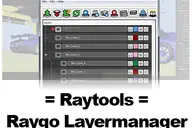
Raygo Layer Manager is base on Layer Man's concept. It fully manipulates the Layer Explorer. And make things became easier and humanity. I believe that you will have a good experience when you use it! I going to publish it and I need…
7 commentsCrossCut
Vojtech Cada
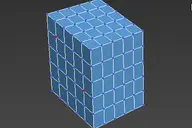
Cut-connect two selected verts or edges of the current Editable poly object.
9 commentsViewport Toolbar
Vojtech Cada
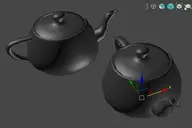
Floating toolbar with current viewport settings.
3 commentsWacom Holy Grail
Ahmed Fawaz
If you are like me and use a Wacom with 3ds max, you have definitely encountered this issue with selecting objects! Scenario: You select an object and it moves it!!!!!!!!!!!! this is no good!! So what i wanted was to use Q to select an…
7 commentsHDRI Material Override Toolbar
Vojtech Cada
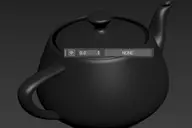
Simple floating 'toolbar' example where you can quickly toggle reflection override for the current viewport (any custom picked hdri map will work) and set its rotation. Since it's just a viewport override, all the materials applied to the…
2 commentsTerrainAxe-Create
flyingc
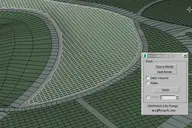
TerrainAxe-Create tools work on a polygon object and are used to create new faces or structure. Because it is very hard to describe so many tools of TerrainAxe in a single post,so they will be introduced by category in different posts. The…
0 commentsSet Grid Spacing
miauu
With the script below you can quickly set the spacing of the grid in 3ds max. Just download the script, edit the predefined values(change, add new, delete what is not needed) and installs it.
2 commentsUVW Transform Script
JamesKK
You can easily scale / move UVW. - Install / How to use Uvw Transform https://youtu.be/5V7fw2dY9sQ Enjoy
0 commentsSteelSeries Alerts
Vojtech Cada
I have a Rival 500 mouse with tactile alerts so I made this little helper struct to send events to it right from max. After running the script, you can now call ::SteelSeriesAlerts.sendBuzz(). If you put the script inside scripts\startup…
0 commentsMemento
Marcelo Souza
New MaxScript. Simple and handy as aways. Free. It's very useful for my use. You can quickly save and recall up to 5 groups of selections. You can increment memories adding objects to them (Which is SO useful in some situations (to help in…
1 commentKloner - a Handy Cloner
Marcelo Souza
This is a handy cloner that i made for a job. Max has the MCG Cloner and the built-in Clone tools, but this one goes straight to the point for fast interaction.A with the cool feature of auto-offset the copies using the BoundingBox size.…
1 commentBooleaner Helper
propiro
1 commentDoom Spline Resizer - draw line with precise lenght
Vincenzo Carbone
This simple script will let you draw precise lines quickly almost as a CAD software! It will Set the pivot to the first vertex of a shape object and align it to the first segment. A window will show up allowing to set the Lengh of a spline…
5 commentsQuick Batch Render
Hernan Rodenstein
A simple and powerful script to quickly render multiple ready '.max' files successively on a single computer. Options: set a percentage of the file’s render resolution (width/height); ignore/suppress warning dialogs; render First frame…
4 comments3DS Max - Unhide By Pick - Plugin
Miled Rizk
This new script I created will allow the user to unhide objects using the mouse button, by temporarily hiding the current scene and unhiding all hidden objects so you can pick the objects you like to unhide. After picking the objects you…
6 commentsLAYISO, LAYOFF , LAYON
alexnguyen
a simple maxscript work with layer v0.4 layiso: displays only the selected layer layon: turn on all layers layoff: turn off the selected layer empty layer: delete the empty layer v0.5 : update match layer function
0 commentsName Manager
Gleb Filatov
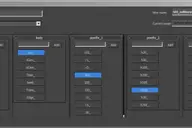
NameManager is designed to automate naming the elements of architectural constructors e.g. wall segments, floor elements, etc The process of naming is executed by pressing predefined buttons in rollouts. New name for an assets is comprised…
0 commentsExtrude/Inset/Outline Faces Modifiers
Vojtech Cada
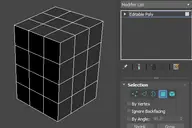
Set of simple modifiers that use the Edit Poly methods behind the scenes. Since the extrude modifier uses the poly extrude options and capabilities, it doesn't break on simple geometry like the FaceExtrude one does. Compare with…
13 commentsGQuadSphere
Gleb Filatov
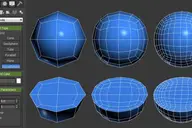
GQuadSphere script will add Quadsphere to your tools (Create-Standard Primitives-GQuadSphere) This script allows creating correct sphere with quad topology unlike using turbosmooth over a box. When creating quadsphere you can set up…
0 commentsRenderingTime
JeremyA
This script allows: -Convert hours, minutes, secondes -Estimate how much rendering time -Estimate how many machines to render -With icon for shortcut installed in: $usericons\ $userScripts\JeremyA
0 commentsMeshCleaner
JeremyA
This script cleans a large number of objects quickly. It allows to put in EditPoly, weld points, among others. I use it to make the mesh compatible in my V-Ray renderings
0 commentsVoxel Mesh Builder
david
The Voxel Mesh Builder, creates a single solid voxel mesh out of any reference object picked. Several filtering options are available to edit the mesh before extracting it. Perfectly usabel for further editing, without the need to clean…
0 commentsMaterial Texture Loader
david
Description The Material Texture Loader loads in textures and instantly creates advanced materials. Use pre-defined or customized map and material settings to build re-usable material setups. Fully supports Vray, Corona, Redshift, Arnold,…
8 commentsMassfx Rope Creator
Crea
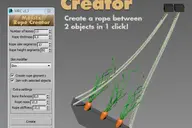
The fastest solution to create ropes for your Massfx simulation which allows you to create a rope between 2 objects automatically!
12 commentsAutoback Renamer
Ahmed Fawaz
This is a super simple script to help anyone who faces this ridiculous issue in max on a daily bases. Scenario: Your working on a scene and autoback kicks in. Cool now you have an autoback file in case of emergency. You now open a new…
1 commentFavorite Transforms [Smart Tool]
Philipp Hellmann
Define move/rotate/scale tool and the coordinate system (world,parent,local,gimbal) per object and let Max automatically switch based on your selection. After years of manually changing tools and coordinates and wasting my energy, I…
4 commentszsResize Modifier Plugin
Jan Köhl
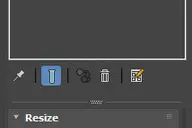
Scripted Modifier Plug-In, extends the XForm modifier. Just enter the desired dimensions. Reset: reset modifier to object dimensions Update: update displayed dimensions, e.g. after using the scale tool or other modifiers Remove Node Scale:…
4 commentsSpline Terrain
TDTrooper
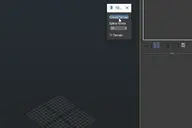
Here is a little fun script: Create a spline terrain and add the terrain modifier plus some displacement. Simply drag and drop it to the viewport You can find me here: https://twitter.com/3D_Trooper And occasionally here:…
2 comments360 MultiCubeMap BatchRender
Guillaume Lebourg
360 MultiCubeMap BatchRender is a script for Generate a 6-cameraRig and render individual Cubemaps automatically with Full VRAY Support including Render Elements. It can be very useful to render several cubemaps in 360 in one single scene.…
0 commentsSubSpline
Hernan Rodenstein
Total Control of Spline Subobjects Description SubSpline is an Advanced Subobject Selector & Material IDs Editor for spline shapes in Autodesk 3dsMax. Easily expose on screen the vertex numbers and material IDs for all your selected…
1 commentVisibility keys
Sharad
Its simple script for adding Visibility keys. It also has functionality to delete all animation keys in scene.
0 commentsDrive_files_Renamer
Sharad
Simple script for renaming files on HardDrive. It also collects all the bitmaps in the scene. Default collection folder is "new folder" on "D" drive. If folder is not there script will create folder "new folder" on D drive. Also you can…
0 commentsMaterial and Object Renamer
Sharad
Simple script for renaming Material and objects. It also select objects based on object and material names. Just right click in list view to select objects To install script 1. Run script "Material and Objects renamer_v1.0.ms" 2. Go to…
0 commentsQuick Manager
Sharad
This is simple script for renaming and managing objects on the go. To install script Just 1. Unzip "Quick Manager v1.0.rar" 2. Keep "MyLibrary.mat" to that folder if you are going to keep that folder. If you are going to delete that…
0 commentsDimension maxscript
alexnguyen
I make a simple maxscript , it can show the dimension of a line , hope you like it 0.21 update : offset and mirror function for text
7 commentsViewport Overlay Grid
Vojtech Cada
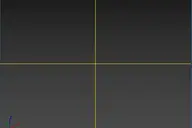
Shows an overlay grid with a variable number of horizontal/vertical subdivisions over the active viewport. Safe frames are supported as well. To be able to click-through, freeze its object. Original idea: Changsoo Eun
0 comments3DS Max - Convert Unique Objects To Instances - Plugin
Miled Rizk
In this video, I will present you with a new plugin I created that converts unique object/objects into instances of a selected source object.
9 commentsZero Bone Remover
Dmitry Loik
Removes bones with zero weight at all vertexes with preset treshold. Non-Zero bones added to sete selection (optional)
3 commentsInstance recreator
Dmitry Loik
9 commentsMirza Material Converter
mirza
One button, one click, converts all your imported AutodeskMaterials to Vraymaterials. Imported Revit scenes are immediately renderable in Vray or Corona after that.
3 commentsSelect By Measuring
Vladislav Bodyul
This tool will allow you to select objects by the size of the bounding box, surface area or volume.
5 commentsCamera Map Ratio
Dave Wortley
By default in standard max the Camera Map Modifier has a projection aspect ratio the same as the camera/render resolution, this isn't good if you need to project a portrait image on a landscape render. Whilst there are plugins/MCG/OSL…
0 commentsRandom Wire Color
Nick Gushchin
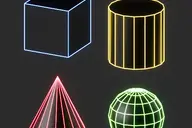
FREE Assign random wirecolor to selected objects Features: One color for all instances Limited color range to better viewport visibility Adjustable color range (tutorial below)
0 commentsInstance Fast Selection
Nick Gushchin

FREE Fast select instances of selected objects
2 commentsMMVNF
scgstudio
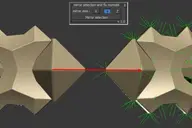
Mirrored mesh vertex normal fix. Script which can mirror selected meshes and keeps all normal information not distorted. Supports edit and editable poly. Does not collapse modifier stack. In version 1.1 any mesh can be mirrored, even…
0 commentsShow Textures in viewport (one click!)
Hernan Rodenstein
A simple check button to place on your toolbar, to show or hide your material textures on viewport. If there's nothing selected, it works on all materials in scene. Otherwise, on materials from selected objects only. It supports almost any…
14 commentsFloorGen Tools
Nick Gushchin

Script requires installed FloorGenerator
55 commentsPolyDetail
Batuhan Ozer
PolyDetail is a 3dsMax plugin that helps you to quickly draw nice ornamnets with a mouse brush. Ornaments are one of the most time consuming things in 3d modelling. With PolyDetail you can create a large variety of ornaments in a few…
1 commentHSigning - Horizontal Lines Signing Object Plugin -
Andrés Fernández Cruz

HSigning is just a working prototype of a SimpleObject plugin to create horizontal signing (dashed and continuous lines) geometry objects. You can create HSigning by picking any shape in the scene. - All distance values are in system…
3 commentsSmart TurboSmooth
FishMan
Allow you to quickly add and remove TS from any objects selected. Changes applied to the first turbosmooth in modifier stack. If you have an instanced turbosmooth modifier and select all objects to which it belongs, script will change its…
1 commentDelete static keys - cleanup tracks/fcurves - HeckTools
AutodeskLadATL
Hi All This is intended to help cleanup your track view/graph editor for animating. script removes all static keyframes excluding the initial key. essentially this acts similarly to the Maya feature "delete all static channels". Also, it…
8 commentsFlow Bridge
nudity
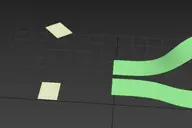
Flow Bridge 1.1!
5 commentsReinforceIt!
ABTOMAT
This scripted plugin is written on maxscript and adds new primitive type "RIBar" for easy modelling square lowpoly bars and unwrap them on atlas in 3ds max. Please check out YouTube video below for more information.
0 commentsCopy modifiers
Andrey
Simple tool for copy/instance modifiers from source object to selected array of objects. Does not copy only edite_poly modifier because 3dsmax does not allow doing this by script.
1 commentRandom select
Andrey
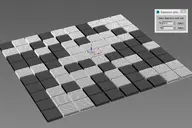
Simple tool for random selection objects by percentage or count.
6 commentsDraw Tool
Andrey
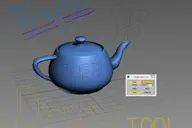
Simple tool for drawing in 3dsmax viewport. Usefull for making graphic comments and markers in scene.
2 commentsFast V-ray Dome Light
Dane Vranes
Small macroscript that speeds up v-ray dome light creation for when you just want to add some quick lighting to your scene as you work. It creates a Vray Dome Light and adds a vrayHDRI map with your texture and sets up exposure settings…
0 commentsPolySnow by PolyDesign3D
Batuhan Ozer
PolySnow is a 3DSMax plugin that creates realistic snow with a click. You just select your objects in scene and PolySnow does the snow for you! Let the snow fall on your 3D objects and scenes with a click of a button. A variety of…
0 commentsUV Puppy
Averkin
alt="Cheetah!" /> alt="Cheetah!" /> alt="Cheetah!" /> UV Puppy is a set of "quick to use" buttons and different functions, mostly created for a batch work with UVs. With this script, you can easily create a second UV channel for a large…
5 commentsWorld-Space to Local Animation
Hernan Rodenstein
Bakes an objest's World-Space/Space Warp animation to a copy, using local Point Cache modifier. Then you can apply local modifers on top to continue animating the object's deformation locally. Note: this is a preliminary version. It saves…
0 commentsSimple Average Chamfer
Sam Ninkorr
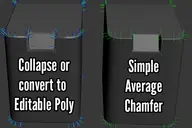
Just a simple "fix" for Smooth to Adjacent checkbox from chamfer modifier, that allow you save that vertex normal information (original chamfer lose that info after converting to editable poly/collapsing/etc.). Actually, its using Noors…
0 commentsEasy Peasy 2
Averkin
alt="Cheetah!" /> Easy Peasy is a multi-function management tool with small scripts and a variety of settings. With this tool, you can easily manage your scene by creating a set of different rules and conditions based on your needs in…
0 commentsSpline Refiner
Hernan Rodenstein
Smart Spline Subdivision Description Spline Refiner is a 3dsMax productivity tool to fine-tune your spline shapes incredibly fast, in a simple and efficient way. With this plugin, you can subdivide the splines uniformly, in a human-like…
0 commentsMorpher Extension Tool
Wei Yi Jen
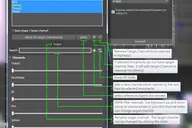 2 comments
3DS Max - 2D - Create Parametric Lines
Miled Rizk
In this video, I will present you with a new script I created to help the User creating 2D lines with specific length and angles. The script Allows you to modify the length of the last created line at any time. This is a feature I always…
4 commentsVertex Normal Toolkit
scgstudio
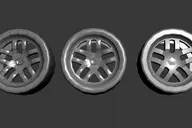
This script can generate, manipulate and align vertex normals. Everything is based on layer system. It has 3 different generation algorithms: topology based using projection gizmo projection normals from other mesh ( transfer normals )…
1 commentDevMaxwell Material Converter
Ricardo Troconiz
I just going to leave here the script that comes with the trial version of Maxwell Render 4.2.4 just in case someone need it
0 commentsRandomize Spline Material IDs
Hernan Rodenstein
Randomize the material IDs for the segments in your spline shapes. Set random material IDs for the selected splines, either using the existing IDs or specifying a range of IDs. Compatible with 3dsMax 2012 and higher.
1 commentTime & Key Controls
lbrooks
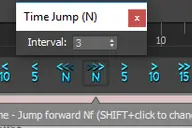
This script contains various tools for manipulating time, keys other related animation controls. Scripts can be assigned to toolbars and placed just below the time slider for quick access. Features: - Time jumping in blocks of 5, 10, 15,…
8 commentsOriented Line
Vojtech Cada

Line segment aligned to follow the drag direction:
8 commentsSpread Objects
lbrooks
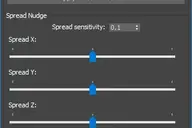
This script provides a way to spread the positions of a selection of objects using either applied values, or interactively using sliders. The selection of objects can also be offset quickly to complement the spreading functionality.…
0 commentsMake it gray please
Hosein Afshar
0 commentsBake Splines Animation
Hernan Rodenstein
Bakes the animation of one or more selected shapes to vertex animation, with a series of options. Set: animation range (start/end), sample rate, action over original shapes (hide/delete/none). Support for: modifiers animation / hierarchy…
0 comments