

rauquenrol
Clovis GAY
- 46 public contributions
- Member since
- Latest contribution Nov 2021
Custom Controls
Custom Controls will help you during Rigging, to create custom shapes for your animation controllers. It will help create animator-friendly rigs with easily selectable and beautiful controls. You can Create new splines and add them to your…
Script
0 commentsBookmarks
Bookmarks is a tool to help animators to stay organized. It is inspired from the bookmarks tool in Maya. You can quickly create visual bookmarks on scenes or individual objects, change their color, range, name, comment, link a camera...etc…
Script
1 commentBookmarks
Bookmarks is a tool to help animators to stay organized. It is inspired from the bookmarks tool in Maya. You can quickly create visual bookmarks on scenes or individual objects, change their color, range, name, comment, link a camera...etc…
Script
0 commentsIsolate by MatID
super simple scripted modifier that allows you to hide or isolate parts of your geometry by Material ID.
Script
1 comment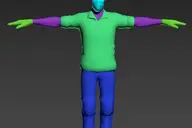
MatCap Library
This is a tool to simplify the use of Matcaps inside 3dsmax. It's very useful for making quick previs, layout, testing shaders and colors before going into really building shaders and rendering. You can put any Matcap files in your own…
Script
0 comments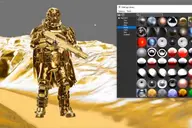
Roll
Roll is a new modifier for 3dsmax. It’s never been that easy to Roll any geometry over the ground like if it was a physique simulation, but you now have full artistic control over its animation.
Script
0 comments
TopoLogiK
TopoLogiK is a new Retopology tool for 3dsmax. It brings a more procedural and parametric approach to retopology in 3dsmax. Tutorials : http://hocuspocus-studio.fr/tools/topologik-tutorials/ Updates : V1.12 - Main UI : - Faster and more…
Script
2 comments
DQ skinning Copier
In previous max versions like max 2016, when you save the envelopes, it doesn't save the Dual quaternions weights. Which is a pain when you need to transfer skinning from a model to another for whatever reasons. The thing is I do quite a…
Script
0 commentsVECmap tools
VECmap tools is a new toolset to paint and use vector maps inside 3dsmax. These tools allow you to paint vector maps directly on your meshes, and use them to drive particles, UV or mesh deformations, Vray Fur and probably other things.…
Script
3 comments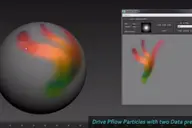
Mesh Insert
Mesh Insert is a new 3dsmax plugin inspired from Polystein for Modo ( http://pushingpoints.com/v2/the-pushing-points-polystein-kit-for-modo/ ). It speeds up your modeling process by replacing face selections by an asset from your library.…
Script
3 comments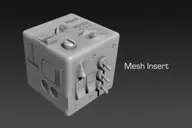
Node LIST
Have you ever tried to use selection sets in 3dsmax ? This is a pretty usefull tool, but it’s also very limited since if you merge the file they don’t persist. NodeLIST is a Helper which does pretty much the same thing as Selection Sets…
Script
3 comments
PhysX Painter
PhysX Painter is made to very quickly populate your scenes with your assets in a very natural way. It allows you to create them using a brush, and automatically place them with Rigid bodies simulation. Whether you work in architecture,…
Script
3 comments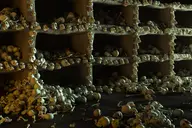
Combine
This tool is derivated from EchOoo and Multimesher, I have it since I released these two tools and use it a lot in production, so I think it’s gonna be useful for you. It’s very helpful to combine multiple animated meshes into one, without…
Script
0 comments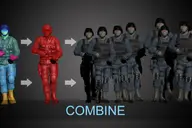
Locks Manager
This is a small but extremely useful tool. I use it everyday and it saves me a lot of trouble and number of clicks. It basically shortcuts the access to the “Link Info” options of the Hierarchy Panel. Instead of going there to…
Script
1 comment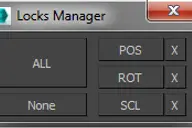
UV to MESH
- quickly detach mesh elements from UV seams. - Flatten the Mesh following the UV. - go from your mesh to the flatten one with a morpher Updates : – faster algorithm – better edge separation, avoid separate triangle faces
Script
4 commentsSave button
If you're tired of 3dsmax Auto-saving and freezing when you are working, this script is for you. It's based on an idea of Vincent Lacour. installation : Put the file in the Scripts/startup folder of your 3dsmax installation. Restart 3dsmax…
Script
8 comments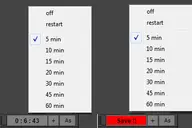
Atom
Atom is a new geometry plugin for 3dsmax. It creates similar effects as you can see in After Effect's Plexus. Atom uses Particle Flow to generate lines, points and faces between the particles. Tutorial : https://vimeo.com/125819240 Buy it…
Script
4 commentsEchOoo PRO
This tool is inspired from tools you can find in 2D animation softwares, like the Onion Layers in Flash or the Echo effect in After Effects. It's a new max object where you can pick different sources and offset their time animation, but…
Script
0 commentsFur Guides Painter
buy it on : http://hocuspocus-studio.fr/tools/product/furguides-painter/ Fur Guides Painter is a new tool, which will drastically speed your hair&Fur and Ornatrix workflow. If like me you are tired to try to brush Hair&Fur using the given…
Script
0 comments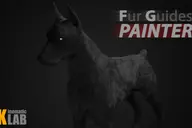
PFlow TM
buy it on : http://hocuspocus-studio.fr/tools/product/pflow-tm/ A maxscript Tool to mesh Particles trajectories, with growing meshes. Different mesh choices, and growing options. All you can do with ParticleFlow, you can mesh its animation…
Script
1 comment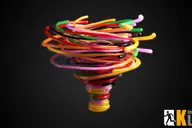
Radius
buy it on : http://hocuspocus-studio.fr/tools/product/radius/ Radius is the version 2.0 of my previous tool radius Influence : vimeo.com/35854355 It's really a tool for motion graphics artists. It comes with a lot of updates and new…
Script
11 comments
WallBuilder
A new tool quickly made on my spare time for walls creation. special options : offset to put different walls together ; you can create a wall following a spline ; random fonctions to randomise bricks ; random colors in a multisubobject.…
Script
15 commentsModifier Manager
With this maxscript tool, you can manage your modifiers 1: you can align gizmo and change gizmo properties on multiple objects 2: you can attach gizmo to an object, so one object can control multiple gizmo on multiple objects with move,…
Script
2 commentsDetach faces V2
with this script, you can detach all the faces of selected objects as separate objects. with pivot aligned to their center. You also can detach only selected faces, with pivot and parent options. You can detach faces from edges selection,…
Script
7 comments