

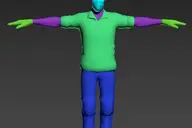
with this script, you can detach all the faces of selected objects as separate objects.
with pivot aligned to their center.
You also can detach only selected faces, with pivot and parent options.
You can detach faces from edges selection, if you check align pivot, it will align pivot to the center of each edge.
You can align pivots or parent after, on objects selection.
Detach faces V2
Downloads
Version 2.00Listed version
Listing updated
- detach_faces_v2.mse8.4 KB
- 3ds Max compatibility
- Unknown
Community compatibilityNo compatibility reports yet
No reports yet for the available releases.
Community reviewsNo reviews yet.
Listing details
- Version
- 2.00
- Original version requirement
- all versions
- Author’s update date
- Legacy votes
- 10
- Listing created
How compatibility works
Compatibility comes from the author’s supported range or requirements in the original listing. A tested version records what the author tried.
“2020 unconfirmed” in the catalog means support for 3ds Max 2020 is still unknown.
Community reports record successful tests on specific releases.

Comments (7)
Comment policy
THANK YOU!
Excellent thank you so much!
Works in 2018 too!
Excellent work Clovis, very helpful script!
Great !
Drag n drop - works perfectly! Max 2016. Thank you !
Nothing happens?
I ran this script with polygons selected and nothing happens. I'm in Max 2015.
Holy Simplicity Max Man
One of the most useful scripts I have found to date! I will credit you at every render for this one! Thank you!
.ms or .mcr??
Could you post one as a .ms or .mcr instead of a .mse so we can put it in a category, add it to a button, etc. I really hate .mse format -_-
Thanks in advance!
Thanks
One of the most useful faces detacher script i know until now.
Very efficient and fast to align pivot points to each detached face.