
Scripts
5,501–5,600 of 5,621 scripts
rdg::spline::offsetSpline
rdg
This macroscript lets you select a spline and generate one or more splines with a specified offset. Unlike the 3DS MAX offset function in 'Editable Spline' - this offset spline detached from the original spline. Check the 'consecutive'…
1 commentrdg::tools:quickHideReveal
rdg
This script lets you select a object to be hidden or unhidden. It supports single objects - a group of objects and hierachies. This is usefull if your objects are distributed over several layers - for example development plans.
0 commentsReflect maker
Mohsen Mousavi
It simply create Objects with correct material and properties to be used as reflect object
0 commentsAuto_Scale
Mohsen Mousavi
It gets the scale of your object in system unit and rescale it . For example if I have a head modell that has a width of 1.55 cm (incorrect) and I want it to be 20 cm without try and error then I use Auto Scale
0 commentsZtoMaxtoZ
David Svantner
Export a mesh from Zbrush and modify it in Max - then export it and run the script.
0 commentsmaterialInfoDisplayer
Neil Blevins
Displays various pieces of information regarding material properties of selected objects or the active material (such as the name of the Material on the selected object - the used MatIDs on the selected object - the map channels the active…
0 commentsMR_Area_Spot_utility
Mohsen Mousavi
It is a small script wich let you change width - height and samples of all the Mr_Area_Spots in the scene or Turn their area shadow On or Off . very hany when you want to render your secene (wich has several Area_light) with different…
0 commentsMaxJack
Jeff Hanna
A fully 3D - graphical - animated blackjack game written 100% in MaxScript. Tired of working on your current Max scene? Just click the MaxJack button to escape the drudgery of modeling and animation. MaxJack will hold your scene for you and
1 commentmuscle editor
Adam Biles
Muscle editor is a macroscript for making a true use of the bone scale/squash options in your rigs.
0 commentsViewport Helper
Adam Biles
This is a simple script to help viewport controls when working in max.I have tested it with max 8 but i don't see why it should not work in versions below. This script opens up a dialog to help switch between the different views without…
0 commentsmorphMap
Olivier Vandecasteele
morphMap is a tool to map low-res objects (as those used in video games). Works on meshes and polys. Now It's a multi-select tool: you can select several objects at the same time or you can select severals groups of faces of the same…
3 commentsKeens Batch Exporter
Kurt Loeffler
Batch export all objects in your scene as separate files to any file type 3ds max supports. -Exported files use the object names in the scene. -option to export files using their indivdual pivots as the scene origen(center objects to 0 -0…
4 commentsTG-Max
darkmoon3d
TG-Max is a MaxScript for 3DS Max which allows camera and lighting data to be transferred between 3D Studio Max and Terragen. The program is broken into two versions; Lite and Pro. Lite is free(for non-commercial use only) and includes…
0 commentsReactor control
IN_human
This script is an addition for standard reactor® UI. It's main goals are: - collect all Reactor settings in one place - as compact as possible. - allow user to manage more then one simulation per scene by enabling/disabling collections…
4 commentsMax Sudoku
OYH
made Sudoku Game in Max (puzzle) thanks...
0 commentsSyntax highlighting file for Crimson Editor
Dave Stokes
This is a replacement syntax highliting keyword file for Crimson Editor. It contains nearly all functions - system globals - structs - and a decent number of the major classes as of Max 7. More than 1470 keywords are defined in all -- it's…
0 commentsUnofficial solution to 3ds max Processor Affinity issue
Richard Annema
As you may or may not be aware - there appears to be an issue in 3ds max r7 and r8 where certain components leave the 3ds max state set incorrectly - causing one or more of the CPUs in a machine to fluctuate in performance. This tends to…
0 commentsSanta Project Planner
Susanta Dutta
For animation or gaming production you need to design production flow or deploy networkrendering architecture. Santa Project planner helps you to design production outline and save your money to buy any commercial production flow designer.…
0 commentsScene Material/Map Floater
Jeff Lim
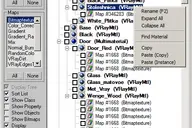
A Material/Map browser similar to the one found in max - Able to FILTER Materials/Maps by class types
22 commentsvertex animation exporter for warcraft3 (VAtools)
3dmaxhy
This tool can help you export vertex animation from 3dsmax to warcraft3. This is useful for us to create an animated flag or mantle quickly.
0 commentsCrowd IT
Mohsen Mousavi
(Crowd IT) is a Crowd choreography tool for 3d studio MAX which allows the user to quickly and effectively manage and render crowd scenes.
2 commentsUltraEdit & UEStudio Wordfile
Jeff Hanna
MaxScript wordfile for UltraEdit32 and/or UEStudio. (http://www.ultraedit.com)
0 commentssanta Trajectory Limiter
Susanta Dutta
Sometime when we are working with complex animation scene we want to view a part of portion of trajectory for an animated object (as because the total trajectory line is showing us so much complex view) there we can use this script. Here…
2 commentsObject Cycler
Michiel Quist
This script lets you cycle through the scene objects. It hides all objects except one which is selected automatically
0 commentsRandom Replacer
Michiel Quist
The same as my random replacer script - but it now supports groups as well. There is also a checkbox if you want to delete the old objects and the undo works.
0 commentsRandom Rotate
Michiel Quist
Random Rotate rotates a selection of objects.
0 commentsRPC Randomizer
Michiel Quist
Select objects in scene - it does not matter if there are some none-RPC object within the selection. Fill in the RGB level values - fill in the height values and check (if wanted) the random rotate. Check Hide Selection if you want to hide…
0 commentsRandom Material
Michiel Quist
Select a root object with the material you want to copy. Adjust all values that you want and select the other objects. Press 'Let's go' and randomized materials are copied to the selection. Keep in mind that a simple material adds about…
0 commentsSolar Time
Michiel Quist
Create a random text - create a sunlight system - run this script. Select Sunlight - select text - and press the create button. Its very useful for people who need to make shadow studies. Just link the text to the camera and hit render.…
0 commentsSpline Align
Michiel Quist
If you want to align objects to a spline created in AutoCAD. Choose an object/group - select two vertices on a spline and the object will be aligned to the spline...Use in top view...
0 commentsCopy Properties
Michiel Quist
Basicly this is a personal script wich I made to speed up extruding and UVW mapping. This could be a useful script for people who draw splines in AutoCAD and extrude them in MAX. The properties that you can copy are: material - modifier(s)…
0 commentsSergo's script pack
sergo
SCRIPTS IN PACK: RotateClockWise, RotateCounterClockWise, RotateAround - three scripts for easy, one-click rotating objects on 90, -90 and 180 degree around active axis and in current coordinate system. Scripts also rotate UVW Mapping…
55 commentssantaDistMaterial
Susanta Dutta
If any object travels to another object on a spiral path it is very much annoying to manually create the blending animation of their material. Through this material you can calculate their distance and blending animation of their material.…
0 commentsRandom Select
James True
This maxscript allows you to randomly select vertices - faces - and edges of any editable mesh. Highlight the mesh you want and run the maxscript. You can choose a percent of elements you want selected and grow or subtract from your…
0 commentsReal Collapse Maxscript
James True
Repetition abounds when working on Poser props or making Torque Engine content. I often have to reset the Transform matrix in Max the hard way. Namely - draw a new box at 0 -0 -0; convert to mesh - attach my object to the box - then delete…
0 commentsRandom Noise Maxscript
James True
Add random noise via X - Y - or Z axis with this maxscript. RandomNoise let's you specify a strength in three axis directions and a direction (subtractive or additive). I wrote this before i wrote the Random Selector Maxscript. I tend to…
0 commentsScripters Army Knife
Wahooney
This script is designed to improve the workflow of script writers.
0 commentsCopyPaste
James True
This maxscript allows you to copy a selected vertex into a clipboard and later paste. There are two versions of the maxscript - simple and advanced. Simple let's you copy and paste a single vertex's x -y - and z coordinates. The Advanced…
1 commentVert Tool
Ruben Garza
Edit poly is a great tool - but one thing I really wanted was the abilty to copy and paste x -y and z positions of verts. The top rollout allows you to do that. You can copy a vert's position and then select as many verts as you want and…
0 commentsScriptCommander
Michael Brempel
150 scripts in one gui. I'm using it to simplify my workflows. The commands.txt growed up over 5 years and will go on. Hope you like it :o) Fixed a "public-variable"-bug in the main-script which results in an errror in max7(+). A few new…
0 commentsVrayHDRITool
Ivan Tepavicharov
Easy way to set VrayHDRI map. Select only one object and run the script Version: 2.4 "HDRI List" now search in lights and environment for HDRI maps Screenshot
1 commentExplode SketchUp
Bill Wood
I found when exporting from Sketchup in 3DS format I tended to use 'Export: Objects in Heirachy' which keeps the names of the objects in the transfer. In Max - the top of the heirachy is 'Model'. If you delete 'Model' and move the objects…
2 commentsMini ZB
stuh505
This tool started out simply as a way to manipulate high density meshes within Max. As you know Max hates high density meshes...it has horrible response time and you can't do anything to them. MiniZB allows you to somewhat overcome this by…
0 commentsPaintSelector by drFlash
Serg Khatenkov
Select verts - edges - faces of the 'editable poly' and the 'edit poly' objects by 'painting' with a variable sized brush.
2 commentsMeshfoot
Atom
Mesh Foot is a 3DS Max plugin that allows you to seamlessly integrate exported .3DS or .OBJ mesh sequences into existing scenes without re-animating - re-boning - or re-skinning anything. This unique concept allows you to treat an imported…
0 commentsFootmaker
Michele Bousquet
Footmaker creates a simple - parametric - humanoid foot as a starting point for a character's foot. Options include rough shaping of the ankle - arch - and toes/shoe. This script is intended as a companion to Handmaker.ms - which creates a…
1 commentColor Cube
MTH
I have made this script - because I wanted to see colors in space. It generates boxes or spheres representing the color gamut in 3d space.
0 commentsRandom Material ID
Michiel Quist
This script randomizes the material ID's in an editable poly by sub-object element. Just select an editable poly (editable meshes will be converted to editable poly) - run the script - assign a Multi/sub material to the object.
2 commentsRudeCleanser trackviews
Gwen Heliou
It just happened to me. I was suddently unable to open a trackview anymore. Instead of deleting the 3dsmax.ini - once more - I decided to give maxscript a try and search for applicable functions... It's very straightforward - and will…
0 commentsSM Scene Optimizer
aaaaCHoooo
I'd written this script some time back and it should help u when working every heavy scenes with a lot of geometry ..... This script should be of good use to animators - lighting artist - environment modellers - shading guys -
0 commentsQuickNav
Grant Adam
QuickNav is a faster and easier way to open/merge/save/browse your scene files. It is designed to make it easier to get to the files you are currently working on - or just want to have handy - it presents a customisable list of directories…
0 commentsProportional Plane
Jon Seagull
Creates a plane object whose proportions match the specified bitmap. Those proportions are locked (via parameter wiring) - so the plane can be resized without losing aspect ratio. Also automatically assigns a self-illuminated material of…
2 commentsDWG Cleanup
Jon Seagull
A one-click solution to cleaning up the mess the new DWG importer leaves behind for those not using DWG linking workflows.
10 commentsInstancer
Jon Seagull
A toolbar button that replaces the selected objects with instances of the object you pick after hitting the button. In other words - a UI version of maxscript's InstanceReplace command.
0 comments0-255 to % Converter
Jon Seagull
Calculator for converting percentage values to 0-255 values and back. Includes a color swatch that updates with the grayscale value equivalent.
0 commentsHSV Color Randomizer
Jon Seagull
A utility that creates random variations of a color in HSV space. Drag the color to be randomized into the top swatch - dial in the amount of randomness - and press the button to populate the 9 bottom swatches.
0 commentsEPoly MatID Randomizer
Jon Seagull
Randomizes the material IDs on an editable poly object. Allows you to exclude certain polys (like if you have random stones set in uniform grout) by setting their ID outside the range of random values.
0 commentsReset Material Editor (for pre-max8)
Jon Seagull
Resets all material Editor slots to a default standard material. Note that this functionality is built into 3ds max 8 and higher. However - the built-in utility can reset the sources of environment maps instanced into the material editor -…
0 commentsShuffle
Jon Seagull
Randomly swaps the positions (but not rotation) of selected objects. I use it to save time populating parking lots - by creating groups of identical cars - then running shuffle to get the random distribution.
12 commentsSmoothSpline
Jon Seagull
Creates a smoothed copy of a picked spline object (each vertex's position is averaged with that of its neighbors). To use - pick the spline to be smoothed after activating the script.
0 commentsShape Backface
Jon Seagull
Defaults all shape objects to be created with the Backface Cull object property turned off.
0 commentsRezn8Tracks - Multi-Track Animation Tool
Rezn8
Rezn8Tracks is a 3dsmax tool for allowing multiple animation tracks for transform and visibility per-object. This allows for different version of an object's animation in the same scene or different animation types for user interface…
1 commentbuEdgeSketch
Kasiwagi
buEdgeSketch is a tool that draws the polygon edge.
1 commentGridified
Matt Rapelje
Rounds / Normalizes / Quantifys Your Option Either Moves Selected objects to nearest specified grid point - or Moves all of the verticies of a single editable mesh to closest grid value. Update 1.1 added Undo
0 commentsIK Tools
3dmaxhy
This tool can bake IK animation and correct bone's name to pass the requirement of warcraft3.
0 commentsGlobalGlossySubdiv
Ivan Tepavicharov
Globally changes reflection or refraction glossy subdivision for all vRayMtl materials - as well as - for all vRayMaps
0 commentsBlubber
CG Empire
Blubber is a simple tool for adding and controlling secondary motion using morph targets. Simply add morphs for up - forwards - and left - and Blubber will do the rest!
0 commentsModifierControl
Ivan Tepavicharov
Using this script, you can turn on, turn off, or delete certain modifier simultaneously within all objects that contain such modifier (or only within the selected objects). The list of modifiers attend only those used in the scene. You can…
0 commentsTab bar for max
Alieneye
Brings the good ol' tab bar back to max 6 or 7 or 8.
2 commentsIndigoLink
Trinsica
Found this nice little free 'unbiased' renderer a week ago named Indigo. Real fun to play around with and as such I scripted up a 3dsmax interface for it. Give it a shot in case youre bored ;)
0 commentsScreaming Drum
Richard deCosta
This contains two files: A perl script to convert a MIDI file to TXT - and a MaxScript to animate an object based on MIDI data. Current version is limited to one MIDI channel.
0 commentsrdg::dashed
rdg
This tool generates dashed lines out of arbitrary splines. Select a spline and press 'generate'. If the Spline is consisting of mupltiple sub-splines - a dashed line for every spline is generated. The length field displays the length of…
3 commentsTrajectory Toggle
Jonathan Reyes
This is a script that is used as a custom attribute that will allow you to select this button then select an object in the scene and it will enable trajectories. This is a speedy way of allowing your rig to incorporate animation. Great for…
0 commentsrdg::envColorHelper
rdg
This Macroscript generates a box in your scene that gives you visual feedback for the environment color.
0 commentsShakeCam
Timo Sorakivi
Simulates camera shaking in earthquakes - explosions - etc. Usage: take a good perspective view - go to frame where you want it to start and run the script. Now you have a new free Camera - Camera_Shaken01 - that has a procedural shake…
1 commentMonkeylab File Management
Monkeylab
Add tags/properties to files upon saving. Show these properties in windows explorer. Show/Change properties in standalone Dashboard.
0 commentsMonkeylab Select and Animate
Monkeylab
Modifier to animate vertices. As an alternative to Linked XForms. Based on Select Poly modifier. Exposes controllers for every vertex. Button activates scripted dialog to create/edit control dummies for (soft) selection
0 commentsDummiesForFFD
Monkeylab
Attach control dummies to all control points of a FFD modifier. Uses script controllers.
0 commentsHoldTheChildren
Monkeylab
Can be used to animate Pivot Points. Use a parent dummy as pivot point. Press hold; animate it to another position; press restore. Voila fake pivot point animation
0 commentsInstanceMoveLink
Monkeylab
Little utility to copy/instance and parent many objects at once
0 commentsMonkeyTools
Monkeylab
Tools for logo animation. Automatically creates hinge dummies where required. Also options to set visibility tracks.
0 commentsPFlow Crowd Coloring
Monkeylab
PFlow Script Operator. Changes UV coordinates of instanced shape according to position of particle. Example file only
0 commentsMultiRenderUV
studio2k
This script executes same function as Render UVW Template. But it is saved as uvw_objname.tga in certain path and it can render several objects at the same time
0 commentsMultiChamfer
Blagoy Kostov
Update: Now values entered with enter are accepted - and bug fix concerning loop check.
0 commentsOrientToFace
Mike Biddlecombe
Shoots a ray through the scene to determine the closest face on any object then sets the viewport transform matrix so the this face is oriented perpendicular to the view.
0 commentsProceduralTextureBaker
Christopher Grant
Bakes procedural textures as bitmaps rendered to a specified size. Designed as tool to aid in exporting materials to other 3d apps. For instance you might be using a nested tile / bitmap which of course can't be easily exported. Simply…
6 commentsTurboManager
aaaaCHoooo
Manage all turbosmooth modifiers in the scene. apply/delete/modify turbosmooth values for either : 1..entire scene or 2..selected objects
1 commentEdges From Vert To Vert
Blagoy Kostov
Tool for edge selection from vertex to vertex(point to point) Has interactive update so when you move the mouse over the selected object you can see what would be the edge selection. By clicking you add the current vertex. By clicking +…
0 commentsBillBoard Generator
Nir sullam
A simple script that facilitates the creation of vertical planes for use with trees/people images billboards. Select a diffuse map (tree/person image) Select a matching Alpha map of the same map. or press the lock icon if you use a…
7 commentsBrake
Blagoy Kostov
A script for 'breaking' edges. Work only on editable poly. Select some edges end then push the brake button. It will make some holes on the edges. There are options to define the min and max range for the random function for the depth and…
0 commentsMakeAllFacesPlaner
Matt Rapelje
Selects each polygon in an editable poly object and makes it planer. Designed to help fix some problematic collision volumes used in the Unreal game engine. May work with previous versions. Update 1.1 added Undo
0 commentsDistribute Selection
khye@khye.com
Distributes the selection within the minimum and maximum values much like distribute in Photoshop or Flash
2 commentsCopy_Paste_KnotVector
Andrew Romanenkov
This script can copy and paste tangents of knots and knot types. If more than one tangent selected on spline it takes the tangents of knot with less index. If more than one tangent selected on several splines it pastes tangents to knots on…
0 commentsCamera Location
Nir sullam
A simple script that facilitates the modification of XYZ values of cameras but instead of picking from the selection floater (or the Select by name screen) - you can select form a cameras-only list and change the values on the fly. Press…
1 commentBlender Fluid Importer
Mark Theriault
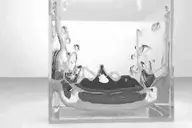
A Blender Fluids Importer. Imcluded is the file to export the fluids as an OBJ sequence (not written by me). And the other is the import script. It hasnt been tested on large scenes so use at your own risk. View the sample movie here
2 commentsAuto Object ID
Mark Theriault
A script I modified to automatically create Object ID for all the objects selected in the scene. It has Vray friendly option now.
3 commentsRandom materials by object selected
Alexandre OLIVEIRA
Apply selected material on selected oblect - not by ID but Object. 'Limit 10 materials' Example: tile - roof or vegetation.
0 commentsArchiveScene
Ivan Tepavicharov
This script copies the file when opened with all the necessary textures in the specified directory.
0 commentsE-lights
Alexandre OLIVEIRA
Script originally based on the code from E-light 1.02 by Ronnie Olsthoorn - new features detailed below. 'This script generates a geosphere with lights on its vertices. The lights can be coloured using a bitmap. The settings let you create…
1 commentMaterial ID Dashboard
Sam O'Hare
MatID Dash allows you to rapidly assign material IDs to an editable poly object. Select your faces - and hit the number to assign that ID to the faces. The script also allows you to assign random material IDs by polygon - type in the IDs…
0 comments