ScriptSpot is a diverse online community of artists and developers who come together to find and share scripts that empower their creativity with 3ds Max. Our users come from all parts of the world and work in everything from visual effects to gaming, architecture, students or hobbyists.
Submitted by JokerMartini on Mon, 2013-06-03 06:22
10
votes
*NEW* Utilities in ATK 1.174 VIDEO 'Flippin' Flaps': One click animate the unfolding of your mesh faces. VIDEO 'PathRig': Generate paths that are guided by target nodes, these paths can act as trajectories, path deforms or both.
TreeLinker': Link objects together by distance from an object to the next object.
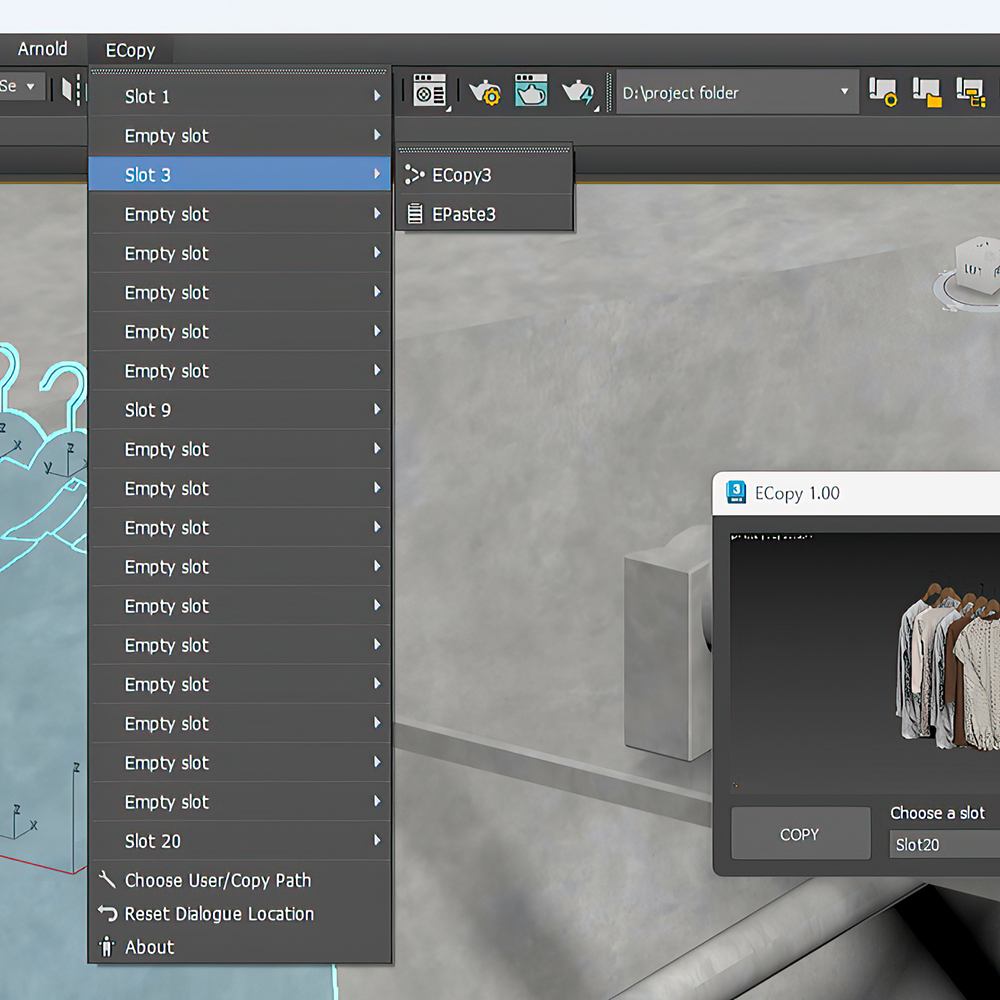
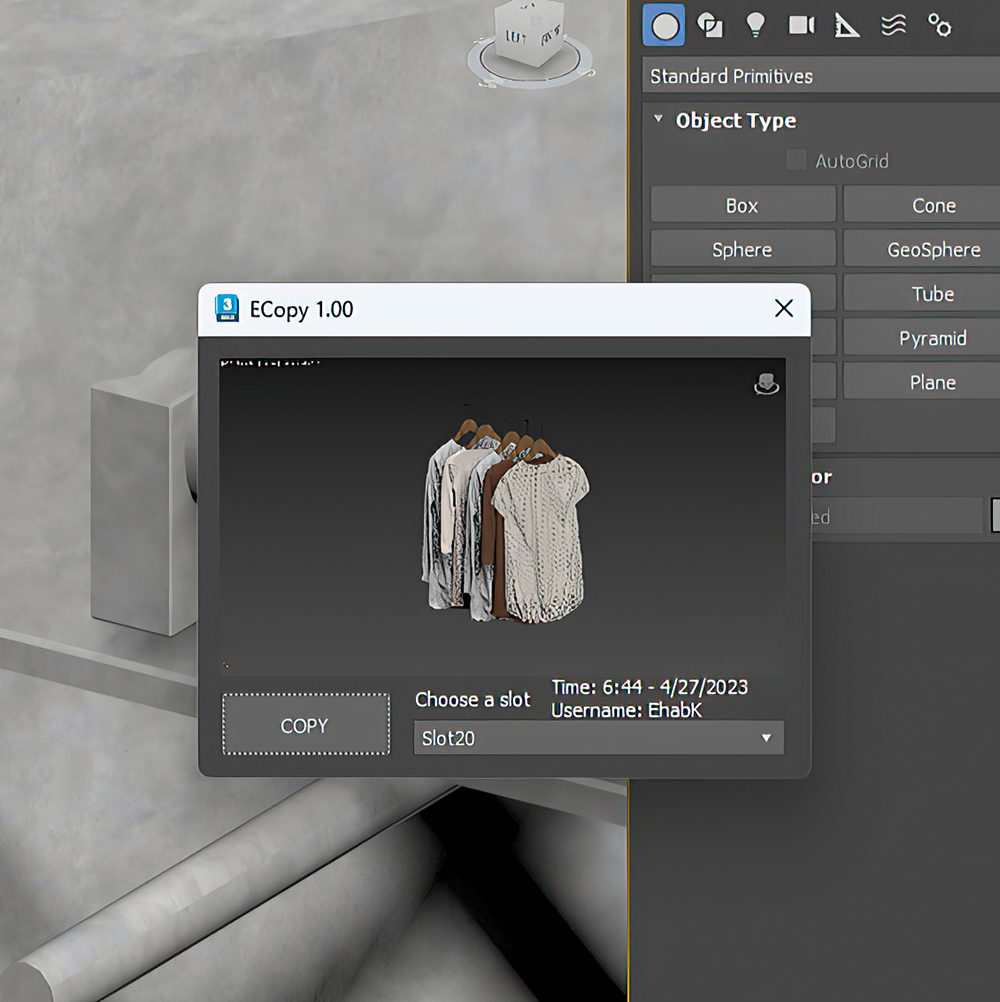
The Cross-Computer & Local Copy-Paste script for 3ds Max, is designed to streamline your workflow and enhance productivity. This script allows you to easily copy and paste elements between scenes on a local machine, as well as across different computers connected to the same file server and across different versions of 3ds Max
Submitted by hippiearchitect on Mon, 2026-04-27 06:47
0
votes
One-Step Copy & Relink is a workflow utility that consolidates two tedious texture-management tasks into a single operation. It scans your scene for all bitmap-based maps — standard BitmapTexture, VRayBitmap, and VRayHDRI — then copies the source files to a destination folder of your choice while simultaneously relinking the materials to a different target folder using a new file extension.
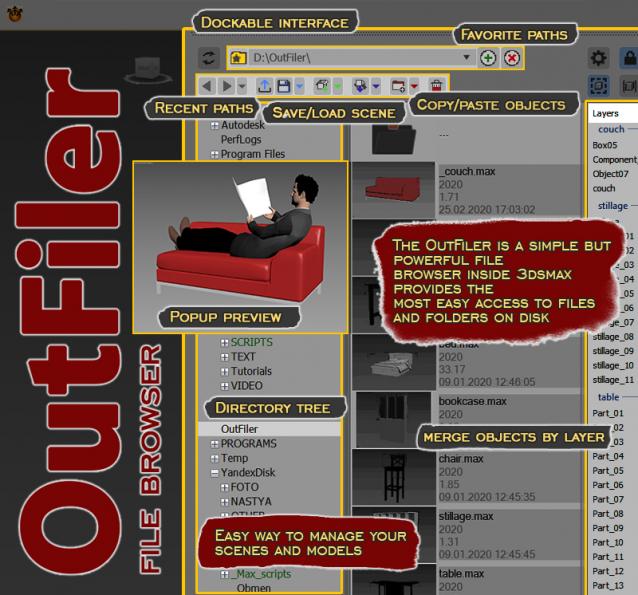
The OutFiler is a simple but powerful file browser inside 3dsmax that completely replaces standard save/load/save selected/merge/import/export dialogs. I believe folder tree much more comfortable and transparent.
The OutFilers provides the ability to quickly find the necessary folders, save the history of movements along them with back/next buttons and recent list and the favorite paths for quick access to working scenes.
Submitted by Christopher Grant on Fri, 2006-10-20 20:45
111
votes
It's always annoyed me that I couldn't copy objects from one instance of max and paste them into another - as I work with 2 or 3 instances of max up at a time. It's tedious to do a save selected / merge objects so this script does it for you. It's not a TRUE copy/paste via the windows clipboard - but it will let you very quickly copy objects from one file to another.
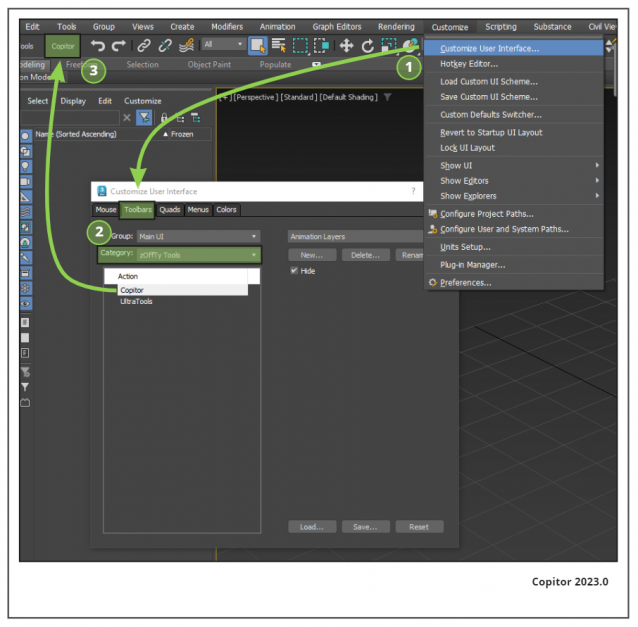
Copitor allow you to quick copy/paste selected objects to another Max scene or in another Max if you have 2 3dsMax open. I also like to use it like as a "quick backup" for try something, and to be sure to loose nothing :)
Installation: Drop The file in max viewport and go to Customize ==> Customize User Interface ==> Category: zOffTy Tools ==> Copitor
"Copy-paste on steroids" with some extra features such as clipboard history, drawing and placing objects on top of your geometry, and copying objects between 3Ds Max instances. You can choose whether to duplicate materials when you paste an object. Instancing is supported now. Return the missing functionality that makes your workflow intuitive and fast. Watch the video for more details.