ScriptSpot

Script

Simple hWnd Viewer

By pixamoon · Credited author: Pixamoon · 2018-05-15

Version
v0.13
Date updated
2018-05-28
Votes
8
Downloads

Tags: hwnd window uiaccessor dialog button inspector listbox

Description


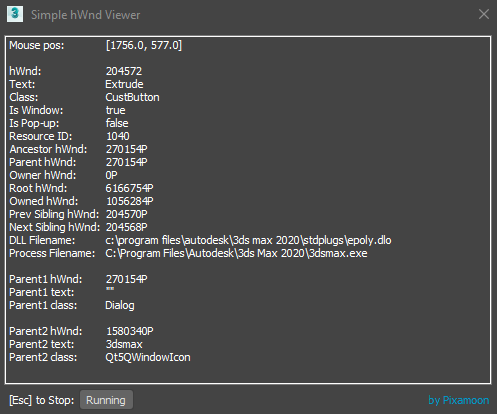
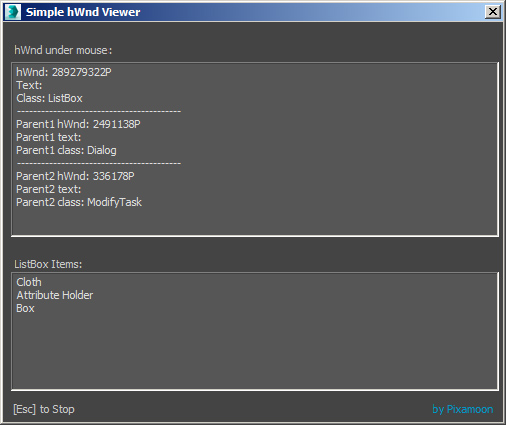
This is just simple tool to check window element handle - hwnd under mouse pointer.

I did it some time ago to test reading info from ListBox but it can be used it to inspect UI elements you need to work with later.

Note: This tool is can be useful only for people who writes maxscripts.

Changelog:
v0.14
 - added Resume button
v0.12
 - added up to 10 parents info

Best,
Pixamoon


Comments (7)

`

pixamoon · 2019-05-10

Hi,

I didn't try with QT panel yet,

Will try to get info from that and let you know.

Best,
Pixmaoon

tasurnin · 2019-05-02

Really nice tool,
Do you ever try to do the same with the new QT panel (max 2018)?
I need to change some parameters(material Rendering Level) for the "viewport per-view Settings" but the command UIAccessor.GetChildWindows for this windows is empty.

Thanks

Here you go

Swordslayer · 2019-05-11

This will give you the children of the Per-View Preferences widget:

(
	local ctypes = python.import "ctypes"
	local QtWidgets = python.import "PySide2.QtWidgets"

	actionMan.executeAction 0 "63578"
	windows.processPostedMessages()
	local viewPref = ctypes.windll.user32.GetActiveWindow() as IntegerPtr

	local widget = QtWidgets.QWidget.find viewPref
	local widgetChildren = widget.children() as array
)

You can call python help command on those that you care about to find out more, say

	local builtin = python.import "__builtin__"
	builtin.help widgetChildren[1]

`

pixamoon · 2019-05-12

Ah, nice, thanks,

Will try to implement it to get python widgets under a mouse too.

Here is just code to set Material Rendering Level:


(

  local ctypes = python.import "ctypes"
  local QtWidgets = python.import "PySide2.QtWidgets"
 
  actionMan.executeAction 0 "63578"
  windows.processPostedMessages()

  local viewPref = ctypes.windll.user32.GetActiveWindow() as IntegerPtr
   
  local widget = QtWidgets.QWidget.find viewPref
  --local widgetChildren = widget.children() as array
  
  
  local combo_box
  local ok_button
  
  fn find_material_combo widget = 
  (
    for w in (widget.children() as array) where w != undefined while combo_box == undefined or ok_button == undefined do
    (
      if matchpattern (w as string) pattern:"*QComboBox*" and \
         matchpattern ((w.parentWidget()) as string) pattern:"*QGroupBox*" and \
         (w.parentWidget()).title() == "Additional Parameters" and \
         w.findText("Basic Material") > -1 \
      then
      (
        combo_box = w
      )
      else
      (
        if ok_button == undefined and matchpattern (w as string) pattern:"*button*" and tolower (w.text()) == "ok" do ok_button = w
        
        find_material_combo w
      )
    )
  )
  
  find_material_combo widget

  if combo_box != undefined do combo_box.setCurrentIndex 0 -- set index as you need (0 - based)
    
  if ok_button != undefined do ok_button.click()
  
  ok
)

Best,

Nice script

Swordslayer · 2019-04-06

Couldn't resist and added some more info to the printout:

Attachments

'

pixamoon · 2019-04-14

Ha, cool addition, thanks man :)

kyle108 · 2018-05-15

cool idea, I'm going to use this quite a bit.