
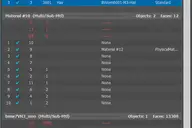
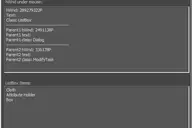
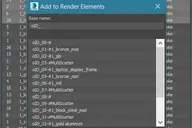
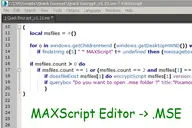

This is just simple Listener for MultiScatter.
Options:
- sort by columns
- On/Off for multiple selection
- select Objects from list (MultiScatters or dependences)
- edit Names (press F2)
To run:
1. drag and drop to max viewport
or
2:
Install favorite scripts (just drag and drop to max window)
Add icon on toolbar or create shortcut
Create favorite scripts folder structure and copy MultiScatter Listener there
More info about Favorite Scripts : http://www.scriptspot.com/3ds-max/scripts/favorite-scripts
Let me know what you think or if you have more suggestions ?
Pixamoon
Comments (8)
Comment policy
Thanks Pixamoon for this useful script
Really useful script. Even better than Multiscatter tool from the developer.
And it also works on older version of Multiscatter where the tool is very limited. The select dependent objects works well and can select even object was in group (standard selection way couldn't select if object in a group but this one works, thanks a lot). Wonderful script!
please take a look at attached max file:
https://drive.google.com/open?id=0B5ujHl_XYciVM2VnaTF4aldzUlk
pressing 'select objects' will always select objects from the first ms.
thanks
fix
Ok, all selection problems should be fixed in new version v0.15
Cheers,
Pixamoon
Could you add multipainters please?
---
The script has a hardtimes when there are several scattered objects in one scatter: it selects wrong scattered objects (from another multiscatter), sometimes it selects only one,and sometimes nothing at all.
`
Can you send me some screenshot or sample scene ?
pixamoon@gmail.com
Best,
re: preview
Hi,
sure, Yes I can add this,
Will take a look on it next days when I'm done with bigger update for Library Track / Relink
Best,
Pixamoon
Thanks!
By the way, I can not find in any category to add shortcut?
prieview
Please add the previews like box, point cloud, or pyramid, is it possible?
Thanks!