
ScriptSpot home

Camera List Navigator

Downloads

  • Version 0.6Listed version

    Listing updated

3ds Max compatibility
Unknown
Community compatibilityNo compatibility reports yet

No reports yet for the available releases.

Community reviewsNo reviews yet.

Listing details

Version
0.6
Author’s update date
Legacy votes
1
Listing created
Homepage
kumodot.art
How compatibility works

Compatibility comes from the author’s supported range or requirements in the original listing. A tested version records what the author tried.

“2020 unconfirmed” in the catalog means support for 3ds Max 2020 is still unknown.

Community reports record successful tests on specific releases.

Posted by

kumodot

Marcelo Souza

Credited author: Marcelo Souza // Kumodot

More by this author

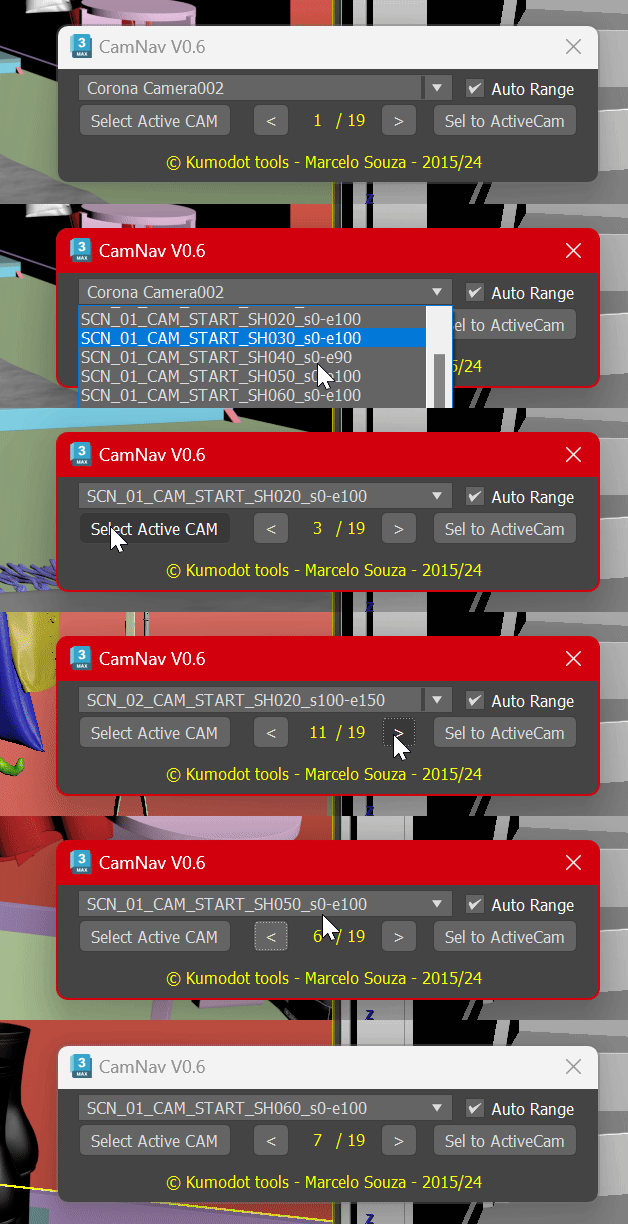
This Simple script just helps you navigate over all cameras you have on your scene with a single click. Features are : - Select Active Cam - It selects the active camera node (From the active viewport) - Show total number of cameras and the number you are now - browser arrows, left and right, to go over cameras (Ascendant by name) - Set your active viewport to the camera you selected on Explorer - Direct select on a handy dropdown list. One click select and change Camera - Auto Range - This detects the camera range using the first and last found keyframes.


Setup & notes

Just drag to your 3dsMax screen to run. Or open it on Script editor and run it.
Comments (0)