 By kumodot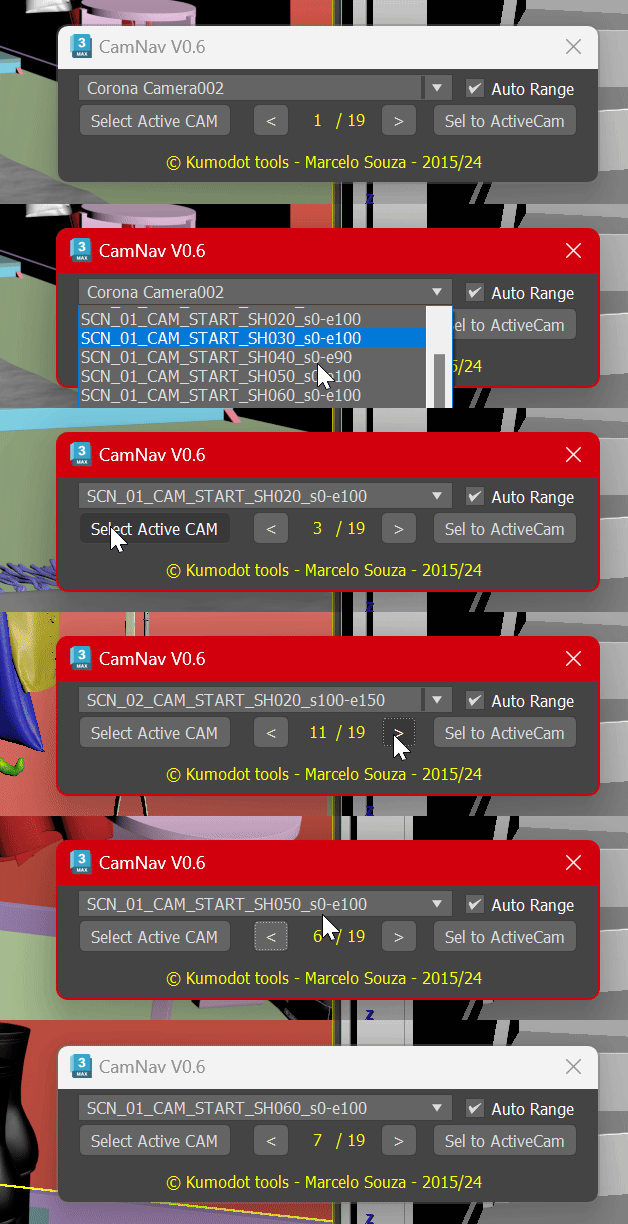
This Simple script just helps you navigate over all cameras you have on your scene with a single click. Features are : - Select Active Cam - It selects the active camera node (From the active viewport) - Show total number of cameras and the number you are now - browser arrows, left and right, to go over cameras (Ascendant by name) - Set your active viewport to the camera you selected on Explorer - Direct select on a handy dropdown list. One click select and change Camera - Auto Range - This detects the camera range using the first and last found keyframes.