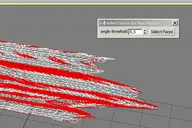

this script lets you align an object to the sliceplane of an object with slice modifier.
works on max design 2011 x64.

Listing updated
No download linked to this version
No reports yet for the available releases.
Compatibility comes from the author’s supported range or requirements in the original listing. A tested version records what the author tried.
“2020 unconfirmed” in the catalog means support for 3ds Max 2020 is still unknown.
Community reports record successful tests on specific releases.

this script lets you align an object to the sliceplane of an object with slice modifier.
works on max design 2011 x64.
Comments (7)
Comment policy
.
I just tried this and it does a great job.
I do have some more small tips for additions
* Checkbox to choose if you want to have Position and Rotation controller added to the plane
* Align gizmo to plane (+ checkbox regarding the controllers)
hey corine,
if you have any questions on this script just ask.
i am still working on the inverse method mentioned by paul but it is very difficult for me to get it to work for 100%. time is less and myself mostly to lazy (and dumb) to get it finished. it turned out to be a really tricky task.
i will try to finish the new version in the next... weeks/months?!
if you or others are interested to have a view on the current script just let me now.
with best regards
-le1se
3 points
The 3 points can be picked by using vertex snap or end point snap or mid point snap.
This will be similar to Miauu's Working plane or maybe use this working plane or the slice plane maybe work independent just like 3 point solid object slicing in Acad.
Paul
Slicer Plane
Hi le1se,
What I am asking is the reverse to what your script does. Your script moves the object
to match up to the slice plane. I would like the ability to move the slice plane around
the object just by picking 3 points. This will give us the ability to slice an object
down accurately to a desired shape. For example a cube could be sliced down into a Tetrahedron or an Octahedron using this method.
Thanks from
Paul
ok i understand.
shall i place the slice plane according to a tri-face-mesh? or do you want 3 helper/dummy objects? what kind of points you prefer?
Slicer plane
I found the slice plane was confusing to move around using the slice modifier.
I was trying to get the slice plane to move to a PICK orientation just like the Miauu Work Plane. Maybe you can improve this feature also.
Thanks from
Paul
hey paul, thanks for your feedback. i do not really understand what you would like to be improved. could you give me more info on that please.
with best regrads
-le1se