
Scripts
5,201–5,300 of 5,621 scripts
layered fog
Taljinder Singh
Nothing else than normal fog i created just having fun with my skills works fine
0 commentscameraFromPerspView
Neil Blevins
Create a camera from the active viewport. The final script offers standard 3ds Max, 3ds Max Physical, and V-Ray Physical camera options, plus optional safe frames. The older Brazil camera options require the corresponding plug-in.
0 commentsfindInstances
Neil Blevins
Find instances of a selected object and select, list, or isolate them.
0 commentsgetMatFromSelectedObject
Neil Blevins
Gets the material from the currently selected object and places it in the material editor. If multiple objects are selected - chooses the material from the first selected object.
0 commentsmakeObjectsUnique
Neil Blevins
Takes any selected instanced / referenced geometry and makes it unique.
0 commentsmaterialRemover
Neil Blevins
Removes the materials from the selected objects.
0 commentsmodifySubdivIters
Neil Blevins
Lets you increase or decrease the number of subdiv iterations for selected objects.
0 commentspowerSolidManager
Neil Blevins
Lets you modify the render and viewport approximation controls on all selected Powersolids objects.
0 commentsputPivot
Neil Blevins
Place the pivot at one of 27 positions around the selected objects or align it to a selected vertex, edge, or face.
0 commentssoulburnScriptsLister
Neil Blevins
Lets you run any of the SoulburnScripts from a handy dropdownlist. Tutorial: Run the script in UI form, now select a soulburn script you'd like to run from the dropdown list. Hit Do. It will run that script. Revision History: v 1.01…
3 commentssubdivisionManager
Neil Blevins
Lets you modify various subdivision controls on all selected objects (both polyobjects and meshsmooth modifiers)
0 commentstexmapPreview
Neil Blevins
Does a render of the currently selected texmap from the material editor on the objects that it's applied to in the scene. Think of it as something similar to the "Show Map In Viewport" function, except it works with all procedurals (Show…
0 commentsScrewdriver
Justin Dowling
Screwdriver randomly rotates all selected objects around a local axis chosen by the user. It's purpose is to remove uniformity in scenes where there are lots of screws or nuts or bolts. Screwdriver has a labled undo feature.
0 commentsBatch Exporter
ypuech
This script export all max files included in a directory and all its sub-directories to a file format choosen by the user.
0 commentsCharacter Rig Assistant
Aline Lima
I’m developing a script to make it possible to control a character and also to have a pose library for it. All this is based on a study created by a Brazilian animator named Marcelo Ortiz. He created his character control with XSI and…
0 commentsattachSelectedObjects
Neil Blevins
Takes your current selection and attaches the objects together. Works on geometry and splines.
1 commentfindByActiveMaterial
Neil Blevins
Finds all objects that are assigned the currently active material in the medit and does various things to them such as selecting them - printing their names - isolating them - etc.
0 commentsParametric Arrows
Tin2tin
It'll let you make all kinds of low-poly arrows - which is useful for rendering 3D storyboards.
5 commentsAutomized EyeBlinks
aaaaCHoooo
A really fast method of creating keyframes for Eyeblinks. Choose from 2 methods: 1. User defined eyeblinks (animate Eyeblinks in real time) 2. Automized Eyeblink patterns (with customizable randomness) over any time range.
0 commentsAnimHelp
Arjen van Haren
Keep track of your animation segments. The animation data is stored with your scene.
0 commentsinfoOverlay
Martin Breidt
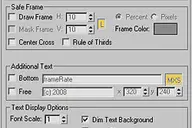
Updated to v0.9 - This Render Effect displays additional information such as frame number - file name - render time etc. as overlay onto your rendered image. Useful for previews - previzualisation and other non-final renderings - should…
12 commentsFPSmove
OYH
The FPS like game the camera moves. Bottom and collision checking possibility
0 commentsSky Material
Taljinder Singh
Simply creates sky material with animate option it animates the clouds. Available under standard materials. I have tested this script on max 7 and works fine.
0 commentsCustomAtt+
zhangy
Do you need add a custom button in your charator skin modifier - which when you click it - it'll run any types of maxscript. like move your charactor to skin pose(for cs).... currently the custom attribute feature in max couldn't do this.…
0 commentsgetNodeType
Neil Blevins
Prints the Class or SuperClass of selected nodes.
0 commentssplineKnotManager
Neil Blevins
Takes all selected splines and converts all their knots to a specific knot type such as 'Smooth' - 'Corner' - 'Bezier' or 'Bezier Corner'.
0 commentstransformReset
Neil Blevins
Resets the position - rotation and / or scale of the selected objects.
0 commentsPass Monkey
Paolo Hilario
The PassMonkey is the precursor to the RenderMonkey that is currently in development. This allows you to set your scene based off of your selection sets and your saved render presets. Has controls for environment background maps - toggling…
0 commentsPoseKey tools
ZYCA
The 'PoseKey tools' is a concept tool of animation - It use 3ds max's named selection sets to define which objects need be 'set a key' - very similar to 'set key mode' -but the benefit is it works on multiple set.
0 commentsGame
Jason Hayes
Here's a cheesy little game that I wrote in my spare time in maxscript. The basic premise (so far) is you try and stay alive as long as possible while bombs are randomly spawning and exploding. Periodically - health packs will spawn. But…
0 commentsSelect Similar
Christopher Grant
Allows you to select objects that are similar to the currently selected object. It will compare the bounding box size, mesh (vert, face, edge counts) and material either within the currently visible objects or all objects in the scene.…
2 commentsCopy Replace
Hani Tiby
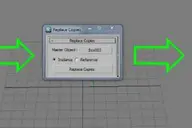
Turns a selection of objects into instances or references of another object. Fixed in v 2.0: Instances outside the selection are not replaced anymore. (Thanks to Anubis) Added the option to choose between instance or reference Changed the…
36 commentsPoly2Spline
LeonidOS
This script convert poly objects to spline and back.
0 commentsmirrorObjectAlongAxis
Neil Blevins
Mirrors the selected object along the X - Y or Z world axis - with options for copy or instance. Like the mirror tool - but lets you do some common mirror operations with far fewer mouseclicks.
0 commentstransformRandomizer
Neil Blevins
Randomize translation, rotation, or scale for objects or modifier gizmos.
0 commentstransformSelector
Neil Blevins
Lets you select objects based on their position - rotation or scale.
0 commentswireBundler
Neil Blevins
Creates a number of wires that travel through various target objects. Useful for making bundles of wires for robots or other mechanical devices in a few simple clicks. Tutorial: Make 3 spheres anywhere in the viewport. Select all 3…
2 commentsanimated align dummy
Yoni Cohen
my hack for creating a helper that is aligned to a object not by means of PRS controllers but actual vertex points on the mesh. useful for adding dummies for lights that are linked to pointcached objects.
1 commentMacro_IsoSel_Revised_Again
Maneswar Cheemalapati
This replaces the Isolated dialog with a colored Timebar... Revised version of tghe shipping script Macro_IsoSel - Isolate Selection script Found another bug and fixed the last one I hope. I thought I had gotten rid of all errors - but…
0 commentsShow normals
LeonidOS
This script shows normals of the selected object.
0 commentsShapeShifter
Roger Christensen
The script is 'sort of' a spline normalizer with a little different twist. It also has limited functionality when used on nurbs curves. All actions are based on a calculation between total spline length and 'travel' length. So basically we…
0 commentsBioTools - MaxPack
Gwen Heliou
For now it's only a bunch of simple modeling and uv macroscripts that you can use with a shortcut to ease your work.
1 commentunwrap Selector
Olivier Vandecasteele
This script allows to transfer selections (vertices or faces) between a base object and its Unwrap modifier - and vice-versa.
0 commentsDummy resizer
Brad Noble
I'm getting pretty fastidious about how I'm working and I think this script kind of proves it. I didn't want to scale dummies with 'affect object' (did I say I was getting fastidious?) and I got tired of typing '$.boxsize' so I wrote this…
0 commentsplace dummys
Martin Andersen
Places a new dummy at the center of all selected object - with rotation and position.
0 commentsQuickMat
miga
Change different values of one or more materials at the same time.
0 commentsSnap Keys
Ofer Zelichover
Snaps the keys of selected or all objects to the nearest round frame.
1 commentSequence Check
Ofer Zelichover
Checks a list of numbered files - like rendered image sequences - for missing files.
0 commentsScriptMan
Ofer Zelichover
ScriptMan is a MaxScript designed to help scripters when working on big projects with multiple files. It allows you to browse the script files - open them for editing and execute them. It also supports favorites.
0 commentsreTIMer
Ofer Zelichover
Retimes keyframes on selected objects based on recorded time.
0 commentsSetPriority
Christopher Grant
Collection of maxscripts (.ms) and macroscripts (.mcr) which when put in the 3ds max startup scripts folder will always set max to the specified priority or when using the macroscripts will allow you to create a button in the max interface…
0 commentsBlue Print
Ekin Yıldırım
This script can make your blue print works easily. Creates 4 planes and maps which you selected bitmap.
0 commentsSanta Polygon Isolation
Susanta Dutta
Similar to isolate selection tool but works in polygon and vertex level.Help you doing polygon modelling or modelling polygon morpher
0 commentsFastSkyDome
Fábio M. Silva
My second script. The only thing it does is creating & setting one of those annoying skydomes from the old tutorials (still very usefull for people like me). I haven't seen other people skydome tutorials so i cant comment on them(though…
0 commentsmaTools Select IK Chain UpNode
Martin Andersen
Select IK Chain End effector and run the script. Select the object you want as IK Chain End Effector LookAt node.
0 commentsSantaSnapPoly
Susanta Dutta
Similar to SnapShot tool but it generates Editable Polygon object ( Default snapshot only generates Edit mesh Object). It supports range value to take a snap of animated object in to editable polygon
0 commentssantaMemoryHide
Susanta Dutta
Very useful to hide & unhide objects when working with complex scenes like making scene with 100 tree objects or more. Perfect for such situation like:1) All similar objects are in same layer (no of layers is also many)2) Don't want to use…
0 commentsAlignViewToFace
Rivendale
Aligns the perspective view to the face that is under the mouse while keeping the distance to the selected object (the distance will pretty much the same as between the view and the face to align to). It does not matter if the object has…
3 commentsAligner
Neil Blevins
Aligns one object to another. Similar to the Align tool in max - but optimized to allow a variety of aligns with the least number of mouse clicks necessary. Tutorial: Open the script's UI, Pick Mode means you select the objects you want to…
0 commentsmodifierUtilities
Neil Blevins
Lets you perform various modifier related tasks on a set of selected objects. For example, takes all the selected objects and adds / removes seperate instances of a specific modifier. Or lets you find any objects in the current selection…
0 commentsmaterialIDRandomizer
Neil Blevins
Takes all selected objects and applies a material modifier to them with a random ID between the high and low value.
0 commentssplineKnotToObject
Neil Blevins
Takes all selected splines and places a specified object at their knots.
0 commentsUnreal Grid tool
Guillaume Plourde
Quickly set the grid size to unreal engine (or some other game engine ex: Doom3 - Quake...) units using keyboard shortcut - toolbar or quad menu.
0 commentsRigging Army Knife
Wahooney
This is an advanced toolset for rigging. For a full features list refer to the included readme.
4 commentsStoryboard Manager
Tin2tin
I've tried to improving M. Comets great cam-manager-script to be able to export camera setups as a html 3d storyboard with notes.
0 commentsUniMax IO
Roger Christensen
A simple Homebrewed scripted Import/Export '.uni' format Key word for the script 'Simple' nothing fancy. Just geometry - a little uvw mapping with complete disregard for transforms - other than position.
0 commentsSanta Mirror Morph
Susanta Dutta
Help you to create mirror morph target like left sneer to right sneer etc.After using default mirror tool you cannot use the model as morph target. You can use this script to mirror the morph targets ( basically for creating left eye brow…
5 commentsCustomOutliner
Eric Hulser
This is a tool designed to give the user more control than the default Select-By-Name dialog that ships with 3d Studio Max. It allows users access into grouped objects (searching through closed groups for objects - opening groups in scene…
0 commentsConvert Selection To Edge Border
Martin Andersen
This is for people who do lots of Edge Extrude - just use a lasso selection or paint selection (or whatever u like) to select some stuff around the border. Run the script. and wollaahh it has selected your outer border from the selection…
0 commentsOrionflame
Light
Orionflame is a production-proven polygonal & subdivision surface modeling system for 3ds max. This version includes countless improvements over version 2 and is written from the ground up. Visit orionflame.com to view the extensive…
0 commentsSanta Reactor Properties Lister
Susanta Dutta
Give you to a list view of Reactor physical Properties for all scene objects. Very helpful to mannage collision simulation when working on multiple object scene. Through Santa Reactor PropLister floater you can easily manipulate object's…
0 commentsRotation > frame > axis
Justin Dowling
This script allows the user to choose a rotation angle - frame number and axis - and it will rotate an object and generate a keyframe for that rotation. Pretty simple - but someone I know needed to do it loads of times - so asked for a…
0 commentsKenamicK AutoSave
LordCIH
This is AutoSave MacroScript for 3dsmax 5 or latter.
0 commentsViewport Auto-Snap
Wahooney
Viewport Auto-Snap automatically changes the current snapping degree (3D - 2.5D - 2D) based on the current viewport. For full instructions refer to the manual.
5 commentsSGFX BoxMapper
Will Fuller
The one's for the Max environment artists out there! I found myself constantly typing the same numbers over and over into the uvw map dialog - so I came up with this... Allows you to quickly apply a Box UVW map of preset or custom…
0 commentsCopy To Clipboard
Royal Ghost
CopyToClipboard - 3DS MAX Render Effect allows you to copy the rendered image to the Windows clipboard. - v1.0.1 (20.10.2007) added support for MAX 2008.
0 commentsMaxtoAE freeware
James Campbell
This script converts movement in 3ds max to After Effects.(converting 3d positional data into 2d positional data) Great for tracking with objects - replacing footage using corner pinning etc..data can be pasted straight to a layer. The…
0 commentspixelPack
Olivier Vandecasteele
pixelPack allow to Pack yours UVW with a space around clusters adjustable in Pixel.
1 commentToon Edge
Wahooney
This script copies the selected object and then hides its edges based on certain criteria. Open edges - silhouette edges - edges that have different material id's on each face and edges that has faces with angles greater that the specified…
0 commentsPolyBoost
Carl-Mikael Lagnecrantz
PolyBoost is an extensive set of easy to use, but advanced tools for 3d artists working in 3ds max. The focus of the PolyBoost tools is at speeding up and streamlining workflow for the artist. PolyBoost offers a wide range of tools for…
0 commentsAttributeHolder
Paul Neale
This is a scripted modifier. Place this script in your scripts/startup directory and restart Max. This modifier can be added to any object and is designed to hold Custom Attributes. There are added tools for keying and reseting all the…
2 commentsControl Objects
Paul Neale
Creates custom spline control objects for rigging characters and other objects. Add the macros to your favorit quad or button bar and drag and drop these controls to place and size them. Due to limitations in creating scripted shape…
0 commentsPEN_findmodifier
Paul Neale
Finds modifiers in your scene based on class name of modifiers. It has some defaults added to a drop down list but you can type in your own. However - first you need to know the class name of the modifier that you are looking for.
0 commentsMath Functions
Paul Neale
This is a set of Max Script functions that are to be loaded and globaly and then called from other scripts or script controllers. Read the notes in the file for further help on usage for the scripts and what they do.
0 commentsM Group
Paul Neale
This tool is used to create groups like in Maya and uses point helpers for the group nodes. There are also four Macro Scripts that come with 'M' Group so the dialog doesn't need to be opened every time. All options are sticky from session…
0 commentsNode Store
Paul Neale
In Max6 'this' has been added to the script controllers making it posible to reference the script controller itself. This means you can now use a Custom Attribute added to the script controller and store the nodes that the script will be…
0 commentsPEN_Rigging_Utils
Paul Neale
This is an updated version of the PEN_Character_Setup script. Some of it is still not finished but there are significant changes to the Controllers area that I think will be very usful to every one.
0 commentsSet Keyable Tracks
Paul Neale
There was a new addition to Max 5 that allows controller tracks to be set as Keyable or not. This script makes the task of setting the tracks keyable or not much faster as it will set it based on track type. I hope to have an update to…
0 commentsPEN Animation-Set_out_of_range_Types
Paul Neale
This script sets pos/rot/scale range types on all selected objects. I wrote this by request for someone on the Max web board.
0 commentsSkin Tools
Paul Neale
Various tools for use with the Skin modifier.
0 commentsVray material Selector and Changer
bernielomax99
Simple script which sets all VRay scene materials to a highlight glossiness value of 1.0 and turns off the reflection/highlight glossiness lock. Doesn't work on compound materials like Blend / Multi-sub...
0 commentsToggle Trackbar and Timeslider
Nir sullam
Will Toggle the display of the the trackbar and timeslider.
1 commentrdg::paintSelection::radius
rdg
This creates a floating dialog with a slider to set the radius of the paint selection. There are also quick buttons for 'common' sizes.
0 commentsSelect None Modifier
Ben Lipman
Scripted Modifier. Removes sub-object selection.
0 commentsFlatten_Spline_XYZ
Maneswar Cheemalapati
This script comes in 6 macros - rolled into 2 script files. The script flattens splines to an X - Y or Z snap point. You select the spline - select the verts you want affected and then use the command. The script creates 6 commands -…
7 commentsCoordAxisPicker
Matt Rapelje
Lets you pick a coordinate system to work in and lock to different axis - dialog box closes after picking your choice... nothing fancy just a little tool that I wrote for a friend.
0 commentsUVWXYZswap
Matt Rapelje
Swaps the UVWs with XYZs very useful if you want to use any modifiers, use poly modeling tools, or any other 3d tools on your UVWs. Update: Added undo, and rolled in some the scaling work that TexTools added to my script.
0 commentsgroupWithPoint
Neil Blevins
Takes selected objects and groups or ungroups them by linking them to a point helper instead of using the max group method. Very similar to the way maya handles grouping.
0 commentsviewportControl
Neil Blevins
Lets you control the view you're currently seeing in the viewport in a handy dialog box.
2 commentsselectionRandomizer
Neil Blevins
Will randomly select objects based on a value provided.
0 comments