XFormer is a tool that will allow you recover the transformation of an object.
Some scenarios where you might want to restore an object transformation could be:
After a model transformation matrix was reset (Reset XForm)
If you have detached part of an object as another object
If you import a model and it is not aligned as you would expect
Additional Info
Supports Poly and Mesh objects.
VideosComments (31)
XFormer v2.6.1 Released
PolyTools3D · 2026-04-03
What's New
+ NEW Added Support for 3ds Max 2027
XFormer v2.6.0 Released
PolyTools3D · 2025-05-09
What's New
+ NEW Added Support for 3ds Max 2026 + NEW Added MacroScript icon + NEW Added Uninstall option in the tool menu + NEW Added option in Mesh Detacher to delete object when it has no faces left - Fixed bug in settings where Point2 class would cause a Handler Exception - Updated installer - UI improvements
Windows 11 24H2
PolyTools3D · 2024-10-11
Upgrading to Windows 11 24H2 might lead to an issue where our tools don't load automatically. This could be due to a bug in 3ds Max or Windows, which prevents 3ds Max from loading scripts from the user’s startup folder and macroscripts. If you're experiencing this problem, please contact us.
XFormer v2.5.9 Released
PolyTools3D · 2024-05-15
What's New
+ NEW Added Support for 3ds Max 2025
XFormer v2.5.8 Released
PolyTools3D · 2023-04-18
What's New
+ NEW Added Support for 3ds Max 2024
GGK3D · 2022-09-12
Nice one I will use it definitely.
XFormer v2.5.7 Released
PolyTools3D · 2022-04-12
What's New
+ NEW Added Support for 3ds Max 2023 - Dropped support for 3ds Max 2014-2015
XFormer v2.5.6 Released
PolyTools3D · 2021-04-03
What's New
+ NEW Added Support for 3ds Max 2022
XFormer v2.5.5 Released
PolyTools3D · 2021-02-08
What's New
+ NEW Added Support for 3ds Max 2021
- Dropped support for 3ds Max 2010, 2011, 2012 and 2013
XFormer v2.5.3 Released
PolyTools3D · 2019-08-10
What's New
- Fixed bug where resetting a scaled object would crash XFormer
XFormer v2.5.2 Released
PolyTools3D · 2019-05-15
What's New
- Improved Callbacks to handle already selected objects
XFormer v2.5.1 Released
PolyTools3D · 2019-04-30
What's New
+ NEW Added Support for 3ds Max 2020
XFormer v2.5.0 Released
PolyTools3D · 2018-07-06
What's New
+ NEW Added support for 3ds Max 2019 + NEW Dropped support for 3ds Max 9, 2008 and 2009 + NEW Added Detach Utility + NEW Display Object Bounding Box + NEW Axis Helpers Auto-size + NEW Automatic preview when "Always Align to Z Axis" is on + NEW Models can now be aligned to Z axis without defining the X axis + NEW Showing the "Apply Changes" dialog can now be turned off + NEW XFormer License validation + NEW Dialogs are now centered to the Main window + NEW Main UI Dialog can now remember last used position + NEW Added Check for Updates - Changed Axis Helpers are no longer plugins but drawn directly to the viewport - Improved when switching to Pivot Tab, you now have the option to Cancel the operation - Fixed bug where invalid selection may modify the original node transform - Fixed bug where redefining Z and X axis could lead to a corrupted Matrix
XFormer v2.1.4 Released
PolyTools3D · 2017-05-30
What's New
- Added support for 3ds Max 2018
XFormer v2.1.3 Released
PolyTools3D · 2016-05-07
What's New
- Added support for 3ds Max 2017
XFormer v2.1.2 Released
PolyTools3D · 2015-04-23
What's New
- Added support for 3ds Max 2016
XFormer Free 1.0c
PolyTools3D · 2014-11-23
Fixed bug in XFormer Free version.
XFormer v2.1.1 Released
PolyTools3D · 2014-10-05
What's New
- Fixed a redraw bug that temporary aligned the object to Z axis when clicking the Apply button or when dragging the confirmation dialog, and "Always Align to Z Axis" is checked.
XFormer v2.1.0 Released
PolyTools3D · 2014-09-26
What's New
+ NEW Added option to always align to the Z axis and avoid the aligning step + NEW Now all setting in the Axis tab are saved when the tool is closed + Updates GUI + Updated Help file
XFormer v2.0 Released
PolyTools3D · 2014-09-21
What's New
+ NEW There are now a free and a commercial version + NEW Added support for 3ds Max 9 SP1 with AVG extension + NEW Now you can define the axis using edge selection + NEW Added option to keep the object rotation + NEW Added option to place the Pivot point + NEW Added option to change the appearance of the Helpers + NEW Added Save Settings for Viewing options + NEW Added Help file + NEW Added MacroScript + NEW Added Installer - Improved Support for matrices with negative determinant sign - Improved Plane helpers now align to each other when both are set - Improved several aspects of the GUI and interactivity - Fixed critical bug where hiding or deleting the object could crash Max if undo the operation - Fixed black wireframe on helpers - Fixed bug where setting both axis together a second time could lead to wrong results - Fixed several minor bugs - Changed Now "Center Object in World" will not move the object until you click Apply
PolyTools3D · 2014-09-11
@miauu,
Actually the script currently works in "Preview" mode all the time until you click the Apply button.
So you can try all kind of alignments before you commit them.
If you have already set some alignment whiteout applying them and you deselect the object, the script will alert asking if you want to apply the changes. If you say "No", the node goes back to its original state, same as if you press the Reset button.
Having a "ghost" geometry would be nice, but I am not a friend of adding new geometry to the scene. A GW implementation would be great to have. Unfortunately GW is absolutely unreliable across different Max version and it lacks several methods.
It would be great to have a separated GW plugin, same as what AVG was in the past.
Thank you guys.Yes, keeping
PolyTools3D · 2014-09-11
Thank you guys.
Yes, keeping the current object rotation is one current missing feature.
Here is a list of some others I can think of:
# Keep pivot point position/rotation
# Align pivot point to different axis (min, max, center, selection)
# Options to change the helpers size
# Bounding box preview/creation
# Support for defining the axis from edge selection
# Support for Max 9
# Apply the transformation to a XForm modifier instead of the model
I am actually working on some of these features so stay tuned, a new release is coming out soon.
.
miauu · 2014-09-11
# Bounding box preview/creation
Or preview with the copy of the object(near the object), so the user can see the final result before confirming the transformation?
Good suggestion of Haider of Sweden
bobmorane888 · 2014-09-11
Great script, thank you !
And it would be great to choose wether or not resetting object transformations
as said by 'Haider of Sweden'
.
Haider of Sweden · 2014-09-11
Suggestion:
Keep rotation, instead of rotating back the object to 0,0,0.
PolyTools3D · 2014-09-09
Thank you guys!
@Branko, I am sure we all at some point have a situation like this where we want to restore an object transformation, but for "some" reason, I never looked to develop a tool to do this until last week when I was contacted by a 3d artist wondering if such a tool existed or if it could be done. So while the code and implementation is fully mine, the idea of creating the tool was not actually mine.
@airbrush
Believe it or not, getting the normal from an edge selection was the very first thing I implemented as getting them from face selection is quite trivial. But then I found some situations where it was not so simple to work with edges, and as the artist was using face selection, I removed the edge selection algorithm.
I can send you the first version of the script by PM if you need it, but I won't make it public as it has many bugs and the edge algorithm is not very reliable at the moment. Also, the first version was using a XForm modifier to restore the transformation instead of doing it directly on the object, but that has also its own bugs.
airbrush · 2014-09-10
if its a buggy version I wouldnt want to use it...rappatools has a similar thing of what i'm referring to.
PolyTools3D · 2014-09-10
@airbrush,
If you are talking about the "Move 2 Grid" function in RappaTools, then is it completely different to what XFormer does and to what it is mean to do.
BTW, buggy is different than useless!
airbrush · 2014-09-09
nice script....would be great to have it work with selected edges as well.
 By PolyTools3D · 2014-09-08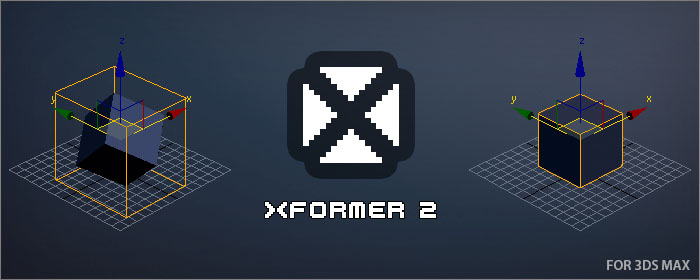
 miauu · 2014-09-11
 bobmorane888 · 2014-09-11
 Haider of Sweden · 2014-09-11
 airbrush · 2014-09-10
 Nik · 2014-09-08
 barigazy · 2014-09-08