 By flyingc · 2015-06-23
2022-04-08
- Fixes an issue with subdividing splines that create too many vertices
- Fixes a bug that causes polysitch,quickStitch and placemesh stop working when dealing with vertices fewer than 100.
- Add a missing arrow of Straight + Right for TrafficlineSys.
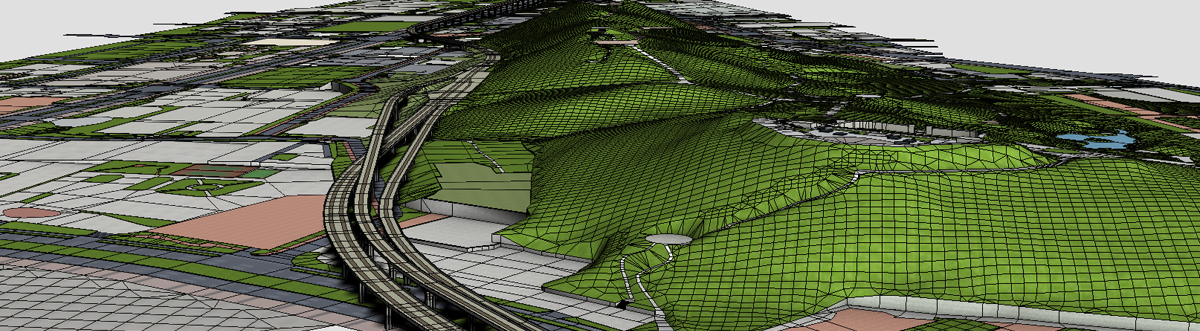
TerrainAxe : Create an accurate terrain landscape
Various and rich tools to create an accurate terrain landscape ,with which you can make smooth roads , flyovers and bridges,stairs or pavements on terrain ,hacking clearings, placing handrails,
TerrainAxe is quick ,easy but powerful ,which can greatly shorten your modeling time,optimize your models and lay out excellent topology.
8 top features :
Selection tools:quick selection tools for vertiecs ,edges and face,such as select a part of border by two vertices.
creating tools:Fast model creation tools ,such as curb ,runline,stair,handrials,pavements pieces
construct tools :change the construct of model ,such as smooth road,round vertices, weld vertices to edges, poly stitching.
cutting tools: Lay out topology lines,such as grid-cutting polygons,connect two teams of vertices,
scenes tools :Such as creating runlines ,use AdvArray to create handrails,piers,trees,street lamps.
common tools:some common tools ,such as copy and paste objects,one key import dwg file,
Material and rendering related tools: tools for manage materials
UV tools:UVW mapping tools , typical such as UVW mapping for complex road.
A simple tutorial help you understand TerrainAxe quickly:Basic Tutorial—Make Roads Through Terrain.
 spacefrog · 2016-08-24
 Turnim · 2016-06-04
 alexnguyen · 2016-07-21
 Realjoo · 2016-05-01

 dollah3d · 2015-06-24