 By flyingc · 2015-10-14
--------------------------------------------------
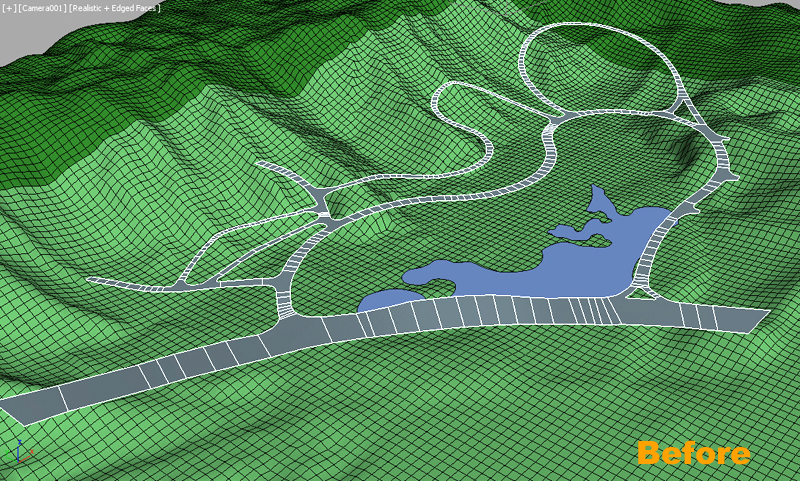
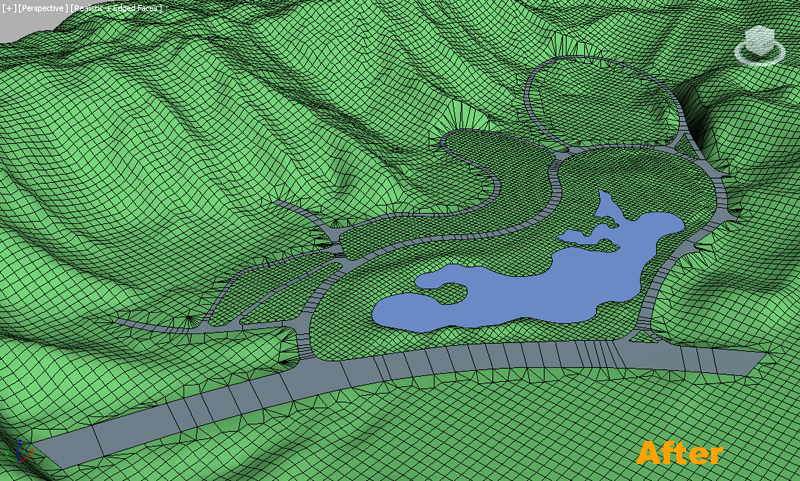
Needed Tools:
MoveVerts:similar with conform Compound object,but easy and more free.
SmoothRoad(blur),SmoothRoad(linear):Make road have a smooth transition between different elevation,meanwhile keep cross-section level.
ConformToRoad:make terrain conform to Road.
StitchVerts:Simple and powerful tool to connect Terrain and road.if Lite version ,can use AdvConnectVert replace it.
Slice:Grid polygon as Terrain.
The third vedio show how to use Lite version to smoothRoad and connect vertices
Note That:
1.Prepair road object,which must be editable poly object without any modifier ,and must be SINGLE-SIDE object.
2.This tools are included in TerrainAxe,you need to install TerrainAxe.
3.TerrainAxe is a commercial set of script tools ,if you use Lite version ,you can replace SmoothRoad(blur) SmoothRoad(linear) use SmoothRoad, replace StitchVerts with AdvConnectVerts. But this need longer time to complete your work.
I have attached a max file for exercise
 lightcube · 2015-10-15