

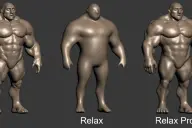

Smooth Edges is the first and only 3DS Max script that gives you the freedom and control to shape your models the way you want.
Here are some of the benefits you get:
•Never again be forced to move vertices one be one
•Create smooth curves and surfaces
•Have greater control over your mesh
•Model at lighting speed
•Align edges from different meshes to another
•Model at greater precision
Comments (32)
Comment policy
3ds Max2018
Smooth Edges work in 3ds max 2018?
This tool is great thanks!
Free
I think this is very useful for me. So why not you give us free..
I like it, i think it's a smart tool for subdivision modeling.
However, it only works on editable poly which is destructive and constraining.
-Would it be too much work to adapt it for edit poly too ?
-The undo doesn't work, which wouldn't be too much of an issue if it worked on edit_poly.
-And yes, some soft selection options would make it perfect.
Thanks
+1 for soft selection
Released 1.04 - Fixed a bug where the spline didn't move the verts.
Great Modeling Tool!
Thanks for making this script: I love it! It works exactly as promised and is such a powerful modeling tool.
A good script! The only thing that needs to be fixed so that it runs on top of all the modifiers without translation in edit poly
Well done
a very powerful tool, I hope it would use some soft selection effect to affect neighboring rings.
Brilliant! :)
nice script
nice work and 3ds max have to add this script you can sell autodesk
to create the ini file which contains the settings you need to be in admin mode, no way around
There is a way around :) Create the ini file in #userscripts folder.
it would be great ! because when running max as administrator I can't drag and drop an image file in texture slots anymore...
try running max as administrator
you're right.... but I never run Max as administrator...
titane357 added it now in 1.03. It opens with the last settings
thanks ! :-) but it seems to not working... (I think)
Thanks for the updates !! :-)
It would be great that SE 1.02 remember last options when run the script.
lightcube I fixed the error, look in your email for the 1.02 update
Much thanks.
Marius... I installed V1.01 this morning. With this version I always get this error when I try to run:
>> MAXScript MacroScript Error Exception:
-- Compile error: No outer local variable references permitted here: new_spline <<
-- Error occurred during fileIn in #C:\Program Files\Autodesk\3ds Max 2012\scripts\SmoothEdges_1_01.mse; line number: 20
-- Error occurred in anonymous codeblock; filename: C:\Program Files\Autodesk\3ds Max 2012\scripts\SmoothEdges_1_01.mse; position: 5891; line: 20
EDIT: I originally posted the wrong error message. It's now the correct message.
it'd be great to add ability to select edges beteween two selected edges :-)
no it doesn't work with soft selection
Thanks you very much guys, I appreciate all your comments.
does it works with soft selection ?
should have left the spline...
Smoth Edge is Awesome
Excellent script. I'm going to link to your site from Wall Worm when I update next... your tools are great resources!
HOLYAWESOME
:D this script looks so gooood
this is a great script!
hey man you are a genius! your scripts are so great. I think you should work for autodesk to improve 3ds max further. yes I know, you do! :)
thanks for your effort.
best regards
themaxxer
Awesome
+1 Very useful script. It look like modeling using NURBS. :)