
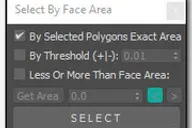
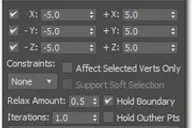
A little fix code for imported objects from AutoCAD. Inspired by this post
http://jamiecardoso-mentalray.blogspot.co.uk/2013/04/correcting-viewport… by Jamie Cardoso
Restore Imported Objects Wirecolor
Downloads
Release history (1)
Version 1.0Listed version
Listing updated
No download linked to this version
- 3ds Max compatibility
- See original listing claims
Community reviewsNo reviews yet.
Listing details
- Version
- v1.0
- From original requirements
- 2010 or newer
- Original version requirement
- 2010+
- Author’s update date
- Legacy votes
- 1
- Listing created
How compatibility works
Compatibility comes from the author’s supported range or requirements in the original listing. A tested version records what the author tried.
“2020 unconfirmed” in the catalog means support for 3ds Max 2020 is still unknown.
Community reports record successful tests on specific releases.

Description
Setup & notes
callbacks.removeScripts id:#rw
fn restoreWirecolor =
(
	undo off with redraw off
	(
		for o in objects where o.colorByLayer do
		(
			o.colorByLayer = off ; o.wirecolor = o.layer.wirecolor
		)
	)
)
callbacks.addScript #fileLinkPostAttach "restoreWirecolor()" id:#rw
callbacks.addScript #postImport "restoreWirecolor()" id:#rw
Save this code as *.ms and place it inside MAXROOT > Scripts > Starup folder.
Also on above link (post) you can find another tool [*Attach And Weld By Wirecolor*] related to this topic and requested
by Wilian Miler.
Comments (2)
Comment policy
Thanks
Thank you,
This little piece of code is working great. When I read Jamie Cardoso`s article didn`t understand quite well how to do this, but your info is very simple and easy to do.
Thanks for the comment.
Jamie explain long step by step process and I just throw easy way.
Cheers!