



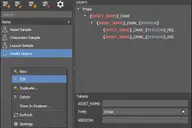



Hey guys. I just wanted to post on here a thread which I started on cgtalk where I document the progress of building a pipe generator maxscript tool. I'd love to get some feedback and even some help on optimization of the code from the community. I'm hoping you guys here at scriptspot can help me out along with the guys on cgtalk. For some reason most of the people on cgtalk seem a bit hesitant or shy to comment. I know you guys here aren't though. So here is the link to the video and here is the working and in progress script.
https://vimeo.com/54060892 part 1
https://vimeo.com/54404186 part 2
I'm aware of a few redundant bits of code as far as optimization goes. So if anyone feels like helping me optimize where possible a good place to start would be to condense these three functions into one....
getEnds
getOpenEnds
fnSelectOpenEnds
They are all very similar and simple.
Aside from that I've added the controls for building custom rig templates as well as layer managing and point helper size controls. Check out the video and see it in action.
Everything works so far. I have yet to add the collision detection. It's getting there.
Before running the code unzip the attached file and place the JokerMartini folder in the local Max Scripts directory folder, otherwise just comment out the icon images in the script below.
Comments (11)
Comment policy
JohnnyRandom
Thank you for the kind words. I'll have an update coming soon. A few minor fixes and the undo implemented a bit better.
Aside from that I'd love to add a spline driven pipe generator as well as a particle system one. That would be very cool.
thank you
Nice!
So obviously the next is to make it particle driven! :-D
You can call undo with:
with undo label:"Pipe Gen" on doSomething
undo ["undo_item_label" | label: | variable_name ]
FYI it can be sketchy use with caution, ie I would limit how much you do per undo call. Don't forget to garbage collect when you close because you will easily load up the undo buffer with this.
Does anyone have methods of implementing an undo? I noticed the pipes gen doesn't seem to handle them to nicely.
Thank you for that idea Anubis. That should help clear things up a bit more. I've got a huge update coming later tonight or tomorrow morning.
It will have a handful of new controls! I look forward to seeing ways you may have to improve or optimize it then.
Thanks Anubis
This is what I ended up using for the get endChildren function which replaces all 3 previous ones and consolidates them into one.
	mapped fn getEndChildren node selectNodes:off ends:#() root:on = if not isvalidnode node then ends else

	(

		if root or node.children.count > 0 then for child in node.children do getEndChildren child ends:ends root:off

		else if iskindof node Point AND findString node.name "End" != undefined do appendifunique ends node

		if selectNodes do select ends

		ends

	)
just one more idea...
using Pathname Literals:
and just to warn that i write this right now by memory, so let me know if it works.
I can't help with code, but this looks like one cool tool :)
awesome work.
Thank you Shawn,
I saw your post. I seems to be a very popular thread on the site which is a good thing. The biggest thing for me right now is just optimizing some of the code before I get further into it with more functions and controls.
I just need to figure out a good way to collect the children of a hierarchy going from the selected objects down through their children and selecting the last child but only if that last child is a point helper. The objects leading up to it can be whatever they want.
well done
I just need to figure out a good way to collect the children of a hierarchy going from the selected objects down through their children and selecting the last child but only if that last child is a point helper.
Maybe this can helps:
-- that will quickly select all children of selected object
And next you can deselect the last child(s) if it's a point helper:
Excellent Idea
John... I always watch your work with great interest. I've been following the CG Society thread... but obviously I haven't got any useful input yet. But like always want to express support for your skills. Maybe I can think of something to add at some point... as I can see this being a really fun tool.