
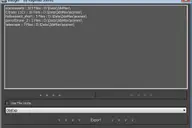

This little scripted plugin is aimed at improvement of teamwork-workflow.
It allows you to place notes in the scene wich you can handle like any other Max object (link, animate, ect). That way you can just leave some remarks directly in the scene, where it matters, to prevent possible confusion and improve the workflow and thereby the resulting product.
Note Helper
Downloads
Version 1.1Listed version
Listing updated
- notehelper.ms1.6 KB
- 3ds Max compatibility
- See original listing claims
Community compatibilityNo compatibility reports yet
No reports yet for the available releases.
Community reviewsNo reviews yet.
Listing details
- Version
- 1.1
- From original requirements
- 2008 or newer
- Original version requirement
- 2008 and higher
- Other software required
- %
- Author’s update date
- Legacy votes
- 27
- Listing created
How compatibility works
Compatibility comes from the author’s supported range or requirements in the original listing. A tested version records what the author tried.
“2020 unconfirmed” in the catalog means support for 3ds Max 2020 is still unknown.
Community reports record successful tests on specific releases.

Posted by
Graph
More by this author
Description
Setup & notes
changeLog:
- 1.1
-- fixed the bug where the text would still be displayed if all helpers are hidden from the display panel
Installation:
- Download File
- Place at: Max/stdplugs/stdscripts/
- (Re)Start Max
- Goto Helpers/Standard in the Create Panel and place one in the scene
Comments (8)
Comment policy
i'll try to explain more (See attached image)
Attachments
make a pic of what your current setup looks like with the cylinder selected and pivot visible.
unhide all helpers and stuff used for the setup
Nice one
Just a sugestion, is it possible to do another helper using tape in the notefield?
Example: I have an hydraulic cylinder and this cylinder goes max 2000mm out, and have an minimum of 1500mm from center end to center start. I then want to link end tape to the one side and the target tape to the other side.
The way i do this now is linking tape end/target where i want and then using you script to attatch note-helper to the target each side with min/max value.
I hope you understand my explanation ;o)
Anyway, this script is very useful for me :)
spaciba wakx, fixed and updated :)
fajar, theoretically yes, just give it a shot it cant harm any other system, max 2008 is the oldest one i got so cant test on 9 myself
just quickly checked in the helpFIles and it should run even on max 6
thx for the thx, c&c are always welcome
hey,
amazing script... it's exactly what I was looking for
Has found a lack. The object is in panel Helpers and is displayed as Helpers. But when you include Hide Helpers Toggle, all Dummy disappear, and inscriptions remain. Whether it is possible to correct it?
English through the electronic translator:)
Нашел недостаток. Объект находится в панели Helpers и отображается как Helpers. Но когда включаешь Hide Helpers Toggle, все Dummy исчезают, а надписи остаются. Можно ли это исправить?
Excellent script, as in Maya
Отличный скрипт, как в Maya
good thing....can this run on max 9 too