ScriptSpot

Script

miauu's Mini Transform Type-In

By miauu · 2014-11-05

Version
1.2
Version requirement
3dsMax 2009+
Date updated
2019-07-30
Votes
4
Downloads
Description


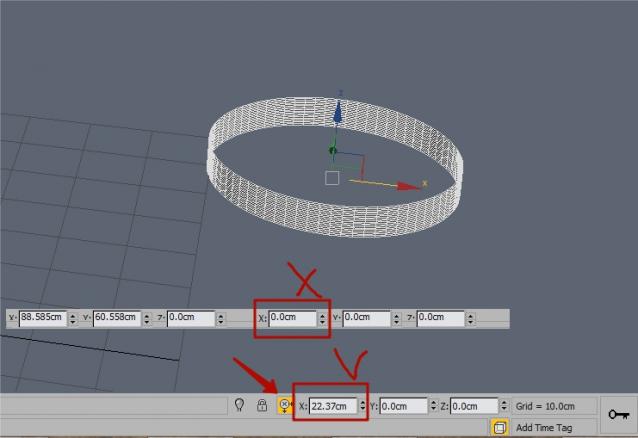
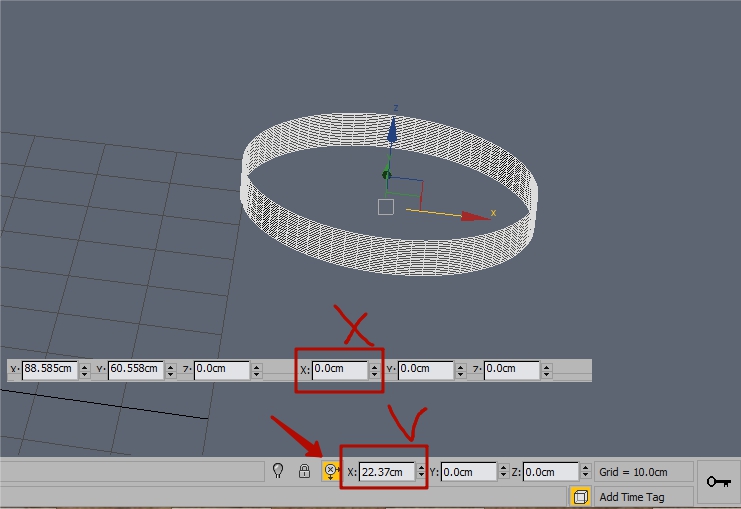
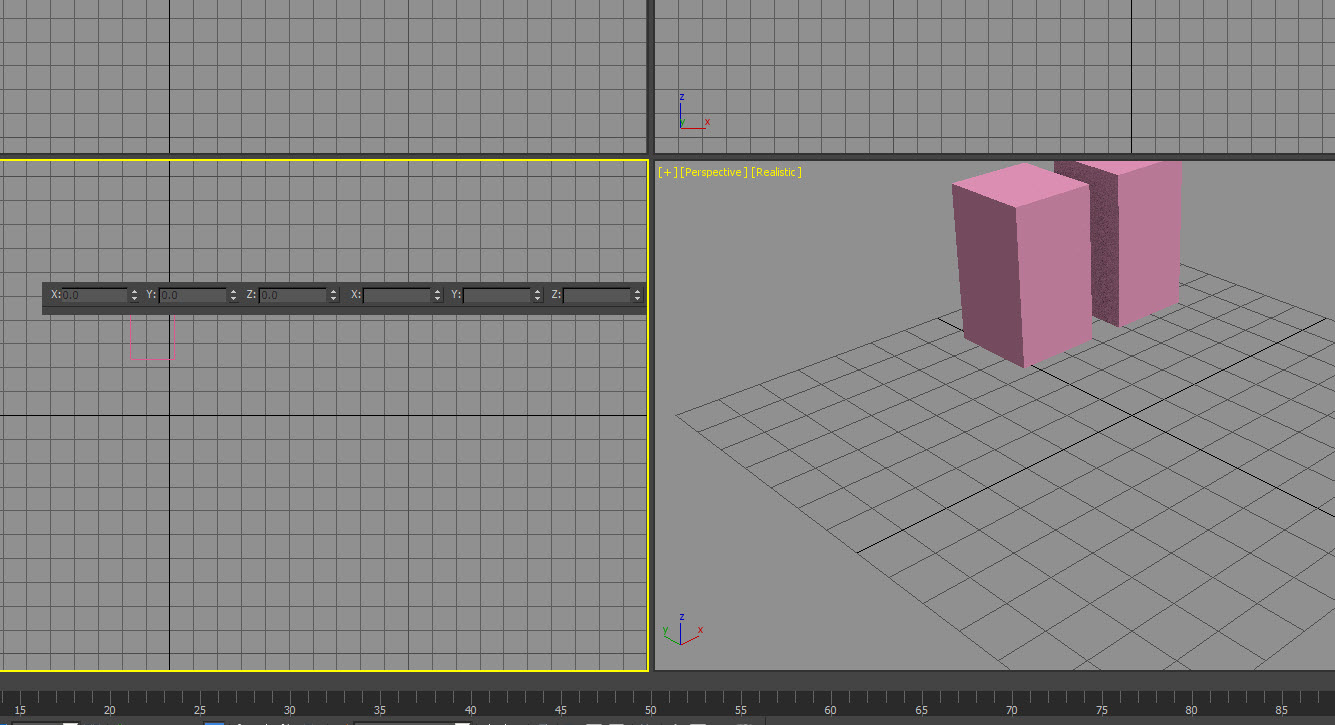
Script for 3dsMax 2009+ that changes the default Transform Type-In dialog to mini TTI. The miniTTI is placed over the title bar of the default TTI. The script file can be placed in maxroot/scripts/startup folder so when you run 3dsMax the default TTI will be automatically transformed to mini TTI and will be placed at the last used position of the TTI(default and mini).

In the video you can see how to use the script.

Special thanks to Denis Trofimov for his help.

Videos
Comments (40)

myfrankie · 2022-03-30

miauuminitti_ 12. MCR loading error: there is no "get" function undefined corresponding to the following items

Max2022 simplified Chinese version I use

.

miauu · 2022-03-30

The same solution as few comments below.

open the scripts in MaxScriptEditor and replace the "Move Transform Type-In" with "变换输入", save and reinstall the scripts.

On line 90 of the script's body you will see this:
hwndMove = windows.getChildHWND 0 "Move Transform Type-In"

Replace it with:
hwndMove = windows.getChildHWND 0 "XXXXXX"

where "XXXXXX" is the correct spelling of "Move Transform Type-In" in Chinese.
Save the file, install it again and you should not have problems.

myfrankie · 2022-03-30

miauuminitti_ 12. MCR loading error: there is no "get" function undefined corresponding to the following items

Max2022 simplified Chinese version I use

May be a Move Transform Type - In error

myfrankie · 2018-10-03

What I use is simplified Chinese, in addition, the two files must be loaded, or can be loaded separately one?

.

miauu · 2018-10-03

Can you do this:

open the scripts in MaxScriptEditor and replace the "Move Transform Type-In" with "变换输入", save and reinstall the scripts.

myfrankie · 2018-10-02

3ds max 2014

.

miauu · 2018-10-02

What is the language of your 3ds max. Most probably the error occurs becasue the name of your TTI is not "Move Transform Type-In".

Error exception

myfrankie · 2018-09-29

hwnd = dotnetobject "IntPtr" hwndMove[1]

No to the following item corresponds to "get" function is undefined

.

miauu · 2018-09-30

Which 3ds max version you use?

Error after use

myfrankie · 2018-09-27

Hello
Error after use

.

miauu · 2018-09-27

What error?

The language of the need to support

myfrankie · 2018-09-25

Chinese simplified
变换输入

.

miauu · 2018-09-25

The scripts are updated and uploaded. Please, test them. If there are any problems just open the scripts in MaxScriptEditor and replace the "Move Transform Type-In" with "变换输入", save and reinstall the scripts.

Consult

myfrankie · 2018-09-21

Hello, thank you. But there are two small questions to ask:
After selecting the object and executing the command, it will automatically jump to the mobile transformation mode.
Can you keep the current mode, whether it's a command execution or a post execution command?
In addition, can it only be used in the English version? If it is other language version, it will be wrong.

.

miauu · 2018-09-21

This is the regular Transform Type In dialog in 3ds Max. Only the spinners are rearanged and the size of the rollout is smaller. How it works is not affected by my script.
Which langauge do you want to be supported?

error

myfrankie · 2018-08-02

hwnd = dotnetobject "IntPtr" hwndMove[1]

max2014 error!!

.

miauu · 2018-08-02

Tested on 3ds Max 2014 and there are no errors at all.

nice but

ostia · 2015-05-20

an immovable pop window on max center lol
how to get move?

.

miauu · 2015-05-20

Watch the video carefuly. When the default TTI is shown move it and run the script. The default TTI will be replaced by the miniTTI. If you don\t like the position of the miniTTI reset 3dsMax and make default TTI visible. Move the TTI again and run the script. Repete the steps until the miniTTI is on the right place.

just a small tips

caogaiyu · 2016-09-20

if you don't like the position of the miniTTI and also don't want to reset 3dsMax you could press F12 if you haven't change the hotkey for F12. It will give you the default TTI.
it works on 3dsMax2015

close the dialogue box with the same shortcut key

vikirecon · 2017-09-01

hi miauu

thnks for the nice script it would be better if i can close the dialogue box after pressing the same hotkey not th close button

appreciate your work i will be highly obliged if you do this beacause we use this extensively

thanks

viki

.

miauu · 2017-09-01

Try the version _SecondRunCloseUI.

close the dialogue box with the same shortcut key

vikirecon · 2017-09-08

hi miauu

thanks for the newer version

Could you Please do this for this script

thanks for your time again

this is the script

(
--FUNCTIONS
fn createAssembly =
(
str="using System;\n"
str+="using System.Runtime.InteropServices;\n"
str+="namespace Win32Helper\n"
str+="{\n"
str+=" class Win32HelperClass\n"
str+=" {\n"
str+=" [DllImport(\"user32.dll\")]\n"
str+=" [return: MarshalAs(UnmanagedType.Bool)]\n"
str+=" public static extern bool SetWindowPos(IntPtr hWnd, int hWndInsertAfter, int X, int Y, int cx, int cy, uint uFlags);\n"
str+=" [DllImport(\"user32.dll\")]\n"
str+=" public static extern IntPtr SetFocus(IntPtr hWnd);\n"
str+=" }\n"
str+="}\n"

local csharpProvider = dotnetobject "Microsoft.CSharp.CSharpCodeProvider"
local compilerParams = dotnetobject "System.CodeDom.Compiler.CompilerParameters"
compilerParams.ReferencedAssemblies.addRange #("System.dll")
compilerParams.GenerateInMemory = on
local compilerResults = csharpProvider.CompileAssemblyFromSource compilerParams #(str)

for er = 0 to compilerResults.errors.count-1 do print (compilerResults.errors.item[er].tostring())
return compilerResults.CompiledAssembly.createInstance "Win32Helper.Win32HelperClass"
)

local win32Helper = createAssembly()

fn verifyTransformCommandMode =
(
local validCommandModes = #(#move, #Rotate, #scale, #nuscale, #uscale, #squash)
if findItem validCommandModes toolmode.commandMode == 0 do
(
toolMode.commandMode = #move
)
)

fn getInputString =
(

/*case toolMode.commandMode of
(
#Rotate: (str += "{TAB}{TAB}{TAB}{TAB}{TAB}{TAB}")
default: (str += "{TAB}{TAB}{TAB}{TAB}")
)*/
local tabs = case toolMode.axisConstraints of
(
#x:4
#y:5
#z:6
#xy:4
#yz:5
#zx:4
)
local str = ""
for i = 1 to tabs do str += "{TAB}"
str
)

fn showTTI =
(
max tti
local hWnd = (for w in windows.GetChildrenHwnd 0 parent:#max where w[4] == "#32770" and \
matchPattern w[5] pattern:"*ransform Type-In" collect w[1])[1]
local hWndIntPtr = dotNetObject "System.IntPtr" hWnd
local pos = mouse.screenPos
win32Helper.setWindowPos hWndIntPtr 0 pos[1] pos[2] 0 0 1
win32Helper.SetFocus hWndIntPtr
(dotnetClass "SendKeys").sendWait (getInputString())
)

on execute do
(
verifyTransformCommandMode()
showTTI()
)
)

.

miauu · 2017-09-08


(
	--FUNCTIONS
	fn createAssembly =
	(
		str="using System;\n"
		str+="using System.Runtime.InteropServices;\n"
		str+="namespace Win32Helper\n"
		str+="{\n"
		str+=" class Win32HelperClass\n"
		str+=" {\n"
		str+=" [DllImport(\"user32.dll\")]\n"
		str+=" [return: MarshalAs(UnmanagedType.Bool)]\n"
		str+=" public static extern bool SetWindowPos(IntPtr hWnd, int hWndInsertAfter, int X, int Y, int cx, int cy, uint uFlags);\n"
		str+=" [DllImport(\"user32.dll\")]\n"
		str+=" public static extern IntPtr SetFocus(IntPtr hWnd);\n"
		str+=" }\n"
		str+="}\n"

		local csharpProvider = dotnetobject "Microsoft.CSharp.CSharpCodeProvider"
		local compilerParams = dotnetobject "System.CodeDom.Compiler.CompilerParameters"
		compilerParams.ReferencedAssemblies.addRange #("System.dll")
		compilerParams.GenerateInMemory = on
		local compilerResults = csharpProvider.CompileAssemblyFromSource compilerParams #(str)

		for er = 0 to compilerResults.errors.count-1 do print (compilerResults.errors.item[er].tostring())
		return compilerResults.CompiledAssembly.createInstance "Win32Helper.Win32HelperClass"
	)

	local win32Helper = createAssembly()

	fn verifyTransformCommandMode =
	(
		local validCommandModes = #(#move, #Rotate, #scale, #nuscale, #uscale, #squash)
		if findItem validCommandModes toolmode.commandMode == 0 do
		(
			toolMode.commandMode = #move
		)
	)

	fn getInputString =
	(

		/*case toolMode.commandMode of
		(
		#Rotate: (str += "{TAB}{TAB}{TAB}{TAB}{TAB}{TAB}")
		default: (str += "{TAB}{TAB}{TAB}{TAB}")
		)*/
		local tabs = case toolMode.axisConstraints of
		(
		#x:4
		#y:5
		#z:6
		#xy:4
		#yz:5
		#zx:4
		)
		local str = ""
		for i = 1 to tabs do str += "{TAB}"
		str
	)

	fn showTTI =
	(
		max tti
		local hWnd = (for w in windows.GetChildrenHwnd 0 parent:#max where w[4] == "#32770" and \
		matchPattern w[5] pattern:"*ransform Type-In" collect w[1])[1]
		local hWndIntPtr = dotNetObject "System.IntPtr" hWnd
		local pos = mouse.screenPos
		win32Helper.setWindowPos hWndIntPtr 0 pos[1] pos[2] 0 0 1
		win32Helper.SetFocus hWndIntPtr
		(dotnetClass "SendKeys").sendWait (getInputString())
	)

	on execute do
	(
		verifyTransformCommandMode()
		hwndMove = (for w in windows.GetChildrenHwnd 0 parent:#max where w[4] == "#32770" and matchPattern w[5] pattern:"*ransform Type-In" collect w[1])
		if hwndMove[1] == undefined then
			showTTI()
		else
			windows.sendMessage hwndMove[1] 0x0010 0 0
	)
)

thanks

vikirecon · 2017-09-09

hi Miauu,

thank you so so so much.

you are my superstar

thanks

close the dialogue box with the same shortcut key

vikirecon · 2017-09-08

hi miauu

thanks for the newer version

Could you Please do this for this script

thanks for your time again

this is the script

(
--FUNCTIONS
fn createAssembly =
(
str="using System;\n"
str+="using System.Runtime.InteropServices;\n"
str+="namespace Win32Helper\n"
str+="{\n"
str+=" class Win32HelperClass\n"
str+=" {\n"
str+=" [DllImport(\"user32.dll\")]\n"
str+=" [return: MarshalAs(UnmanagedType.Bool)]\n"
str+=" public static extern bool SetWindowPos(IntPtr hWnd, int hWndInsertAfter, int X, int Y, int cx, int cy, uint uFlags);\n"
str+=" [DllImport(\"user32.dll\")]\n"
str+=" public static extern IntPtr SetFocus(IntPtr hWnd);\n"
str+=" }\n"
str+="}\n"

local csharpProvider = dotnetobject "Microsoft.CSharp.CSharpCodeProvider"
local compilerParams = dotnetobject "System.CodeDom.Compiler.CompilerParameters"
compilerParams.ReferencedAssemblies.addRange #("System.dll")
compilerParams.GenerateInMemory = on
local compilerResults = csharpProvider.CompileAssemblyFromSource compilerParams #(str)

for er = 0 to compilerResults.errors.count-1 do print (compilerResults.errors.item[er].tostring())
return compilerResults.CompiledAssembly.createInstance "Win32Helper.Win32HelperClass"
)

local win32Helper = createAssembly()

fn verifyTransformCommandMode =
(
local validCommandModes = #(#move, #Rotate, #scale, #nuscale, #uscale, #squash)
if findItem validCommandModes toolmode.commandMode == 0 do
(
toolMode.commandMode = #move
)
)

fn getInputString =
(

/*case toolMode.commandMode of
(
#Rotate: (str += "{TAB}{TAB}{TAB}{TAB}{TAB}{TAB}")
default: (str += "{TAB}{TAB}{TAB}{TAB}")
)*/
local tabs = case toolMode.axisConstraints of
(
#x:4
#y:5
#z:6
#xy:4
#yz:5
#zx:4
)
local str = ""
for i = 1 to tabs do str += "{TAB}"
str
)

fn showTTI =
(
max tti
local hWnd = (for w in windows.GetChildrenHwnd 0 parent:#max where w[4] == "#32770" and \
matchPattern w[5] pattern:"*ransform Type-In" collect w[1])[1]
local hWndIntPtr = dotNetObject "System.IntPtr" hWnd
local pos = mouse.screenPos
win32Helper.setWindowPos hWndIntPtr 0 pos[1] pos[2] 0 0 1
win32Helper.SetFocus hWndIntPtr
(dotnetClass "SendKeys").sendWait (getInputString())
)

on execute do
(
verifyTransformCommandMode()
showTTI()
)
)

rs3d · 2014-11-11

Would it be possible to have one panel with all 3 transform types? This would help to avoid switching a lot.

great script!

harumscarum · 2014-11-06

another very useful tool! thanks. here is small bug i noticed - local transformation not shown when object is manupulated could it be fixed?

Attachments

.

miauu · 2014-11-06

Use the default Transform Type-In dialog and you will see that local transformation is not showed. This is not related to my script. It is the deafult behavior of the Transform Type-In dialog.

Offset Mode is not updated when you use the Offset:World spinners in Move Transform Type-In dialog.

Small Bug

3dwannab · 2014-11-06

Just noticed when you hit the Tab key it cycles backwards. Pressing shift+Tab works but this is not normal behaviour.

.

miauu · 2014-11-06

:) You are right.

Bump

3dwannab · 2015-10-06

Would it be possible to have a fix for this. Sorry. It always catches me out tabbing. (I go backwards) :P

fajar · 2014-11-06

I got little problem miauu... why mine tti located in strange position ?

Attachments

.

miauu · 2014-11-06

Download and try the new version of the script.
If it still not works tell me your 3dsMax version.

Cheers

3dwannab · 2014-11-05

+1 too.

Wow, thanks. Hi Miauu. Love this idea. I wanted this for so long. Would it be possible to allow dragging it around in future versions?

With this script and a script to transform and type a value to transform them would be the icing on the cake for me.

.

miauu · 2014-11-05

The script should works with future version of 3dsMax

. A script that does this:

script to transform and type a value to transform them

already exist?

.

3dwannab · 2014-11-06

It doesn't exist but it should. It would give so much more flexibility.

.

miauu · 2014-11-06

can you describe how exactly that script must works?

AutoCAD

3dwannab · 2014-11-07

I'm coming from an AutoCAD background but have been using max on/off for the last 4/5 years. It's only in the last 8months I have been using it most if not all evenings and weekends after work. Even after all this time I find it hard to understand why the type of option isn't available below.

When you select something be it in ACAD or sketchup you can then move it towards the direction of placement THEN type in your value then hit the enter key. Just be nice to have say a toggle built into max where you could have the option of this. Hope you understand. This could work for object & sub-object level.

-------------------------------------------------------------------

Oh. I can't tell you how much I like this script. I have a little suggestion for it if you don't mind me saying.

Would it be possible to have 3 boxes for (X,Y,Z) for the actual dimension of the object/s? This would allow very accurate scaling of object/s in there respective planes.

+1 :D

tassel · 2014-11-05

+1

:)