

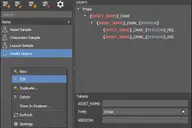

Have you ever wanted to merge a maxfile by layers? Now you can with this latest plugin for 3ds Max. This plugin allows users to merge maxfiles by layers and objects. Check out the video below to see it in action.


Listing updated
Visit author’s download pagejokermartini.com
No reports yet for the available releases.
Compatibility comes from the author’s supported range or requirements in the original listing. A tested version records what the author tried.
“2020 unconfirmed” in the catalog means support for 3ds Max 2020 is still unknown.
Community reports record successful tests on specific releases.

Have you ever wanted to merge a maxfile by layers? Now you can with this latest plugin for 3ds Max. This plugin allows users to merge maxfiles by layers and objects. Check out the video below to see it in action.
Comments (6)
Comment policy
Still waiting for your support
Hi John,
I am waiting for you on Skype everyday to fix the issue with this script: I recently installed it on 3ds Max 2023 as well and it still doesn't work.
I choose a file to merge objects from, I select an object but it is never being merged in the scene.
Please help me.
Doesn't work
Hi,
I bought this script but it doesn't work.
I use 3ds Max 2022 up to date.
The issue is: I choose the .max file to merge objects from, I tick the object I want to merge, I click Ok, and nothing happens. No object has beem merged.
Very disappointed.
Is there any support that comes with this purchase please?
Of course
I'd be more than glad to do a screenshare and walk through the issue with you. I have people using this tool from max 2012 all the way up to 2023. So we should walk through it together to see where the issue is happening. Email me directly at jokermartini at gmail and ill help you out.
I sent you an email.
Thanks in advance for your support.
So useful.... +1
really nice :-)