 By Evgeniy Poyan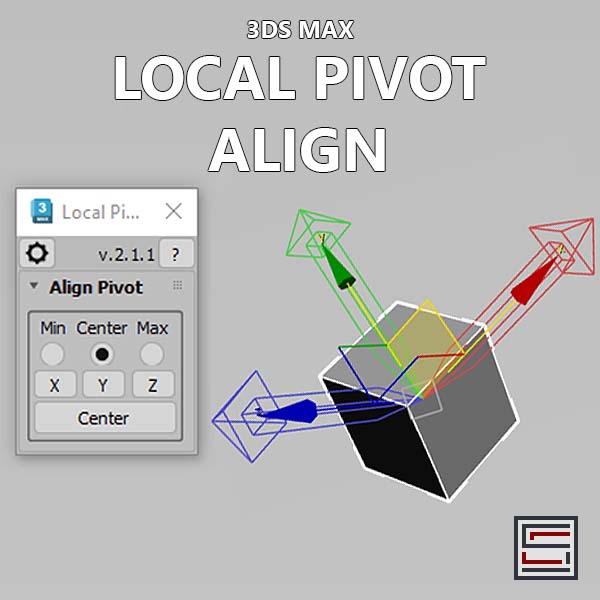
Description: This script aligns the local pivot using an object's bounding box min/max extremes.
Usage:
1. Select an alignment method (Min, Center, Max).
2. Click an axis button to align the pivot to that axis.
3. Use 'Center' button to center the pivot in the object. Requirements: Tested on 3ds Max 2025.3
Installation: To install, drag and drop the MZP file onto one of the 3ds Max viewports
Alternative installation method: Go to 3ds Max menu"Scripting -> Run Script" locate the MZP file and click on the open button.
Disclaimer: This script is provided "as is" without warranty of any kind. Use at your own risk. The author assumes no liability for any damages or losses that may result from using this script. Unauthorized distribution or modification is strictly prohibited. Full license terms are provided in the LICENSE.txt. which can be found in the attachment below.
:::CHANGELOG::: - v.2.1.1, 20 March 2025: a startup file copied with MZP installation for consistency.
Contact e-mail: evgscripts@yahoo.com
Scriptspot: https://www.scriptspot.com/3ds-max/scripts?search=EvgeniyPoyan&date%…
Gumroad: https://evgscripts.gumroad.com/
Payhip: https://payhip.com/EvgScripts
YouTube: https://www.youtube.com/@evgscripts Portfolio: https://evgeniy_poyan.artstation.com/
============================= You can buy it here: =============================
or
Payhip (18% discount)