
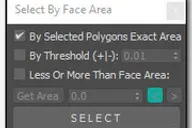
"SPIROFLY•CAM" script is the unique 'turn table' tool which uses the simple trigonometric formulas to create an interesting path around the targeted object in the scene.

By barigazy at 2011-12-02
3inCamPack: SPIROFLY•CAM
Downloads
Version 1.1Listed version
Listing updated
- bga_3incampack.mzp355 KB
- 3ds Max compatibility
- See original listing claims
Community compatibilityNo compatibility reports yet
No reports yet for the available releases.
Community reviewsNo reviews yet.
Listing details
- Version
- 1.1
- From original requirements
- 2010 or newer
- Original version requirement
- max2010+
- Author’s update date
- Legacy votes
- 6
- Listing created
How compatibility works
Compatibility comes from the author’s supported range or requirements in the original listing. A tested version records what the author tried.
“2020 unconfirmed” in the catalog means support for 3ds Max 2020 is still unknown.
Community reports record successful tests on specific releases.

Description
Setup & notes
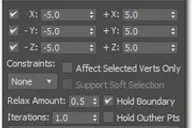
You can readjust and animate some paremeters after creation, interactively.
If the target object is animated, then the camera will follow it in a 'special' way.
Written and tested on 3dsMax 2011 x64 and 3dsMax 2012 x64, but it may work in older version.
UPDATE (v1.1) -> fixed some bugs and added installer support for 2013+
Comments (9)
Comment policy
it seems like a very good script
So I wanted to use it, but my it errors in my 3ds max.
I downloaded the script, dragged into the max, clicked install, it showed "installed successfully".
I tried to close it, but it won't!
(my max is 2014 x64)
+
I tried it in version 2013 too, but same here..
so i opened the editor and it says like the capture.
there's only that and that chinese goes on and on and it errors when i try to drag the source
I really like this script but why is it like this...*crying*
Attachments
icons missing
hi im trying out this scripts and they look really cool. in following installation i noticed no icons are showing for the shortcuts. I know the directory structure for max 2013 has changed, is this the reason? and if so is there a solution. i cant seem to find teh bmp files for the icons. thanks.
You are right, directory structure for max 2013 has changed and that cause the problem.
Now work on max2013+
I'm really sorry but..
can you please give me the source code?
i don't know how to code so don't worry. I just want to use the script. It's too good!
a good metal detector
This is actually the well known sizzling period for metal detector, ever before eye-catching price tag and add more along with the first class following profit program, rapid shipping charges and also discount probability would be determined by a person's arrangement, the following you go www.detectorall.com , a lot more possibilities and even information is holding out at this time there for your needs.
Great
The script is very useful. It good time saving means...
Thanks Siger Studio.
Really really great script, very usefull!thx
Thanks DearViewer1 for the first comment.
I'm glad that you like this cam-tool.
Cheers!