The advanced frustuum: Displays pixel parallax values at each corner. Click and move the planes to adjust either pixel values or the interaxial and zero parallax by going into manipulate mode. Just set the nearplane and farplane spinners to the desired values and the interaxial will adjust itself. AND MUCH MORE!
Watch the detailed video on vimeo: http://vimeo.com/57398627 Other improvements include, better gamma handling, bugfixes.
Additional Info
Adjustable Planes NEW ! Move the nearplane, farplane or screenplane to affect either pixel values or depth. Scroll down to the second video to learn more about it.
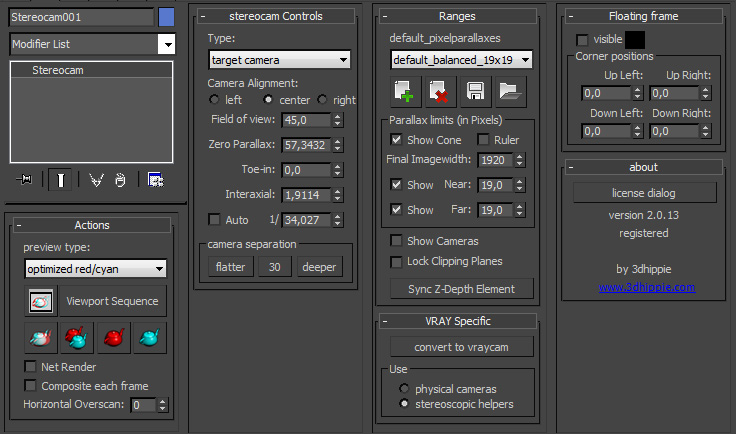
Real camera plugin You can create and move it like a standard targetcamera or use a convert macro if you prefer the old technique.
Preview speed This has been improved fundamentally. A Full-HD frame optimized anaglyph takes less then a second, making it much more attractive to render anaglyph previews.
Alignment (PRO). The stereocam can now be aligned to left, center or right side, so you only need to rerender one camera if you made adjustments. It is also very useful if you want to convert old short films to 3D with less rendertime.
Pixel parallax presets. Choose from and create new pixel parallax presets to get the 3D just right.
Great Vray-Implementation. The stereocam can be switched to VRay with the click of a button and offers you the choice of using two physical cameras or the stereoscopic helpers.
Horizontal overscan (PRO) Render your images wider without affecting the field of view and have the ultimate control over your depth in the post.
Net rendering Send jobs to the network just like any other camera.
Stereoscopic viewport preview Watch your viewport in 3D while working. All changes will be immediately reflected in the stereoscopic window.
More compositing types Choose from red/cyan, magenta/green, or amber/blue with monochrome, half-color or optimized algorithm.
Stereoscopic player connection (PRO) Utilize the power of the stereoscopic player from 3dtv.org .View and adjust either your interactive viewport preview or the rendered results from within the Stereoscopic player offering you even MORE compositing types (e.g. quad-buffered opengl, nivision, iz3d).
Realtime zero parallax adjustments (PRO) Adjust the zero parallax even after you rendered! Just shift the images until the desired depth placement is reached, hit „sync“ and the rig will accomodate to your changes.
Stereoscopic animated viewport sequence (PRO) Make an animated viewport sequence in full-HD. You can generate a 3D-Clip or use the stereoscopic player connection.
INSTALLATION
Please close 3ds Max prior to installing the plugin. To install 3dhippie stereocam v2 run the appropriate installer:
3ds Max 2011 and 3ds Max 2012 -> 3dhippie_stereocam_v2.exe 3ds Max 2013 -> 3dhippie_stereocam_v2_2013.exe
Follow the installation instructions and agree to the license.
IMPORTANT: Choose the main 3ds Max directory as the installation directory (e.g “C:\Program Files\Autodesk\3ds Max 2013”)
Start (or restart) 3ds Max and enjoy the product.
DOWNLOAD
The stereocam comes in 2 versions: A FREE License and a PRO License. The FREE license is very advanced already and has the most important features included. The PRO license has a lot of additional features that are extremely useful if you are serious about 3D.
How can we use this 3dhippie camera for V-Ray 3.0...??
Plz reply as soon as possible very urgent.
It would be a great help.
email: tushargupta3188@gmail.com
NNick · 2013-03-28
Minor niggle-point - It's "Frustum", not "Frustrum"
3dhippie · 2013-03-28
Oh! I will correct that typo immediately. Thank you very much.
+1
barigazy · 2013-03-29
I like this camera advanced tool. Awesome job,man
Keep up the good work!
Cheers!
Nice tools
Fflame · 2013-06-18
If add 8 views and 9 views.That's perfect.
Amazing Script!
Vvertigo262 · 2011-06-23
This is one of the best 3d stereo cam scripts i've seen. might be nice to make it a plugin.
this will come in handy!
Some things I'd like to see which would be nice would be
-A quick preview based on viewport instead of rendering it.
- not needed, but would be nice is 3d vision support for previewing
this one i think really would help
- final render output of cross eyed. maybe even save as jps and mpo
just some thoughts. Really loving this script. you've done an amazing job!
Nafetsu · 2010-12-07
Seems to be a great maxscript. (not yet tested for now)
I had to modified the script to make it work on my french version of 3dsmax : replace "vertex9" by "sommet9".
Thanks for your script.
Nafetsu · 2010-12-09
Great great script, thanks again !
Network rendering, and virtual frame buffer.
33dsunny · 2010-11-30
Hello David!
I don't understand something with the network rendering, and with a virtual frame buffer.
When i render the single image at the modifier stack (and hit -preview), the final image is perfect. But when i render it with the render setup dialog box, and i working with network rendering, i become only the single image, and not with the second, or the final composited image.
How can i set the render with network rendering? Can i save the virtual frame buffer?
Can you explain how it works?
I working with 3dsmax 2010, vray 1.5sp4a.
Thank for your help!
Balázs
Kkakarot2055 · 2010-11-14
Thank you , the script is perfect
It's a great tools,thank you very much !
cgworms · 2010-10-18
thanks!!!
MMork · 2010-09-27
Hello David,
just downloaded your script...amazing work!!
Is there any chance to see a 3Dvision (nvidia) preview in the future?
I'm talking about quad buffer display or interleaved frames at 120hz
thank you !!
DDigorp · 2010-07-26
Hello David, Congratulations for this script, but can you do you plugin for VRayPhysicalCamera? Thanks!
ZZaur_Khadikov · 2010-07-02
unfortunatly it does not ad camera name to render elements, so they does not render, can you fix this?
Jjohnfreefly · 2009-10-23
Hello David, I downloaded your script a few weeks ago, I have been testing it and found that when you close Max and then reopen it "sometimes" the script gets corrupted and gives this error:
--Type error: Call needs function or class, got:undefined
I'm running the script on max 2008, it works well, but this happens sometime, Have any idea why this may be happening?
Thank you very much, this is a brilliant script I must say.
 By 3dhippie · 2009-08-23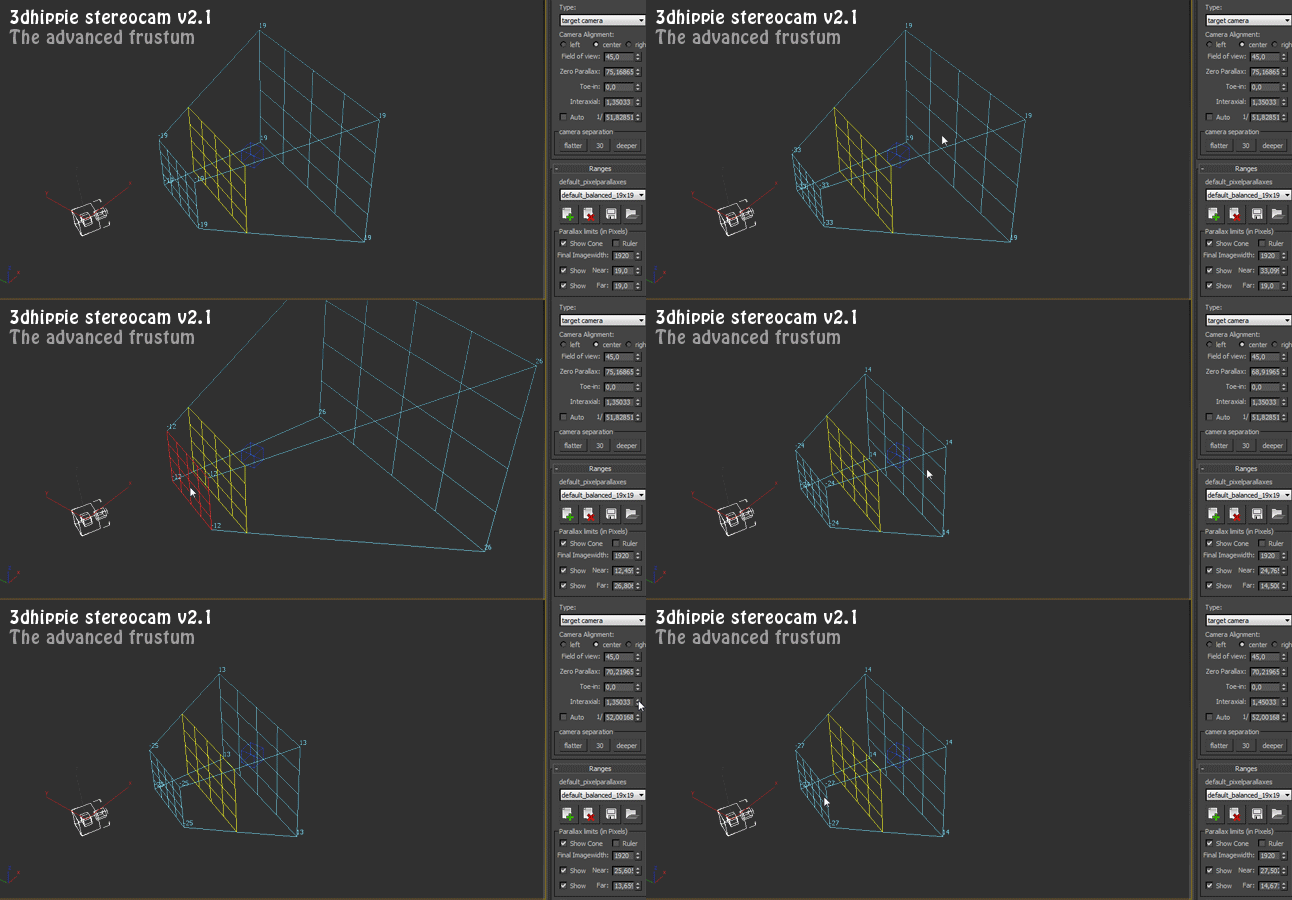
 barigazy · 2013-03-29
 Nafetsu · 2010-12-07
 cgworms · 2010-10-18