A simple MCG controller to allow the user to put in angle numbers without having to convert them to radians first or using a script controller.
Installation: Google how to install an MCG file if you don't know.
Compatible 3dsmax 2016 EXT 1 +

MCG
 By Dave Wortley · 2017-10-31
Tags: controller, Angle
A simple MCG controller to allow the user to put in angle numbers without having to convert them to radians first or using a script controller.
Installation: Google how to install an MCG file if you don't know.
Compatible 3dsmax 2016 EXT 1 +
Script
By default in standard max the Camera Map Modifier has a projection aspect ratio the same as the camera/render resolution, this isn't good if you need to project a portrait image on a landscape render. Whilst there are plugins/MCG/OSL…
Script
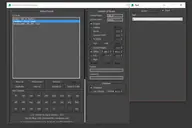
The visual maxscript editor has issues... doesn't make nice code and is generally useless. So instead I made this... Visit my facebook page for more info Run the mcr file and find it in your customise user interface windows under 'DW…
MCG
This MCG modifier allows you to create a looping mesh animation by referencing a duplicate of the mesh and the modifer will use this copy to blend the mesh back to the first frame by the end of the animation.
Comments (1)
Comment policy
???/
Where the heck is it in 3D Max? Installed but looked everywhere...A better explanation would help.