Tagged 'Animation'

Animators Tool Kit (ATK)

10 votes

*NEW* Utilities in ATK 1.174
VIDEO 'Flippin' Flaps': One click animate the unfolding of your mesh faces.
VIDEO 'PathRig': Generate paths that are guided by target nodes, these paths can act as trajectories, path deforms or both.
TreeLinker': Link objects together by distance from an object to the next object.

Click the GIF for demos:

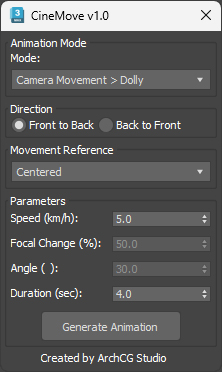
CineMove

0 votes

Please remove this script from ScriptSpot

0 votes

Extended Timeline

15 votes


This free script allows you to easily navigate in timeline. You can change the active time segment by dragging the slider, or zooming with your mouse wheel.

Bug report: [email protected]

Version info:
1.6.1 (2013. Apr 7.) Error in new scene fixed, callback event error fixed, zoom to selected keyframes works with biped objects.
1.6 (2013. Mar 19.) Available to Zoom to selected keyframes.

SceneShutter

0 votes

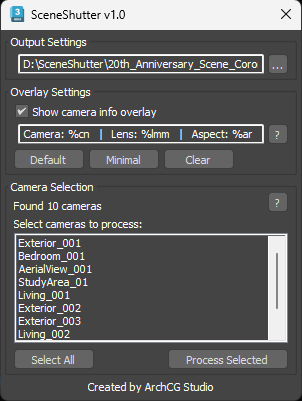
SceneShutter — Camera Viewport Export Tool for 3ds Max
Batch export clean, safe-frame camera previews with overlays and flexible aspect ratios — in seconds.

What is SceneShutter?
SceneShutter is a powerful yet lightweight tool for Autodesk 3ds Max that allows you to quickly export clean, safe-frame viewport previews from multiple cameras — without rendering.

SolidRocks

569 votes

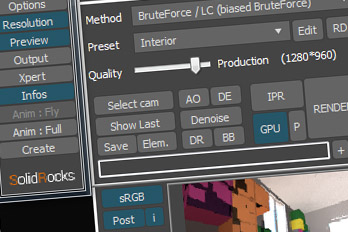
SolidRocks V2.4 is out !!  Support for V-Ray 6 (hotfix 2) and  MAX 2013-2023 ! 

SolidRocks adjusts and optimise all needed Vray parameters to reach the best rendertime/quality ratio.

Learn Vray progressively, see in realtime changes made by SolidRocks when you change resolution/quality.

SolidRocks includes new tools for both VrayMasters and Beginners:

Quick tangents

10 votes

This will set the tangents of your selected keys
in the trackbar.  It's pretty easy
to use,
select your
keys in the trackbar or trackview
(however the whole point of it is to change your keys without opening
your trackview) and click on the tangent you want. That's it.
It also has options to choose whether you want to change only
the
incoming or outgoing tangents.

TimeLine Control

5 votes

Version: 1.0.6
If you have several animations in 1 file and want a quick way to switch between them, this script might be useful for you.
TimeLine Control lets you create a list of named time ranges. Also add, remove, rename and sort items in this list. List is stored in INI and automatically loaded on next opening of your max file.
Docks above max timeline for quick and easy access.

UI screenshot

Showcaser

0 votes

Biped Helper + Picker

7 votes

Biped Helper is a support interface designed to be used in conjunction with the main Biped panel.

It is intended to provide both quick access to existing Biped panel tools, as well as functionality that is not supported by the Biped panel.


See online guide in links section. 


Features include:

Syndicate content