ScriptSpot

Forum topic · General Scripting

Grab Physical Camera Setting per Frame

By freedom1k · 2017-09-14

Downloads
Description

I have a Physical camera Selected with zoom, fOV, Target distance and Focal length animated over time.
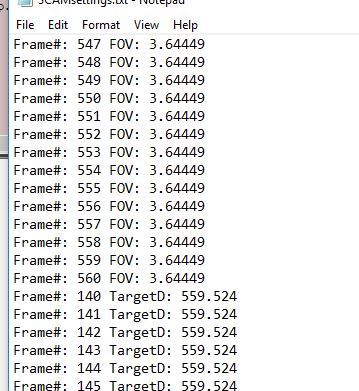
I want to grab the values of them to copy/paste in a text file, but when I execute the simple maxscript below the FOV and Zoom are constant for every frame, but the values are changing.


i=10
f=60
format for t = i to f do at time t format "FOV: %\n" $.FOV

format for t = i to f do at time t format "FOV: %\n" $.target_distance

Focal Length and Zoom works fine.
It seems simple, but can you help me with the correct syntax to gather the FOV and Target Distance over time when they are animated?

Thanks!

Comments (8)

freedom1k · 2017-09-15

.

jahman · 2017-09-14


for i=1 to 5 do at time i (
	
	format "fov: %\ttarget distance: %\n" $.fov (distance $ $.target)
	
)

That's what I get with the above code. vray 3.2

fov: 10.2224 target distance: 86.3469
fov: 10.8618 target distance: 86.6359
fov: 11.8764 target distance: 87.1185
fov: 13.2246 target distance: 87.8038
fov: 14.8648 target distance: 88.7046

freedom1k · 2017-09-14

Thanks Jahman.

I get an error when selecting a basic camera or Physical Camera.

-- Syntax error: at ), expected

-- In line: )

Can you try your selection with a Physical camera instead of vray cam?

I'm using 3dsMax 2016.


jahman · 2017-09-14

There should be no problems with the above code. How do you execute it?
Ctrl + C > MaxScript > New Script > Ctrl + V > Ctrl + E ?

freedom1k · 2017-09-14

I've been testing in the MAXscrpt Listener by 1st selecting the PhyCam, then copy/paste code then RETURN. it errors out.

Executing as you say above. Works perfect!
Thanks!

freedom1k · 2017-09-15

Strange. I expanded the time range.

The Target distance works fine, but the .FOV repeats whatever frame I'm currently at. I restarted max and the file, same results.
(purpose. I'm animating the FocalLength and Zoom only. In doing so, I want to capture the .FOV reading per frame.)


for i=165 to 560 do at time i (

format "frame: % fov: %\ttarget distance: %\n" i $.fov (distance $ $.target)
 )

Results:
frame: 165 fov: 3.65129 target distance: 564.072
frame: 166 fov: 3.65129 target distance: 564.058
frame: 167 fov: 3.65129 target distance: 564.041
frame: 168 fov: 3.65129 target distance: 564.023
frame: 169 fov: 3.65129 target distance: 564.005
frame: 170 fov: 3.65129 target distance: 563.987
frame: 171 fov: 3.65129 target distance: 563.969
frame: 172 fov: 3.65129 target distance: 563.953
frame: 173 fov: 3.65129 target distance: 563.94
frame: 174 fov: 3.65129 target distance: 563.929
frame: 175 fov: 3.65129 target distance: 563.922

jahman · 2017-09-15

try this


for i=165 to 560 do (
 
        sliderTime = i
	format "frame: % fov: %\ttarget distance: %\n" i  $.fov (distance $ $.target)
 )

freedom1k · 2017-09-15


That's Much better. Thanks!