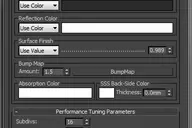
Simple Macro for quick VRay studio. Very conveniently for testing materials, etc.


Listing updated
Visit author’s download pagewww.sigershop.eu
Version 0.3 - Fixed DMC Version 0.3 - Fixed DMC Sampler error for newest VRay.
No reports yet for the available releases.
Compatibility comes from the author’s supported range or requirements in the original listing. A tested version records what the author tried.
“2020 unconfirmed” in the catalog means support for 3ds Max 2020 is still unknown.
Community reports record successful tests on specific releases.
Simple Macro for quick VRay studio. Very conveniently for testing materials, etc.
Comments (16)
Comment policy
^_^ can you give free?
Just register an account with UN/PW on the site and go to Download / Free ;o)
MAXscript Rollout Handler Exception
When i press the Render! button in your script i get a MAXscript Rollout Handler Exception that says "-- Unsble to convert: false to type: Integer
All the other buttons work fine, and if i render through the Randerer dialog it renders, just not when i click the render button.
Max 2010 SP1 x64.
Cheers.
Macroscript updated: adds support for V-Ray 1.5 SP3, SP4.
The previous version also is accessible.
i need it!!
so good!!
Direct link to download page:
http://www.siger.lt/site/index.php?option=com_content&view=article&id=61…
I can't find the script. Where is it exactly? I tried to download it from the page you provided but ther's no link anywhere.
??
Siger,
It would be great that there were more options for the base and environment options. For example it would be good to have an extra map button for the environment, just for speeding things a little more.
And It also would be a great to have an infinite black set with heavy reflections on the ground.
You may also consider to use choices for different infinite-white stage techniques. (Using a large plane which has feathered edges to blend with the white bg, or using fog method)
These are just opinions, I appreciate your work and interest.
Cheers.
Some small updates :)
Add colorpickers for ground mat, lights and GI skylight;
Add button for enabling workflow with gamma 2.2;
Rendering on VRay Frame Buffer;
Camera changed VRayPhysicalCamera;
Improved some rendering parameters.
Version 0.3 - Fixed DMC Sampler error for newest VRay.
Very practical script, thanks for sharing.
However there is something wrong with render function.
I dont know is it related with the latest fix but now when pressed Render, it throws this error with Vray version 1.5 RC3 on a 3ds Max 2008 version.
--Unknown property: "dmcgi_subdivs" in V_Ray_Adv_1_5_RC3:V_Ray_Adv_1_5_RC3
You may want to keep the previous version also.
Regards
OK, previous version available (V.0.2). Inadvertently find it :D Same link for download.
oh i had to say this... i havent downloaded it yet, but it looks absolutely brilliant! THANKS!!!!
Thankz for the scriptz. cool one
that was handy. well done!