ScriptSpot

Script

Viewport Bookmarks

By TDTrooper · 2024-08-27

Version
0.8
Date updated
2024-10-07
Votes
5
Description


This is a tool for bookmarking viewport positions. It's especially useful in large scenes.


Features
- Add and remove viewport position bookmarks, and name them.
- Switch between bookmarks by clicking on the bookmark name.
- The window is dockable
- Cameras can be created from the bookmark, based on the active renderer (Arnold, Vray, Corona, etc.)
- The data is stored persistent in a scene node, which can easily be transferred between scenes:



-- V 0.1 Release
-- V 0.2 The list box is now 28 rows, two little bugs are fixed
-- V 0.3 UI is scalable now, more data is stored: viewport type, fov (courtesy of Simon Bourgeois)
-- V 0.4 right click on a bookmark name updates the bookmark with the current viewport, no need for deleting, and creating a new bookmark everytime you need to change it.
-- V 0.5 the bookmark list can now be reordered with the up and down buttons
-- V 0.6 Export Bookmarks to camera (by Simon Bourgeois)
-- V 0.7 Added a button to just create a camera for the current bookmark
-- V 0.8 Added a Function to create an animation from all perspective bookmarks, starting at the selected bookmark, and undo for camera creation

Update: you might have to delete the old bookmark node for it to work

Install: Drag and Drop the .mcr to the Viewport, or drop .ms-file to scripts folder,
Tested in Max 2024, 2025
.mzp-file might not work in 2025, use the ms file instead
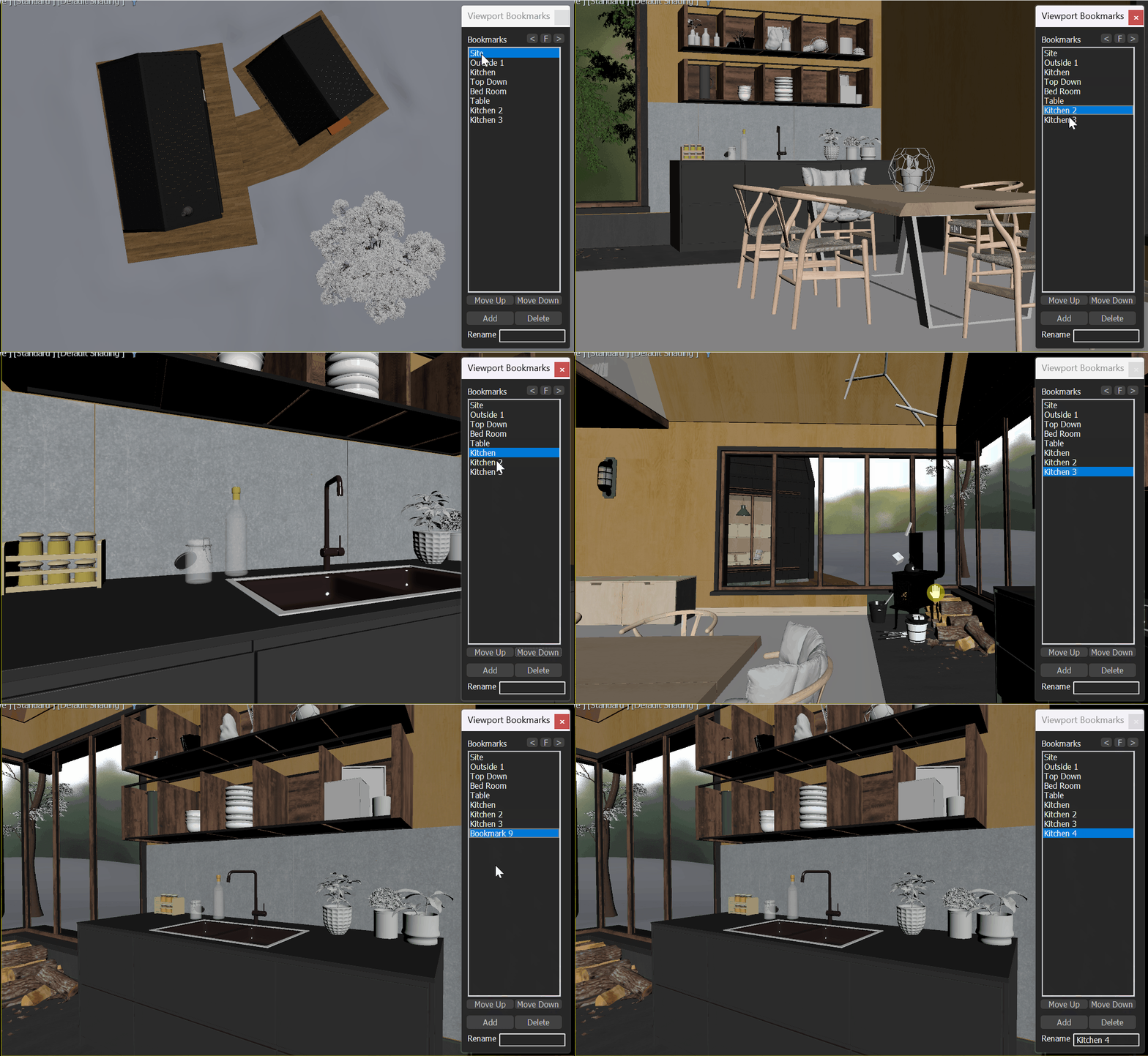
Create an animation from all perspective bookmarks:

Videos
Attachments

Tags: camera, viewport, bookmarks, Scene Management, View

Comments (19)

suggestion

jsrocha · 2025-03-12

Hi, great script, thanks! :-)
just a suggestion, to put the point helper that is created when a view is saved in a hidden layer, or with the "ignore extents" option checked.
Best regards,

Juliano

Replace "local newcam = VRayPhysicalCamera"

rachka · 2025-03-09

Found the culprit for the rollout handler exception:
Find: "local newcam = VRayPhysicalCamera" and "local newcam = CoronaCam"
and replace each of them with: local newcam = Physical

Hi,

SimonBourgeois · 2025-03-12

Instead of removing Vray and Corona camera support, you should just change this part:
"name:(uniquename (bookmarkRollout.items[i]+"_Cam")" for both Renderer by the one used for physical camera :"name:(uniquename (bookmarkRollout.lbxBookmarks.items[i]+"_Cam")",
This function used to be placed inside the rollout, it was able to find the items but now that it has been placed above the rollout, it doesn't. The author updated the physical camera part but other renderer cameras weren't updated :)

- The window is dockable

lupaz · 2024-12-19

Hi! Nice Script! Thank you.
Something that I noticed is that it doesn't seem to be dockable. Is it? Max2025.3

TDTrooper · 2024-12-19

It is dockable hit the < or > button :)

lupaz · 2024-12-19

Awesome!

update button

short_cirkuit · 2024-09-10

i love this script - can you add an update button if you update a particular bookmark?

update bookmark

TDTrooper · 2024-09-16

Just right click on the bookmark to update the bookmark!

It is interesting

dmitrybelonosov · 2024-09-05

An interesting solution, thanks for your hard work. I will share my thoughts and improvements:

1. I would like to rename by double-clicking or right-clicking the mouse, so as not to waste time, not to move the mouse cursor to the very bottom of the interface.

2. I needed the Update button. The view needs to be fixed. I select the view, select Bookmark and press the Update key. The question immediately arises "how to select a Bookmark without switching to an already saved view. You can turn on the view by double-clicking, and highlight by single or right-click.

3. I would like to see further development in the tool, the appearance of new functions, the use of the right mouse click. Perhaps a choice in bookmark
it will save the state of the scene, such as hidden layers. These additional functions are better implemented in the add-on. in the Settings window.

Thanks for the feedback!

TDTrooper · 2024-08-28

The Script is now updated. The two bugs are fixed. I also changed the listbox height. I tested only in Max 2024/25

thanks but 2....

MyGalaxy · 2024-08-28

It's the same problem in 3ds Max 2020

Hi

SimonBourgeois · 2024-08-28

in line 90 of Trooper_Viewport_Bookmarks.ms:
"listbox 'lbxBookmarks' "Bookmarks" pos:[8,28] width:124 height:25 align:#left"
you need to change "height:30" to "height:25".

short_cirkuit · 2024-08-28

works perfect thanks Simon

Your welcome

SimonBourgeois · 2024-08-29

;)

thanks but 2....

MyGalaxy · 2024-08-28

It's the same problem in 3ds Max 2020

thanks but....

short_cirkuit · 2024-08-27

great idea - thanks for this but it doesnt work for me on MAX24.
IT loads the script but when i press it, it loses soem of the dialogue and nothing is added.
see attacehd.

Attachments