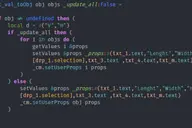


Randomize selected vertex position's.
(Works on Editable Poly objects only for now.)
How to use:
- Select some vertex
- Launch the script (Watch the video for an example.)
Installation:
- Copy the content in Max's User folder.

Listing updated
Visit author’s download pageatelierbump.com
No reports yet for the available releases.
Compatibility comes from the author’s supported range or requirements in the original listing. A tested version records what the author tried.
“2020 unconfirmed” in the catalog means support for 3ds Max 2020 is still unknown.
Community reports record successful tests on specific releases.

Randomize selected vertex position's.
(Works on Editable Poly objects only for now.)
How to use:
Installation:
Comments (5)
Comment policy
Link is broken
Hi there,
DOwnload link is not working.
I made this as a quick way to add borken edges details when modelling and thought to share it. @barigazy I totally missed your "Deformed edges" tool, looks far more capable for giving and ol' "realworld" feeling to hard edge objects.
As @JokerMartini said, maybe there is no point on making a modifier from this, since the noise modifier is already capable enough.
I don't get how this is different than the regular noise modifier? could someone explain.
Good suggestion, fajar. Also softselection will be nice addition to this tool.
My old tool have similar rand. vert option http://www.scriptspot.com/3ds-max/scripts/deformed-edges
Would be goood if its modifier tho.