
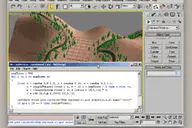
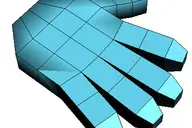
Seperates UV Data based on Material IDs. This will horizontally move each seperate Material ID to its own 0-1 coordinate space.
Unwrap Seperate By ID
Downloads
Version 1.1Listed version
Listing updated
- 3ds Max compatibility
- See original listing claims
Community compatibilityNo compatibility reports yet
No reports yet for the available releases.
Community reviewsNo reviews yet.
Listing details
- Version
- 1.1
- From original requirements
- 8, 9
- Original version requirement
- Max 8, Max 9
- Author’s update date
- Legacy votes
- 3
- Listing created
How compatibility works
Compatibility comes from the author’s supported range or requirements in the original listing. A tested version records what the author tried.
“2020 unconfirmed” in the catalog means support for 3ds Max 2020 is still unknown.
Community reports record successful tests on specific releases.

Description
Setup & notes
Maxscript > Run Script > CraftTools_SeperateByIDvXXX
.mcr.
"Unwrap Seperate By ID" will then be found under "Craft Tools" in the
Customize Dialog. You can then add this to a Quad Menu, Hotkey, or
Toolbar from there.
This script should be run on one object while the Unwrap Modifier is selected. It also requires that the base object is a Editable Mesh or Editable Poly object.
Comments (0)
Comment policy