ScriptSpot

Script

Trajectory Tracker

By wickerman · 2014-06-25

Version
1.00
Version requirement
3ds Max 2010
Date updated
2014-06-21
Votes
3
Download
Download
Description


This simple script was created in 3ds max 2013.

I do hope it will work with previous versions... 

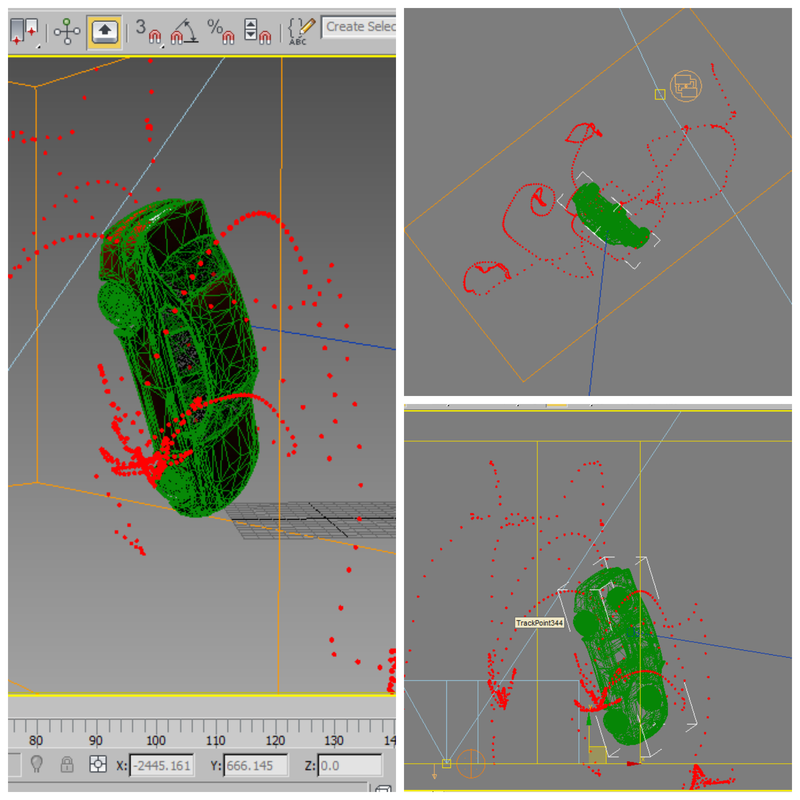
What it simply does is to map out the trajectory of an animated object... 

USAGE:

Run the script -> Select the Moving Object & Click on "Track Selected"...

side note : This script comes handy when you need to map the area for maybe create a grid for doing simulations.


Attachments

Tags: tracking, motion, tracker, Path, Trajectory, motion path, yusuph wickama, wickama, wickerfilms

Comments (3)

Thank you for that tool !

gpaget · 2014-12-02

I was thinking the same as DSP about selecting an other shape and defining space between each, grouping or not ...

Good job anyway !!

dsp_418 · 2014-06-30

Thanks,

looks nice!
Would be cool being able to customize the shape used, i.e. instead of spheres other objects, or even a spline as C4D tracer!
Or adding a step option in order to decrease/increase the size of the sphere over the time... Just a few thoughts :)
But all in all nice script, thank you!

wickerman · 2014-07-07

Thanx for the feedback, i appreciate it... I`ll Keep in Mind your advice... I`m currently working Creating an Animation, After that i`ll have plenty of time to update it... Thanks Again