ScriptSpot

Script

SimplyMaps

By DhruvaInteractive · Credited author: Dhruva Interactive · 2015-03-05

Version
1.0
Version requirement
3ds Max 2012+
Date updated
2015-03-05
Votes
14
Download
Download
Description

Overview:
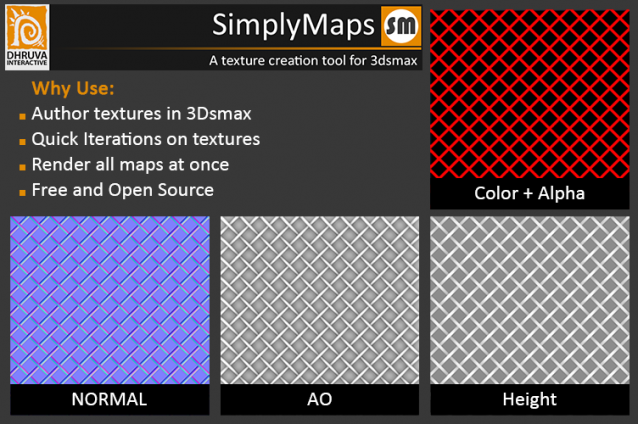
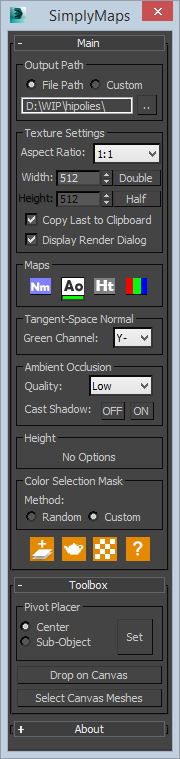
A simple tool to render out top down maps from 3dsmax. An ideal way utilizing the tool would be in creating tilable textures. Besides tilable textures, this will help in overlaying additional small scale details on already made in-game meshes in a much more straight forward fashion.

How to Install

UI:
Usage:

Additional Info

Future Development
This is the first version of the tool. We will be adding more features soon.More on what's next is in our github project page. Fork it, modify it any way you want.

Contact
Please give us your feedbacks or any improvements.
Feel free to send a mail to: tooldev@dhruva.com

Tags: Color, map, AO, normal, Height, Dhruva, simplymaps

Comments (15)

fzxj520 · 2021-01-15

very useful! thank you very much!

parvez · 2015-05-30

Thanks for give us a nice tools

Diffuse pass?

drewNorthcott · 2015-05-24

Hi Priyabrata.
Really cool script, very useful.
It would be great if you could also render out a diffuse pass. I'm rendering a bunch of objects into "flat" textures, and I'm current rendering the diff by hand and tweaking the size afterwards.

Cheers
-Drew

DhruvaInteractive · 2015-05-29

Thanks Drew for trying it out.

Diffuse pass is definitely a good one. We will add it in the next update.

Univerpix Studio · 2015-05-30

Amazing script! Thank you!
I also request the diffuse map render function. It would be very good.

DhruvaInteractive · 2015-05-17

Hi 3dwannab,

Thank you for trying the script out. We will definitely look into implementing the fix. To reduce the latency of rendering, we did not implement the render configuration saving. But will do that. Look forward to the future update.

Thanks.

3dwannab · 2015-05-17

Thanks, will do :)

Corona Render support

3dwannab · 2015-05-16

Hi, I love the script but when I have the corona renderer set the script changes to scanline and doesn't give a warning. So, would it be possible to it save the .rps file to a temp file and location and then reload after it has completed?

Gradient Map

asadar · 2015-03-31

Hi,

Sorry for the false good idea. Gradient map isn't a good idea for your tool because it needs an original shape.

But your tool is still good and very useful !

DhruvaInteractive · 2015-04-07

Hi Asadar,

No problem. The tool does allow user to create canvas based on pre-UVed meshes. So we can implement gradient map to such canvases.

Thanks for the idea.

Very Nice !

asadar · 2015-03-10

Simple, quick, and intuitive.
In one word : Thanks.
In two words : Big thanks !

Another useful map would be the "gradient map". ;)

Thanks

DhruvaInteractive · 2015-03-11

Hey Asadar,

Thanks for trying the tool out. Can you elaborate on the kind of results do you expect from "gradient map" ?

Michele71 · 2015-03-05

Nice!! very nice! Thanks for sharing :)

DhruvaInteractive · 2015-03-05

Thanks for the great suggestion headd.

We will add it to our road map.

Keep watching this space.