



Description
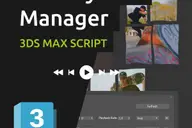
Showcaser is a powerful and versatile tool for quickly creating animated project presentations in 3ds Max. Give life and dynamism to your scenes, models, products, or characters in just seconds, without the need for animation knowledge.
With a simple and intuitive interface, Showcaser offers you several alternatives so that, starting from a static scene or a series of 3D models, you can easily create incredible professional animations in no time.
It works this way: you provide the objects you want to animate, set the animation order, adjust a few of parameters, and press Build Animation.
If you use the Scene animation mode, the plugin instantly creates an animated sequence in which the scene is progressively assembled, object by object, until it is complete.
If you use the Model/s animation mode (to make a presentation of models, products, or characters), Showcaser sequentially exposes the elements on screen, one at a time, with an entry and exit animation. You can also set a turntable animaion.
The plugin automatically creates all the necessary keyframes on the position, rotation, and scale tracks for each object in 3ds Max. If you want to make modifications, you can regenerate the animation with different settings, or you can manually edit the animations without needing to use the plugin, with 3ds Max native tools. Showcaser technically functions as a script, so it does not create plugin dependency.
This tool is aimed to all kinds of 3dsMax users, with or without previous knowledge of animation, in the various fields of 3D design, 3D modeling, CGI, architectural visualization, motion graphics, game art, and industrial design.

Features
- Create multiple animated sequences for a single scene.
- Define sets of objects and establish the animation order for them. Option to load them from 3dsMax layers or groups.
- Handy tools to automatically order the elements in the animation by name, size or position. Or set a custom order.
- Different options to load objects from scene: by manual selection, by name, by layer, by group.
- Choose from 2 versatile animation methods: showcase your entire scene or focus on presenting individual models.
- Animation types (combineable): movement, rotation, scale, abrupt appearance/disappearance.
- Easing options: linear, ease in, ease out, ease in/out, spring (semi-cartoon inertia).
- Create a turntable animation. Option to generate a parametric turntable object or load a custom model.
- Option to animate certain groups of objects together, at the same time, according to different criteria: by size, by layer, by instance condition, by user-defined sets, by quantity (every n elements).
- Configure start and end times of each animated sequence / duration of entry and exit animation / overlapping between object animations.
- Configure a special pivot position to use for every element, exclusively for the animation.
- Support for geometry, helpers, groups and hierarchies (containing any kind of objects).
- Compatible with thrird-party objects and plugins, including proxies!
- Exportable to realtime and game engines that support 3dsMax animations (Unreal Engine, Unity, Chaos Vantage, etc.)
- Includes a collection of handy presets for instant parameter settings.
- Ability to load and save custom presets.
- Options to edit, save, delete, and select animated elements.
- Tools for manage animated sequences.
- Allows manual editing of animation keyframes with native 3ds Max tools.
- Easily restore the initial scene/elements state.
- Custom undo function.
- No plugin dependency.
- Simple drag & drop installation.
Comments (0)
Comment policy