
Import Smarter. Work Faster.
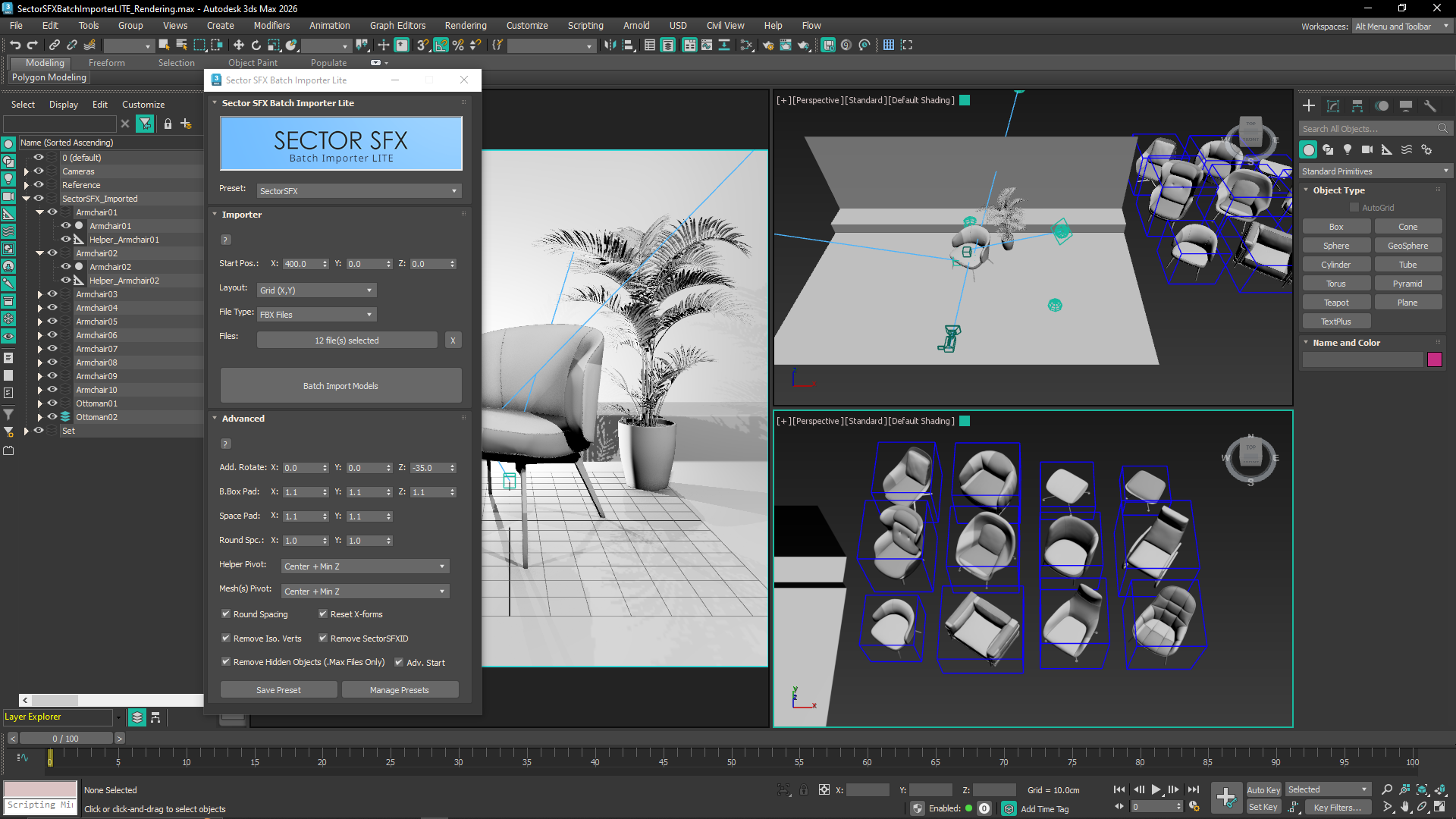
Save 1000+ hours of repetitive manual importing. Batch Importer LITE automates the importing, positioning, organization, and setup of your 3D models in 3ds Max. Select your files, choose your settings, and let the plugin handle the heavy lifting.
Features
Batch Import – Select all your files and let Batch Importer LITE handle the rest. Supports
.FBX,.MAX, and.OBJformats.Dynamic Layouts – Choose a grid, row, or column layout. Batch Importer LITE automatically calculates object placement using bounding box dimensions to prevent overlapping. Prefer your original positioning? Import each model as-is.
Custom Start Position – Define exactly where your imported models and layouts begin.
Pivot Point Control – Automatically correct the pivot point of each incoming object or leave existing pivots unchanged.
Helper Object Management – FBX files containing multiple objects? No problem! Automatically organize imported objects under a parent helper, keeping everything together and properly aligned.
Clean Scene Organization – Automatically organize imported models into appropriately named layers, with each model assigned its own parent layer structure.
Space Padding – Control the spacing between models and helper objects to keep your layouts clean and separated.
Bounding Box Padding – Add extra breathing room around helper objects by expanding their effective bounding box dimensions.
Rounded Spacing – Snap object placement to clean, rounded coordinate values for a more organized scene.
Custom Rotation – Apply rotation adjustments to imported models to correct orientation issues or accommodate special positioning requirements.
Manage Presets – Save and load your own preset values and select a new default preset to quickly access your most commonly used set-ups.
Less manual work. More time creating.
visit www.SectorSFX.com for more info.
Comments (0)
Comment policy