

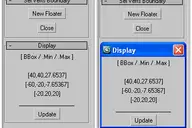
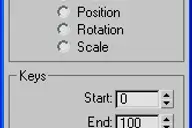

What to say... title and screenshot said everything.
Sample utility, an example of build-in Max function "reversetime".
Script affect only PRS (pos,rot,scale) transform keys.
Because I do not find some version in plain type for reverse time,
I wrote this script. I hope it come in handy for someone else.
Comments (10)
Comment policy
Hey awesome!
Hey
thats pretty cool! Hahahaha! You think of the devil and in a moment he appears :D
great script came across on right time ! :D
Thanks
+1 save a lots of time...
don't work with biped?
Sir, thanks for the script.
it works with objects very well, but with biped does not work (by selecting the root, or single bone).
I something wrong, or the script is not enabled with biped?
tnk.
thats an easy
select just 1 object ;)
Does it work with objects with instanced controllers?
I've tried to a script like this but I couldn't find a way to deal with this issue.
for example, it reverses the animation of an object in the array, but then again with the other object with the same controller in the array, which makes the animation go back to what it was.
Reverse time
The script is not working nor is visible in any location in 3ds max 2012 - tried opening the file, tried to run via maxscript>run and it is nowhere to be found.
It works
@comanderBARNIK :
you will find it in the Command Panel -> "Utilities" tab -> "Maxscript" button -> "utilities" drop down list -> "Reverse Time"
Thank you sir, you really saved my butt
Nice script Anubis. I was in need of an animation/time reverser yesterday for a project. I had searched on here for once and nothing came up. I went ahead and ended up making one which is nearly the exact same as this. Great work man!
JokerMartini
Thanks John, your script is nice too ! :)