
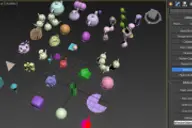
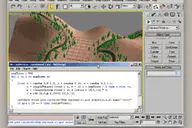
This tool is my solution for artists who needs to compare different render settings in short time with no need to save bitmaps.This tool is renderer independent.
Render Tuning Floater
Downloads
Version 1.1Listed version
Listing updated
Visit author’s download pagewww.scriptspot.com
Release notes
Version 1.1 added - possibility to save/load Render Settings via UI for each slot if needed
- 3ds Max compatibility
- See original listing claims
Community compatibilityNo compatibility reports yet
No reports yet for the available releases.
Community reviewsNo reviews yet.
Listing details
- Version
- 1.1
- From original requirements
- 6 or newer
- Original version requirement
- 6+
- Author’s update date
- Legacy votes
- 13
- Listing created
How compatibility works
Compatibility comes from the author’s supported range or requirements in the original listing. A tested version records what the author tried.
“2020 unconfirmed” in the catalog means support for 3ds Max 2020 is still unknown.
Community reports record successful tests on specific releases.

Description
Setup & notes
Version 1.1 added
- possibility to save/load Render Settings via UI for each slot if needed (saving to external file,accessible in render presets toolbar too,settings remains stored as presets on HDD,working with all renderers)
Installation:
- Extract to MAX root.
- Customize->Toolbars->Ztools (category)->Render Tunning Floater 1.1
If you are using previous version... Please delete this files/folders to clear-up your max, thanx folder -- MAXroot\Scripts\RenderTunningFloater1.0 file -- MAXroot\UI\MacroScripts\RTF_1_0.mcr
Comments (1)
Comment policy
im about to try this script. sounds cool. and by the way is out there any script like this one but to compare animations?
on 3ds max? or any where on the world? hehe.
well we do most of the time 2-3 or 4 takes of the same animation and we have to compare them on media player
but we need to play both or the 3 animation in sync to choose
takes.
blessings