
ScriptSpot home

Script

QuickMR (Quick mental ray settings)

By Midge Sinnaeve · 2013-10-10

Community compatibilityNo compatibility reports yet

No reports yet for the available releases.

Community reviewsNo reviews yet.
Version
1.31
3ds Max compatibility
See listing claims below
How compatibility works

Choose the 3ds Max version you use. For example, selecting 2020 puts direct matches for 2020 first, followed by listings that say a supported version or newer.

Scripts that only mention an older version can still appear as “2020 unconfirmed.” Listings that rule out 2020 are excluded. Use “Show scripts with unconfirmed compatibility” to also see listings without a clear match.

Community reports show what worked for members on a specific release. They’re separate from the listing’s compatibility claims and don’t change the filter.

From original requirements
2014
Original version requirement
2014
Date updated
2013-11-09
Legacy votes
3
External download
External download

Tags: quick mental ray render settings scene parameters interface

Description

QuickMR v1.31

This is a script exposing the most commonly used parameters when using mental ray for production rendering.
Instead of having to hit "F10" and go digging thourgh the tabs, I created an interface for quickly modifying mental ray settings.

I use it myself in production almost daily and continue to tweak the script as I go along, adding functionality along the way.

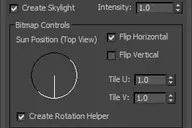
A screenshot of the interface:

Current known bugs / limitations:

This script is written for 3ds Max 2014, as the implementation of Unified Sampling changed some things internally.

- When using the "Scanline / Rasterizer" it has to be set manually in the render settings, as there's currently a bug in the Max UI

To install:

- Run the script (.mcr) in 3ds Max
- Open the Customize > Customize User Interface... menu
- Look for the category "DAZE"
- Assign it to a button / quad menu
- You're done! 
More by Midge Sinnaeve

View all contributions
Comments (1)

Super Nice

postite · 2015-01-08

Thank you for this script.
Loving it !

PS: Hi from Belgium ;)