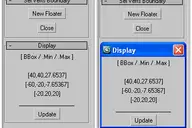
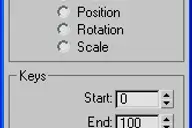

Good for global rescale at once the size of all procedurals.
Works on any resizable procedural map.

Listing updated
No reports yet for the available releases.
Compatibility comes from the author’s supported range or requirements in the original listing. A tested version records what the author tried.
“2020 unconfirmed” in the catalog means support for 3ds Max 2020 is still unknown.
Community reports record successful tests on specific releases.

Good for global rescale at once the size of all procedurals.
Works on any resizable procedural map.
Takes ALL procedural maps IN:
* ALL Scene Materials + MEditor slots
* Material from selected object(s)
* Active MEditor slot
and multiplies, adds or changes their size based on a value.
Important (!):
The script is undoable through Max Edit/Fetch (Alt+Ctrl+F). Due to the well known bug ("Broken Undo") that start from Max 2008 (and continuous in Max 2009) which is too hard to be fixed (completely) and which is not related to MaxScript (but affect it, of course), I prefer to use Hold/Fetch feature.
Teasted on Max 9 - 2009 (should work on some of previous versions as well)
Comments (0)
Comment policy