
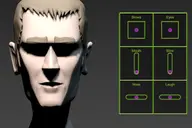


With this script you can animate a selected object by recording your mouse movement.
mouseCapture
Downloads
Version 0.1Listed version
Listing updated
- mousecapture_v01.mse15 KB
- 3ds Max compatibility
- See original listing claims
Community compatibilityNo compatibility reports yet
No reports yet for the available releases.
Community reviewsNo reviews yet.
Listing details
- Version
- 0.1
- From original requirements
- 2008
- Original version requirement
- 2008
- Author’s update date
- Legacy votes
- 3
- Listing created
- Homepage
- http://www.danielwichterich.de
How compatibility works
Compatibility comes from the author’s supported range or requirements in the original listing. A tested version records what the author tried.
“2020 unconfirmed” in the catalog means support for 3ds Max 2020 is still unknown.
Community reports record successful tests on specific releases.

Posted by
Daniel Wichterich
More by this author
Description
Additional Info
Features:
- can be used for moving, rotating or scaling objects
Quick Start:
1. Select an object
2. Define the corresponding translation for horizontal and vertical mouse movement. If axis is flipped to your mouse movement use the inverted axis.
3. Make sure to have your reference coordinate system set to local
4. Hit "Capture" - you have 5 seconds preroll.
Notes:
- Keep in mind this is an early version... use with caution :)
Install:
- Scripting -> Run Script... "mouseCapture_v01.mse" or drag the file into the viewport.
Comments (4)
Comment policy
TEŞEKKÜRLER DOSTUM
bu harika script için çok çok teşekkür ederim...
ama sana teşekkür bile az...
daha kullanmadım ama videoda bile görmek harikaydı...
indirdim ve en kısa zamanda kullanacağım...
Allah razı olsun senden...
başarılar ve mutluluklar diliyorum...!!!
Spinner Precision
Hi Titane
thanks for your words. You could change your spinner precision under general preferences for the moment. Or you could give me your email adress and I'll send you the .ms file.
Cheers!
Daniel
In fact it was "multiplier" that I should use.... my bad
I see your 3d work, wow great !!!
Hi,Thanks for sharing !I
Hi,
Thanks for sharing !
I just play with it, and I wonder if you can just allow a lower speed in settings.
"0,00001" or even more. As it is a mse we can't made any changement.
Best regards
oh, and your octopus is cute !