
ScriptSpot home

Maxscript | Scale,Rotate Reference

Downloads

3ds Max compatibility
Unknown
Community compatibilityNo compatibility reports yet

No reports yet for the available releases.

Community reviewsNo reviews yet.

Listing details

Version
1.22
Author’s update date
Legacy votes
5
Listing created
How compatibility works

Compatibility comes from the author’s supported range or requirements in the original listing. A tested version records what the author tried.

“2020 unconfirmed” in the catalog means support for 3ds Max 2020 is still unknown.

Community reports record successful tests on specific releases.

Posted by

3D R.n.D

Credited author: Bayan al Safadi

More by this author

Scale Rotate


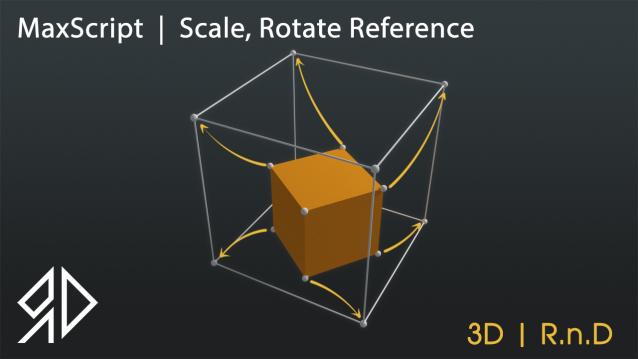
This Script will allow you to Rotate and\or Scale and Move an object based on two source picks to a destination two picks similar to align command in autocad !


Run script or drag and drop to 3ds max, then go to customize user interface and assign it as keyboard shortcut or quad menu under "3D_RnD" Category

it works with :

   - Single objects selected

   - Multiple objects selected

   - Groups

   - Vertices, edges, polygons and elements inside editable poly object

   - Vertices, edges, polygons and elements inside edit_poly modifier

   - Vertices, edges, faces, polygons and elements inside editable mesh object

   - Vertices, segments, splines inside editable_spline object


choose a method from above (single object, multi objects, groups .... etc ) and apply script then pick two starting points then pick two destination points ( you can use snap ).

its possible to skip the 1st destination point which will use the 1st source point instead !

You can work on which view you want, however the perspective and ortho view will work like top view.

Setup & notes

Version : 1.22

Subscribe to my YouTube channel :

https://www.youtube.com/channel/UCp13ZiWcwCCV2RjcXsD6ZGA

follow me on Instagram :

https://www.instagram.com/3d_r.n.d/


This software is provided on an "as is" basis, without warranty of any kind, express or implied, including without limitation, any implied warranties of merchantability,

The entire risk as to the quality and performance of the software is borne by you, and it is your responsibility to ensure that it does what you require it to do prior to using it,

The author is not responsible for any indirect, special, incidental, or consequential damages of any character including, without limitation, damages for loss of goodwill,

Work stoppage, computer failure or malfunction, or any and all other commercial damages or losses.


Copyright : © 2009-2021 3D | R.n.D, All rights reserved

Author : Bayan Al Safadi

Videos
Comments (7)
locb

Is there a way to enable 2d or 3d snap, while the script is running?

myfrankie

Can't open the website, can you send one up?

myfrankie

Can't open the website, can you send one up?

3D R.n.D

Glad you like it :)

titane357

Nice ! And usefull !!

Alex

It is very interesting. Stylish presentation. Thank!

Alex

It is very interesting. Stylish presentation. Thank!