


Demo on line: http://v.youku.com/v_show/id_XMTM4ODAwMzU2.html
-------------------------------------------------------------------------------------------------------------------------------
-- Lighting at Vertex
-------------------------------------------------------------------------------------------------------------------------------
-- Usage
-- 1.Choose a preset object or add a poly object to be the surface that generates lights.
-- 2.You can choose Omni,Spot,Direct light to be created.
-- 3.Create lights on each vertex also create a target helper to control the targets.
-- All lights and target helper are linked to the object.
-- 4.After moving each vertex click Update button then all the lights automatically move to match the vertex's new position.
-- Also you can click on Auto checkButton then all lights move automatically.
-- But this method can slow down your system speed,so I recommend you use the Update button.
-- 5.Click the Objects list to select the object.
-- Double click the Objects list to select the target helper.
-- 6.Click the Lights list to select the light.
-- You can also select multiple lights by draging.
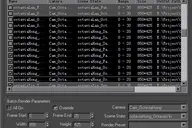
-- 7.Some parameters of lights are listed on the dialog,so you can quickly change them.
-- All the lights are instances,so you can also change parameters on Modifier Panel.
-------------------------------------------------------------------------------------------------------------------------------
-- Note
-- In the Auto mode when you delete some lights the relevant vertices are deleted.
-- But this is not always worked well.So I don't recommend you delete lights directly.
-------------------------------------------------------------------------------------------------------------------------------
-- Max Version Requirment
-- max 9 and higher
-------------------------------------------------------------------------------------------------------------------------------
-- Author Information
-- author: Jin Xi
-- E-mail: ausn_shi@yahoo.com.cn
-------------------------------------------------------------------------------------------------------------------------------
Comments (1)
Comment policy
Animation Support
Would be great if the light sources are linked to
vertex animation of the object! Thank you...