Honeycomb is a free scripted geometry plug-in (for 3ds Max 9 SP1 and higher)
that build procedural hexagonal tiles surface sorted in 4 shape types.


Listing updated
No reports yet for the available releases.
Compatibility comes from the author’s supported range or requirements in the original listing. A tested version records what the author tried.
“2020 unconfirmed” in the catalog means support for 3ds Max 2020 is still unknown.
Community reports record successful tests on specific releases.

Honeycomb is a free scripted geometry plug-in (for 3ds Max 9 SP1 and higher)
that build procedural hexagonal tiles surface sorted in 4 shape types.
The 4 presets surfaces (shown with offset, on the right):

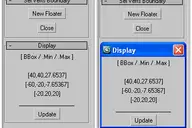
I think so the interface is intuitive,...

...but I made short video though.
Installation:
Put the script to stdplugs\stdscripts and restart Max.
Usage:
Controll Panel / Create / Anubis Primitives / Honeycomb
Comments (9)
Comment policy
Everything works well
Offsets for Triangle and Circle mode look wrong. Why doesn't the offset work around the centers of each hexagon like the other two modes?
script doesn't work
This script doesn't work with 3DSMax 2016!!
Attachments
.
I have just tested the script on 3dsMax 2016. It works with no problems. I saw in your second image that you use decrypted version of the script. First - this is illegal, second - may be the modification that you have made are the reason for your problems.
Thanks
Nice object! Thanks a lot!
hey, Anubis!
Good work, I will try it now, for my interior. Thank you!
niceeee
nice script......
Very useful~
good ms, thanks a lot~
Mmm. Yummy...
Nice object. Really saves my time.