You can convert FBX animation to Biped with this script

Script
 By lswsox · Credited author: Lee Sang-won · 2016-01-02
You can convert FBX animation to Biped with this script
Problem on retarget
 jgk1981 · 2020-10-20
Is not working correctly when you try to retarget characters that was rigged in another 3d program. When i press to sync the biped to the other skeleton is messing it up. check the image to see what i mean. (btw the Root bone on the other character is on the 0 and not like it is on biped)
Is it possible to be able to retarget different type of character rigs to biped?
Biped to FBX?
jg · 2017-09-15
Is there a way to transfer biped animations onto a regular skeleton?
FBX export from Biped is possible with FBX Export.
lswsox · 2017-11-07
I'm sorry I did not check the ScriptSpot frequently and the answer is late.
FBX export from Biped is possible with FBX Export.
Twists Support?
AaronVictoria · 2016-05-04
This is a great solution. Thanks so much for sharing it. I'm currently looking to transition a Daz3D skeleton to 3DS Max Biped, but Daz3D has a twist bone for the upper arm, lower arm, thigh, and calf bones. Is there currently support for Twist bones?
Thanks in advance.
lswsox · 2016-05-08
Please send me a sample fbx file made from Daz3D.
I don't know about Daz3D.
E-mail : lswsox@gmail.com
--Runtime error: array index must be positive number, got:0
j3dj3d · 2016-04-19
Have tried to retarget with the attached file. Have tried version 0.25 in 3ds max 2016 then 2014 and it gives me this error. Have attached those files and the original .fbx . Thanks for any advice. I think it was on line 762 where it says: tMeFbxParent = pairs[(fnFindInPairsBip tMeBip.parent)].fbxObj
lswsox · 2016-04-21
The cause of the problem has occurred because there is no fbx corresponding to the neck Biped.
Version 0.26 has been added exception handling.
'Fbx to Biped' tool is most effective when dealing with fbx made in Biped.
But you have attached FBX is different from the biped rules.
For example, right hand and right leg of a sample FBX has the opposite direction of the x-axis.
In this case, you add a 'helper' align in the X-axis direction of the biped, and use the 'helper' instead fbx.
FBX's 'twist bone' also additional work is required to fit the biped.
Please note that I did my bit of work on the attached file.
Thank you for your time
j3dj3d · 2016-04-26
I've got an understanding now of how to get it to work on this kind of fbx.
Great tool!
 Royal Ghost · 2016-02-10
Hello! Great tool! I tried it on Populate skeletons and I have problems to get proper biped foot objects.
Can you improve foot bone size detection algorithm? I think it can be done by finding intersection of two vectors. Please see on screenshot.
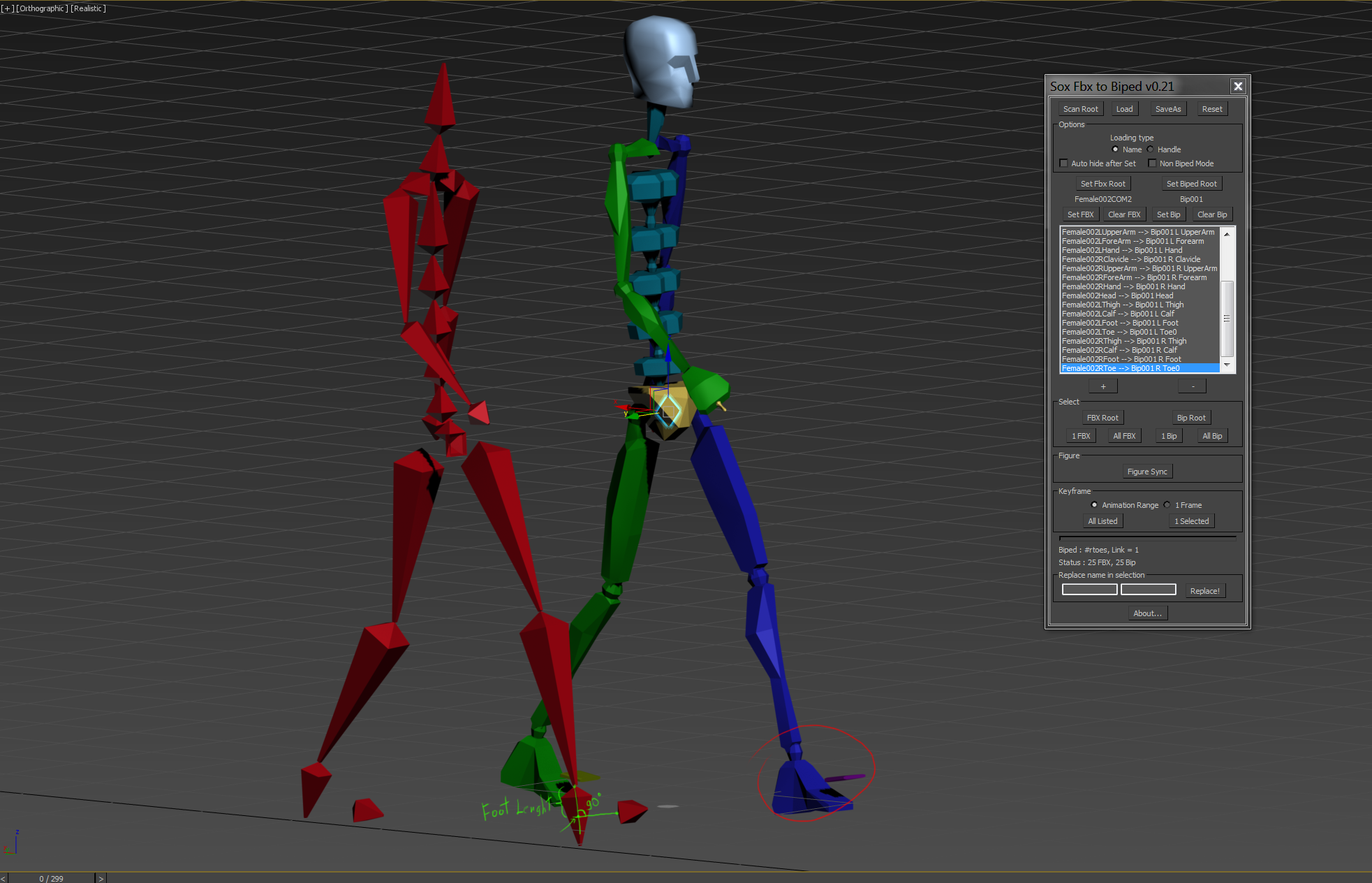
Download 0.22 please
lswsox · 2016-02-10
I have fixed the problem about Foot scale.
Now you can adjust scale of Foot object at Figure mode.
Please download 0.22 version.
Royal Ghost · 2016-02-11
Thank you for trying to fix it. 0.22 works better but toes still not connected to foot. Here scene for test (max2016)
Try 0.23 please
lswsox · 2016-02-11
I changed algorithm of Foot scale.
Royal Ghost · 2016-02-12
Great! Thank you! Can you also fix Y scale of foot? Here the scene
lswsox · 2016-02-13
I had tried y-scale automatically but there are gap between 'Foot Y-scale' and 'Foot geometry'
Check this screenshot please

I suggest that you use biped figure mode and scale foot y-axis manually.
Royal Ghost · 2016-02-13
Ok. Thank you for fix! You helped me a lot.
jgk1981 · 2016-01-14
Very good Script.
On the Future will it be possible to adjust it automatic on the fbx bones without the need to re-create manual the biped?
lswsox · 2016-01-20
The name of the FBX has many exceptions. It is ambiguous to create a biped automatically.
